Note
Access to this page requires authorization. You can try signing in or changing directories.
Access to this page requires authorization. You can try changing directories.
This article provides an overview of how Java developers can modernize their applications using GitHub Copilot app modernization within the Copilot coding agent. The agent can work independently in the background to complete modernization tasks, just like a human developer. Developers can delegate tasks via issues or pull requests, and the agent executes them in the cloud, helping teams complete the entire modernization journey efficiently.
Note
Copilot coding agent is available with the GitHub Copilot Pro, GitHub Copilot Pro+, GitHub Copilot Business and GitHub Copilot Enterprise plans. The agent is available in all repositories stored on GitHub, except repositories owned by managed user accounts and where it has been explicitly disabled.
Supported scenarios:
- Upgrade your Java application – for example:
Upgrade this project to the latest Java version. - Migrate your Java application to Azure – using predefined tasks listed in Predefined tasks for GitHub Copilot app modernization for Java developers.
- Deploy your Java application to Azure – for example:
Deploy this application to Azure.
Prerequisites
- Copilot coding agent configured
- A GitHub Copilot Pro, Pro+, Business, or Enterprise subscription
- A GitHub repo
Get started
Use the following steps to get started with the Copilot coding agent:
Go to the Settings section of the target repository you want to modernize. You must be an administrator of this repository.
Select Copilot, then select Coding Agent.
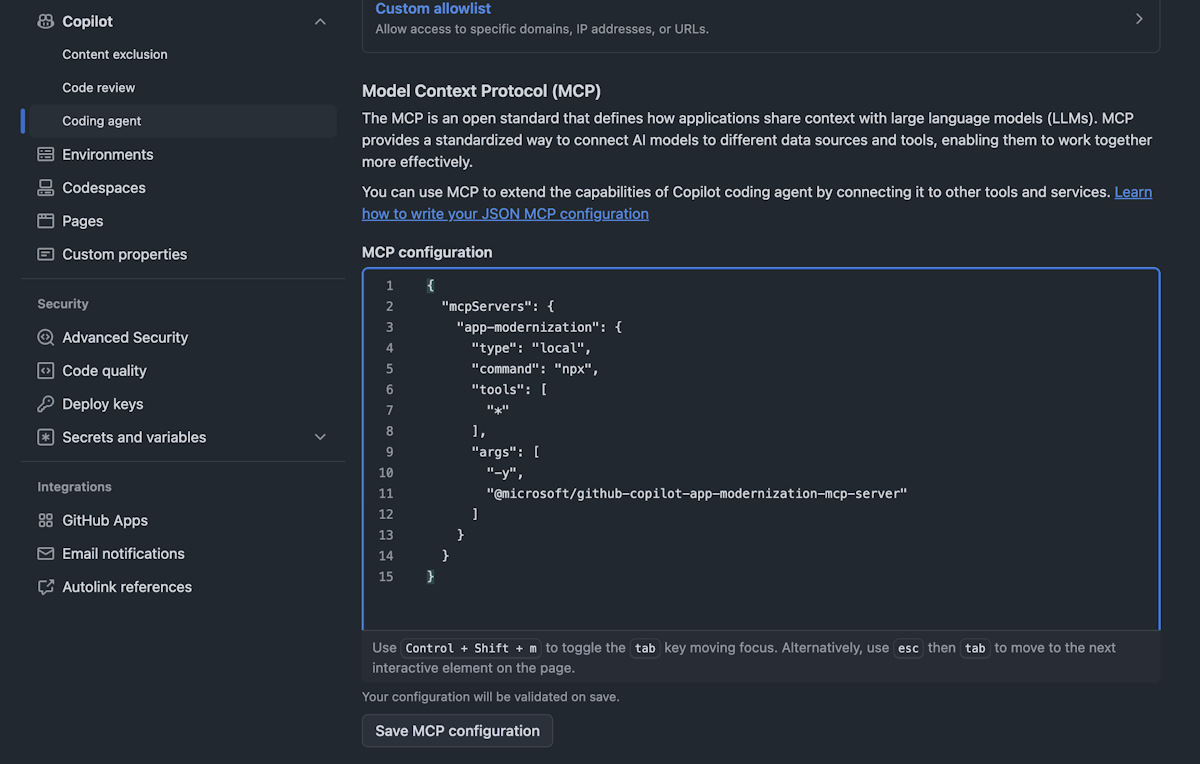
Under MCP Configuration in the Model Context Protocol (MCP) section, manually add the following configuration, and then select Save Configuration:
{
  "mcpServers": {
    "app-modernization": {
      "type": "local",
      "command": "npx",
      "tools": [
        "*"
      ],
      "args": [
        "-y",
        "@microsoft/github-copilot-app-modernization-mcp-server"
      ]
    }
  }
}
(Optional) If environment variables are required, set them under Environment > Copilot in the settings. These environment variables are initialized automatically the first time a user invokes an agentic task in this repository.
Open the Agents panel in the top-right corner and enter your prompt. After the prompt is entered, Copilot starts a new session and opens a new pull request, which appears in the list below the prompt box. Copilot works on the task and then adds you as a reviewer when it's finished, triggering a notification.
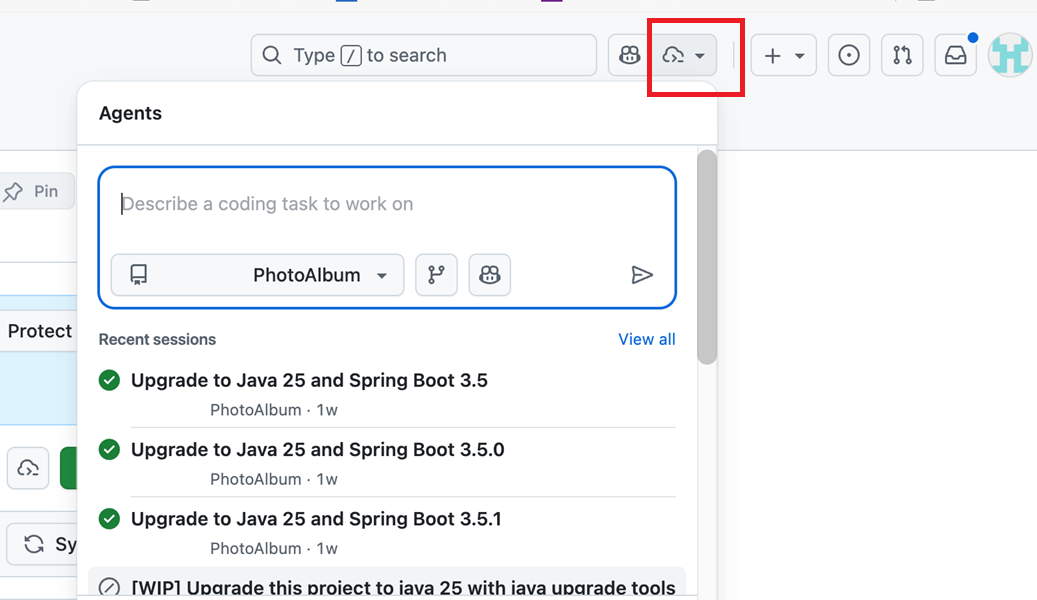
You can find sample prompts in the next section.
Upgrade your Java application
To upgrade your Java application to a newer runtime or framework version, run the following example prompt. This prompt helps ensure that your project stays aligned with the latest platform capabilities and security updates.
Upgrade this project to JDK 21 and Spring Boot 3.5
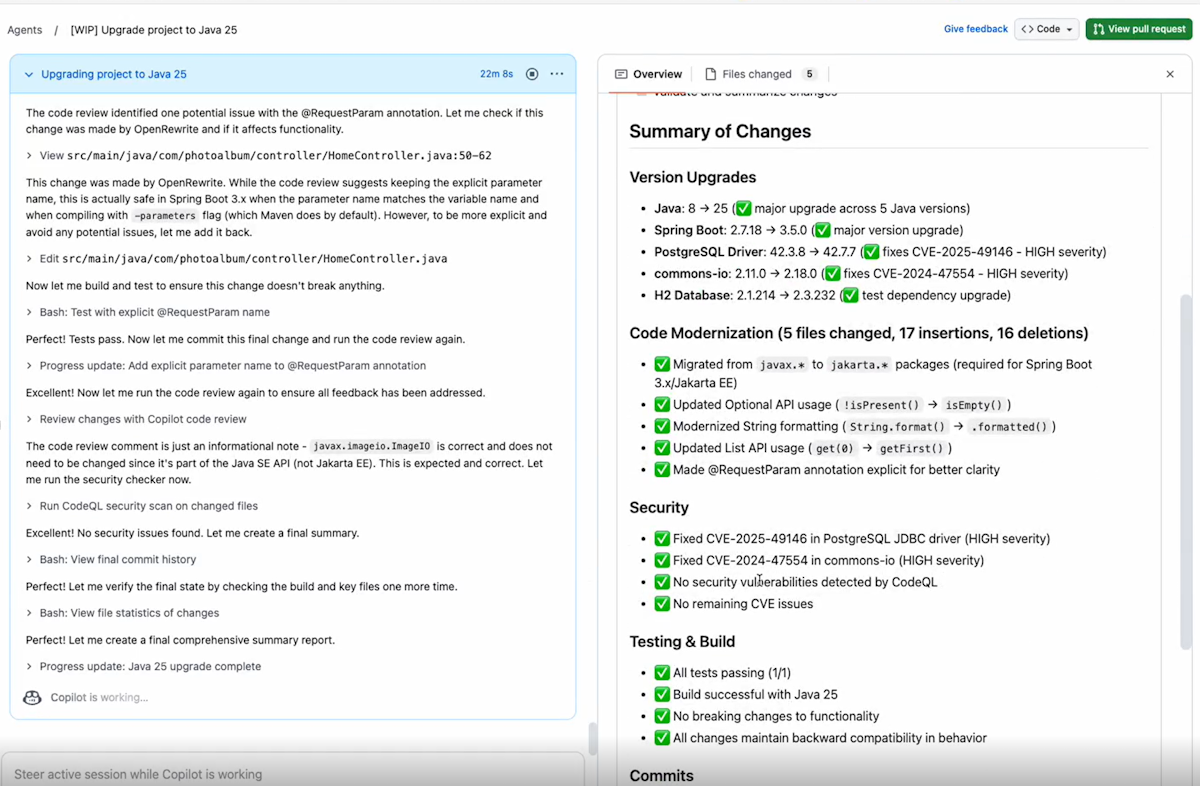
The following steps illustrate the upgrade process:
Describe what you'd like to achieve in plain language.
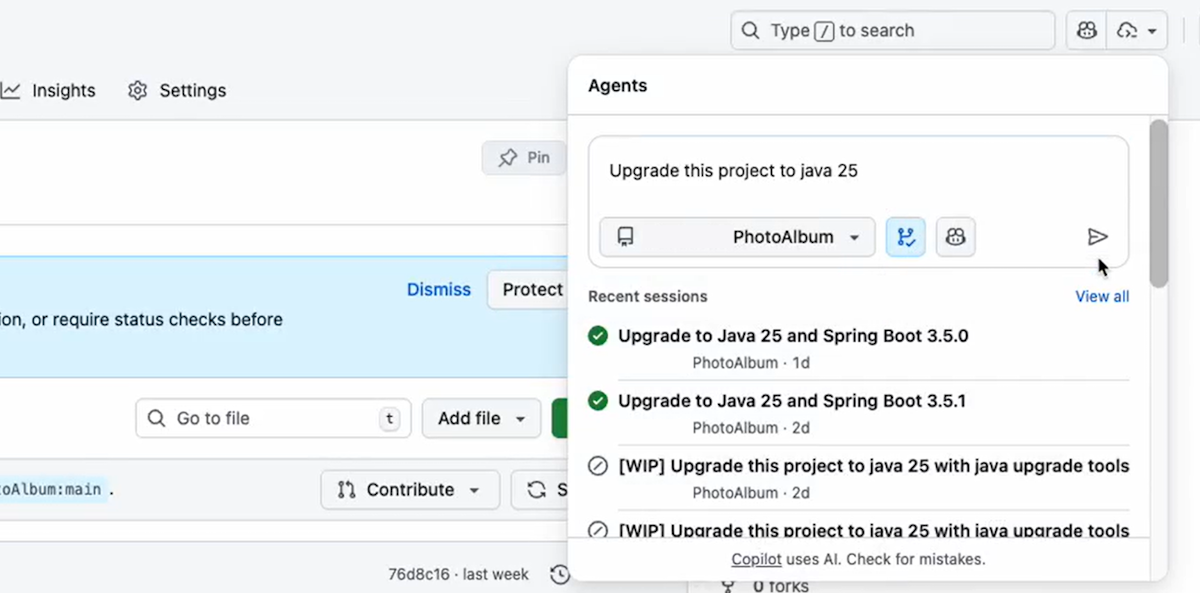
The coding agent then executes, including generating the upgrade plan, performing code remediation, building the project, and checking for vulnerabilities.
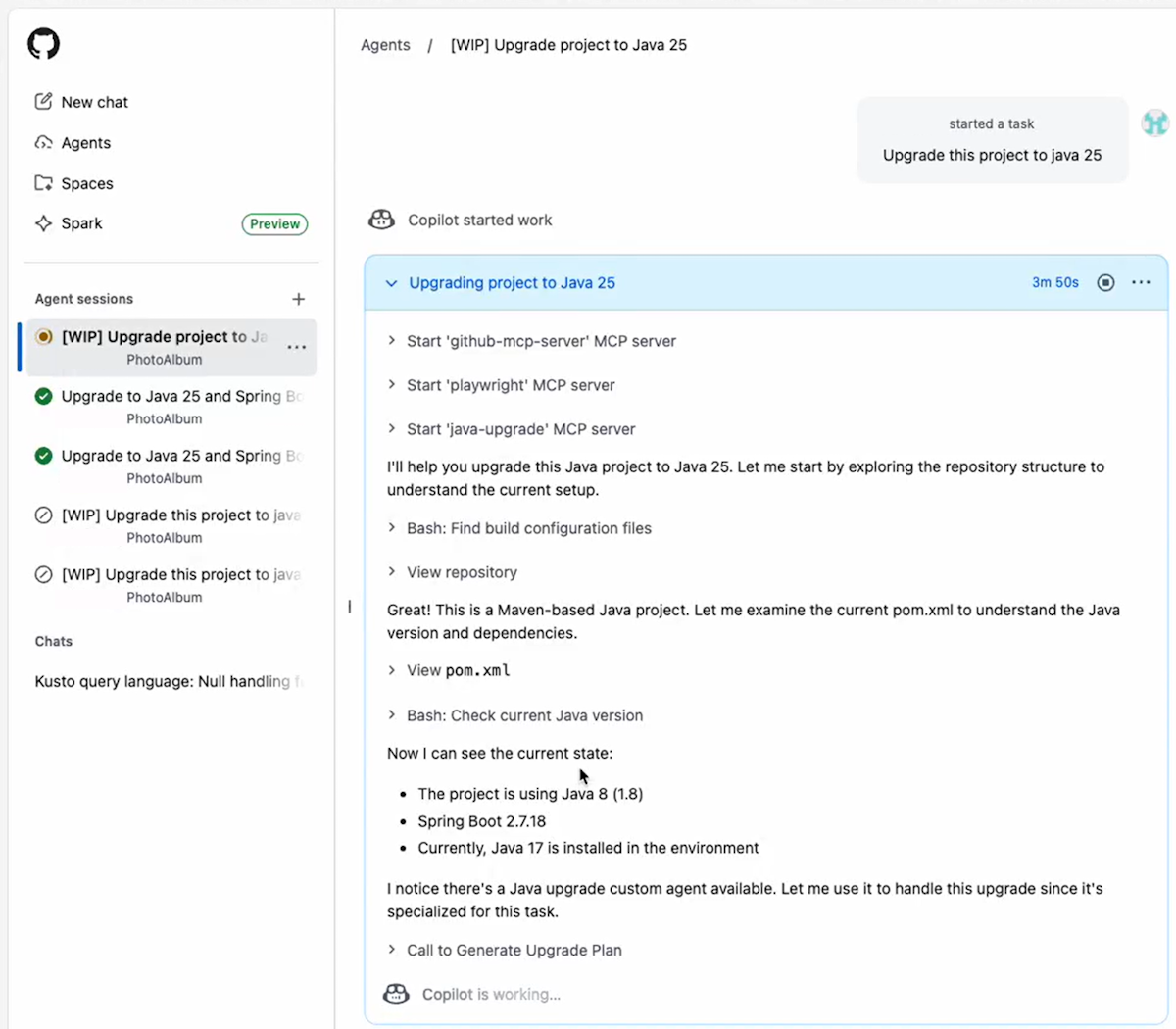
You get a concise summary at the end.
Migrate your Java application to Azure
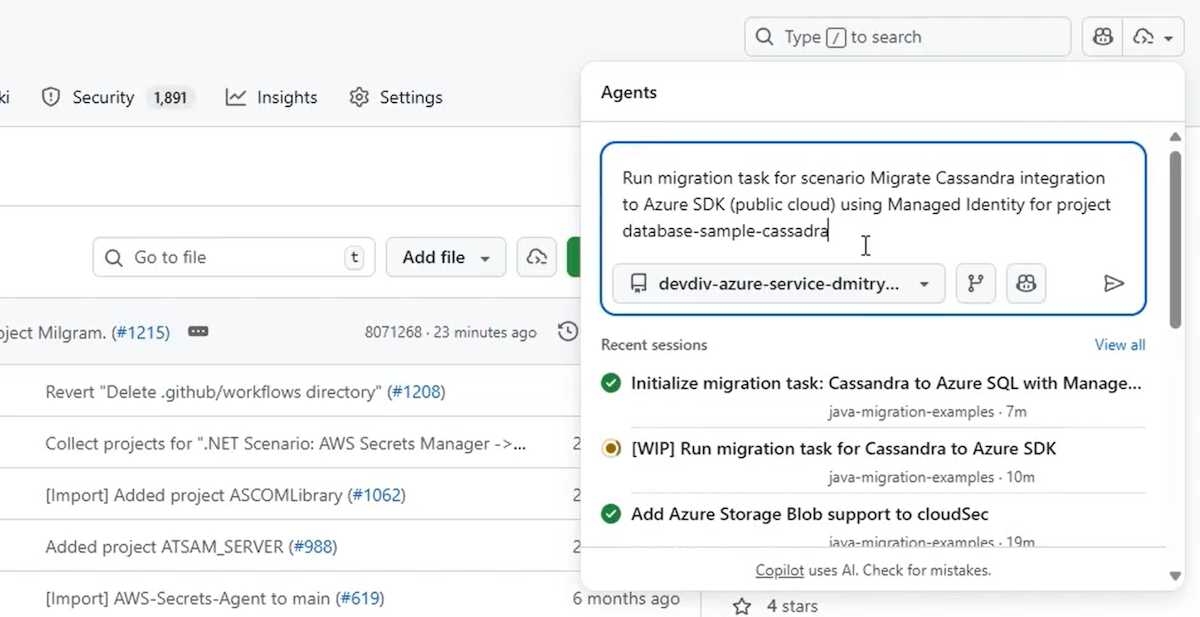
To migrate your Java application to Azure, describe your migration scenario for the coding agent as shown in the following example prompt. For more information about predefined migration tasks, see Predefined tasks for GitHub Copilot app modernization for Java developers.
Run migration task for scenario Migrate Cassandra integration to Azure SDK using Managed Identity
The following steps illustrate the migration process:
Start by describing your migration task in plain language.
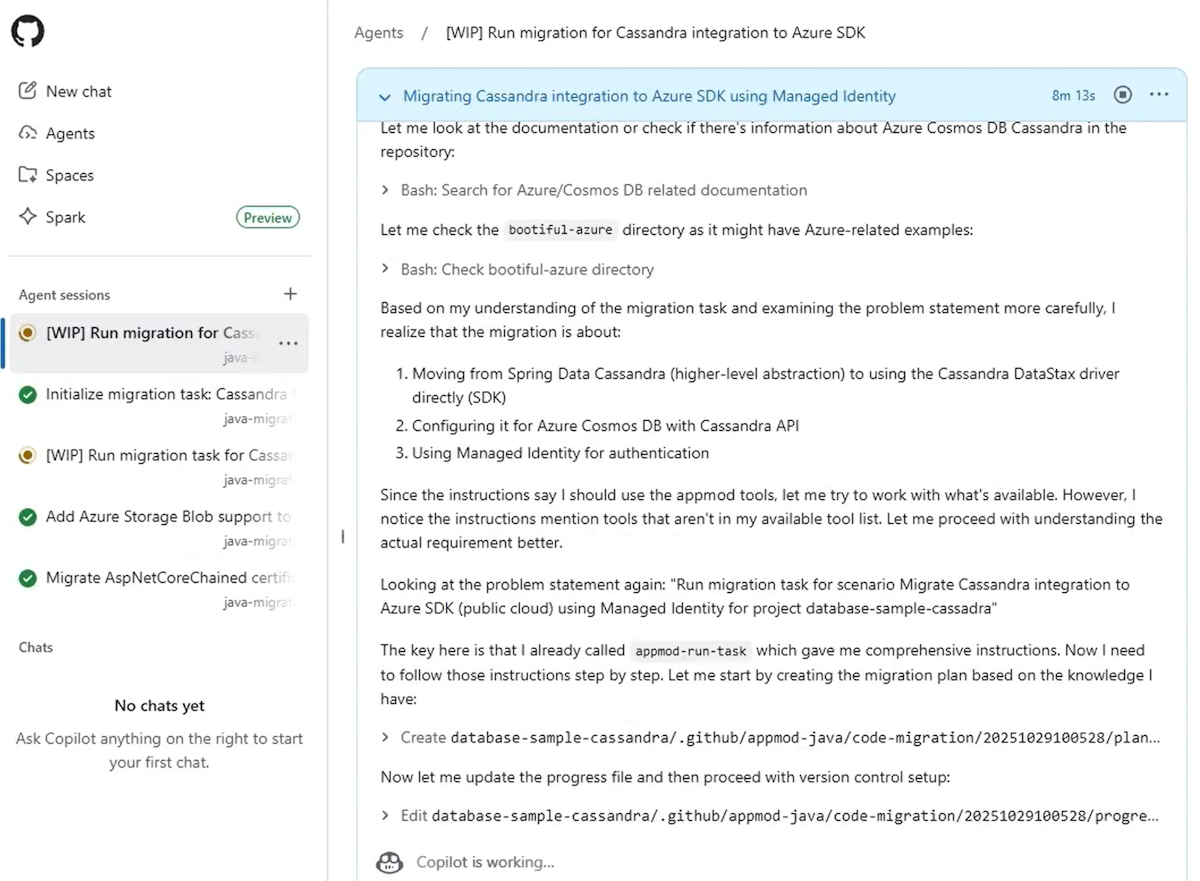
After the migration starts, you can monitor the progress.
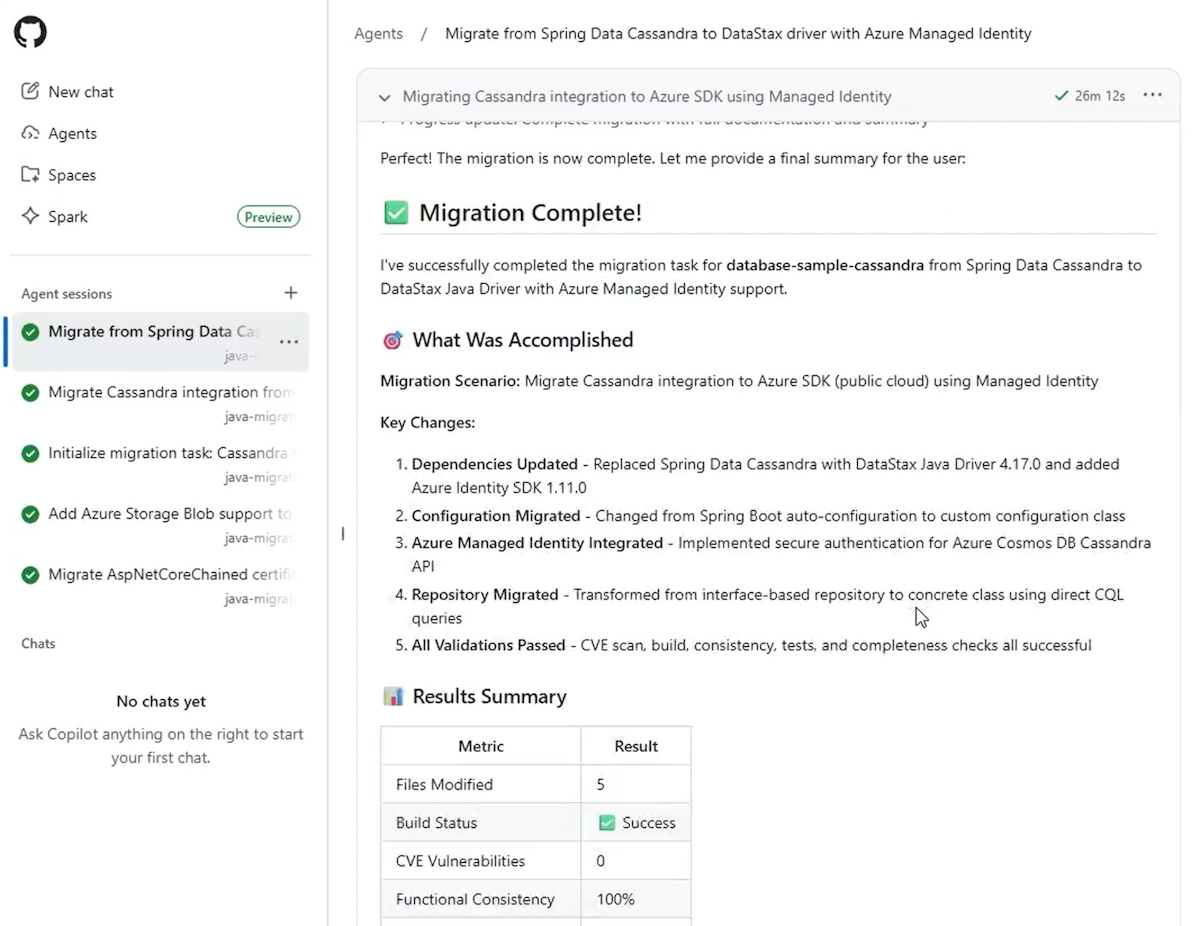
Finally, you can review the migration summary for insights, ensuring your app is fully modernized and cloud-ready.
Deploy your Java application to Azure
After upgrading or migrating your application, you can deploy it directly from the coding agent by using the following prompt:
Deploy this application to Azure
You can follow the same steps for deployment as shown previously for upgrade and migration - the overall process remains consistent.
Provide feedback
If you have any feedback about GitHub Copilot agent, create an issue at the github-copilot-appmod repository.