Hi Larry P,
Welcome to Microsoft Q&A Forum! Have a good day and I hope you're doing well!
I’m sorry you’re running into this. Being locked out of your Microsoft 365 Business account when you are the only admin is understandably stressful and frustrating. I know you’ve already tried multiple support channels without a clear solution, which makes the situation even harder.
Based on similar cases I’ve seen, there are two practical paths that usually help in this kind of "only admin is locked out" scenarios.
I. Try calling Microsoft via the official global phone list
Instead of searching random numbers, use Microsoft’s official Global Customer Service phone numbers page: Customer service phone numbers - Microsoft Support
1. On that page, choose your region, then select your country.
2. You’ll see the official customer service number for your location (often with a specific option for Microsoft 365 / Office / Business support). When you reach a support agent, simply describe your current situation in your own words: that you’re the only user/admin, can’t sign in, the system doesn’t recognize your email, can’t reset your password or open a support ticket, etc. They can then investigate and assist from their side.
II. If phone support doesn’t work: create a temporary trial tenant to open a support ticket
If you still can’t get effective help by phone, there is a workaround that often helps in situations like yours:
1. Go to: Microsoft 365 Business plans and pricing
2. Click “Try for free” on any suitable Business plan. Follow the steps to create a new Microsoft 365 tenant (this will give you a new global admin account, separate from your locked one).

3. Sign in as the new global admin at: https://admin.microsoft.com
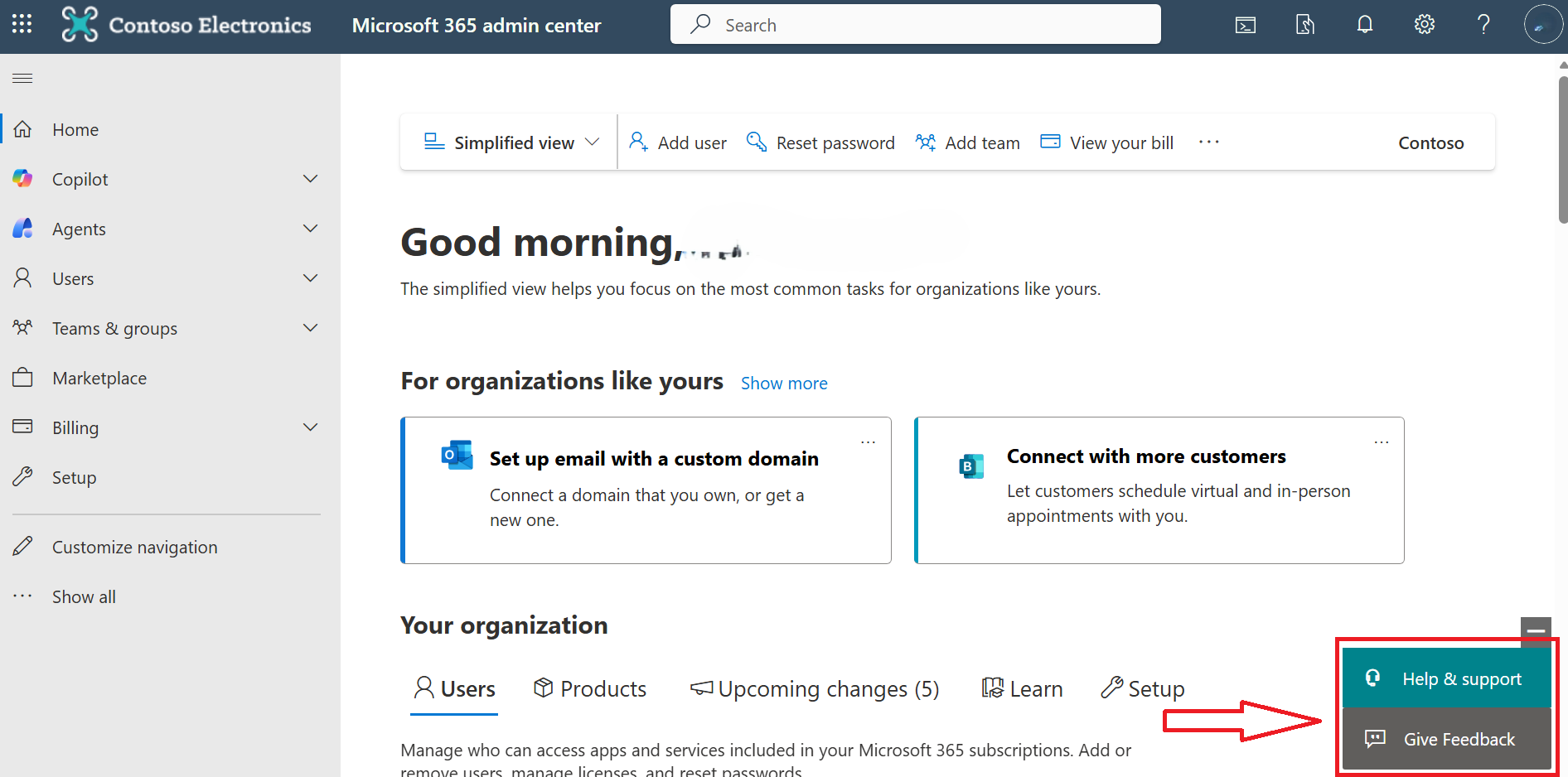
4. Click Help & support and choose “Create a support request". This will open a case with the Microsoft 365 support team, who can then contact you and help restore access to your original tenant.
Note: The trial account is free for one month. Be sure to delete it after submitting your support request to avoid any automatic renewals or charges from Microsoft.
For more details on using the admin center to get help, you can follow this guide: Get support - Microsoft 365 admin | Microsoft Learn
As a forum moderator, I don’t have access to Microsoft’s internal backend systems or your tenant, so I’m not able to directly unlock the account or make changes on your behalf. The support ticket process can sometimes take a bit of time, and I genuinely appreciate your patience and persistence while Microsoft works through your case.
I hope the steps above will help you move things forward. Please try them and let me know how it goes. If you have any concerns, questions, or if anything I’ve explained isn’t clear, feel free to reach out anytime.
If the answer is helpful, please click "Accept Answer" and kindly upvote it. If you have extra questions about this answer, please click "Comment".
Note: Please follow the steps in our documentation to enable e-mail notifications if you want to receive the related email notification for this thread.
' cx='32' cy='32' r='32' /%3E%3Ctext x='50%25' y='55%25' dominant-baseline='middle' text-anchor='middle' fill='%23FFF' %3ELP%3C/text%3E%3C/svg%3E)


' cx='32' cy='32' r='32' /%3E%3Ctext x='50%25' y='55%25' dominant-baseline='middle' text-anchor='middle' fill='%23FFF' %3EMP%3C/text%3E%3C/svg%3E)