Azure Monitor
An Azure service that is used to collect, analyze, and act on telemetry data from Azure and on-premises environments.
This browser is no longer supported.
Upgrade to Microsoft Edge to take advantage of the latest features, security updates, and technical support.
' cx='32' cy='32' r='32' /%3E%3Ctext x='50%25' y='55%25' dominant-baseline='middle' text-anchor='middle' fill='%23FFF' %3EGY%3C/text%3E%3C/svg%3E)
Invoke-AzOperationalInsightsQuery: Operation returned an invalid status code 'NotFound'
I am running a query in the portal which works fine. When I try to reproduce this in PowerShell I get the previous error message.
This is the kusto query:
AuditLogs
| where OperationName == "Update conditional access policy"
| where TimeGenerated > ago(5d)
I have the right workspaceID, same name, and Resourcegroup in the same Subscription.
$workspaceid = get-azoperationalInsightsWorkspace -Name *******-cac-ws-security-01 -ResourceGroupName *******-cac-rg-security-logs-01
$query = 'AuditLogs
| where OperationName == "Update conditional access policy"
| where TimeGenerated > ago(5d)'
C:\temp> Invoke-AzOperationalInsightsQuery -Query $query -WorkspaceId $WorkspaceID
Invoke-AzOperationalInsightsQuery: Operation returned an invalid status code 'NotFound'
Here is the result in the portal
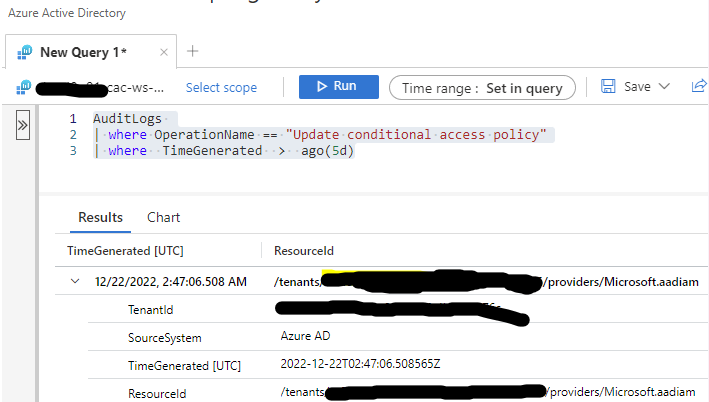
Any idea what I could be doing wrong?
' cx='32' cy='32' r='32' /%3E%3Ctext x='50%25' y='55%25' dominant-baseline='middle' text-anchor='middle' fill='%23FFF' %3EMM%3C/text%3E%3C/svg%3E)
@Germain, Yves - Just checking in to see if the below answer helped. If this answers your query, do click "Accept as Answer" and Up-Vote for the same, which might be beneficial to other community members reading this thread. And, if you have any further query do let us know.

You have to select the workspace ID ($workspace.CustomerId), not the whole object ($workspace).
$workspace = Get-AzoperationalInsightsWorkspace `
  -Name *******-cac-ws-security-01 `
  -ResourceGroupName *******-cac-rg-security-logs-01
I changed the variable name in your question from "$workspaceid" into "$workspace" without changing what's in it. And assume you've defined $query for the same KQL query.
Then run a very similar command:
Invoke-AzOperationalInsightsQuery -Query $query -WorkspaceId $workspace.CustomerId
Hello @Germain, Yves - Welcome to Microsoft Q&A and thanks for reaching out to us.
Please try adding the service principal to Directory readers using this command and see if it helps:
> Add-AzureADDirectoryRoleMember -ObjectId (Get-AzureADDirectoryRole | where-object {$_.DisplayName -eq "Directory Readers"}).Objectid -RefObjectId <object-id>
Hope this helps. and please feel free to reach out if you have any further questions.
------------------------------------------------------------------
If the above response was helpful, please feel free to "Accept as Answer" and "Upvote" the same so it can be beneficial to the community.
' cx='32' cy='32' r='32' /%3E%3Ctext x='50%25' y='55%25' dominant-baseline='middle' text-anchor='middle' fill='%23FFF' %3EVE%3C/text%3E%3C/svg%3E)
I've exactly the same problem and above suggestion didn't help. Any other proposal to fix it?