Microsoft Teams | Microsoft Teams for business | Other
Additional features, settings, or issues not covered by specific Microsoft Teams categories

This browser is no longer supported.
Upgrade to Microsoft Edge to take advantage of the latest features, security updates, and technical support.

We have a GCC tenant and use G3 licenses for our users. We included the install of Teams with Office365 1908 at the end of March for our Teams rollout. I have yet to see a new version come through. If I manually check for an update it claims I'm at the latest version. That version is 1.3.00.4461 (64-bit). It was last updated on 3/23/20.
Reading about how Teams is updates it sounds like updates can be pushed out every 2 weeks.
What am I missing here?
Thank you!
So apparently the version I posted is the latest version for us.
We have the virtual backgrounds during our most recent meeting which is a feature I've been tracking.
I guess just disregard this as it appears to be fine.
Thank you all for your time!

Hi,
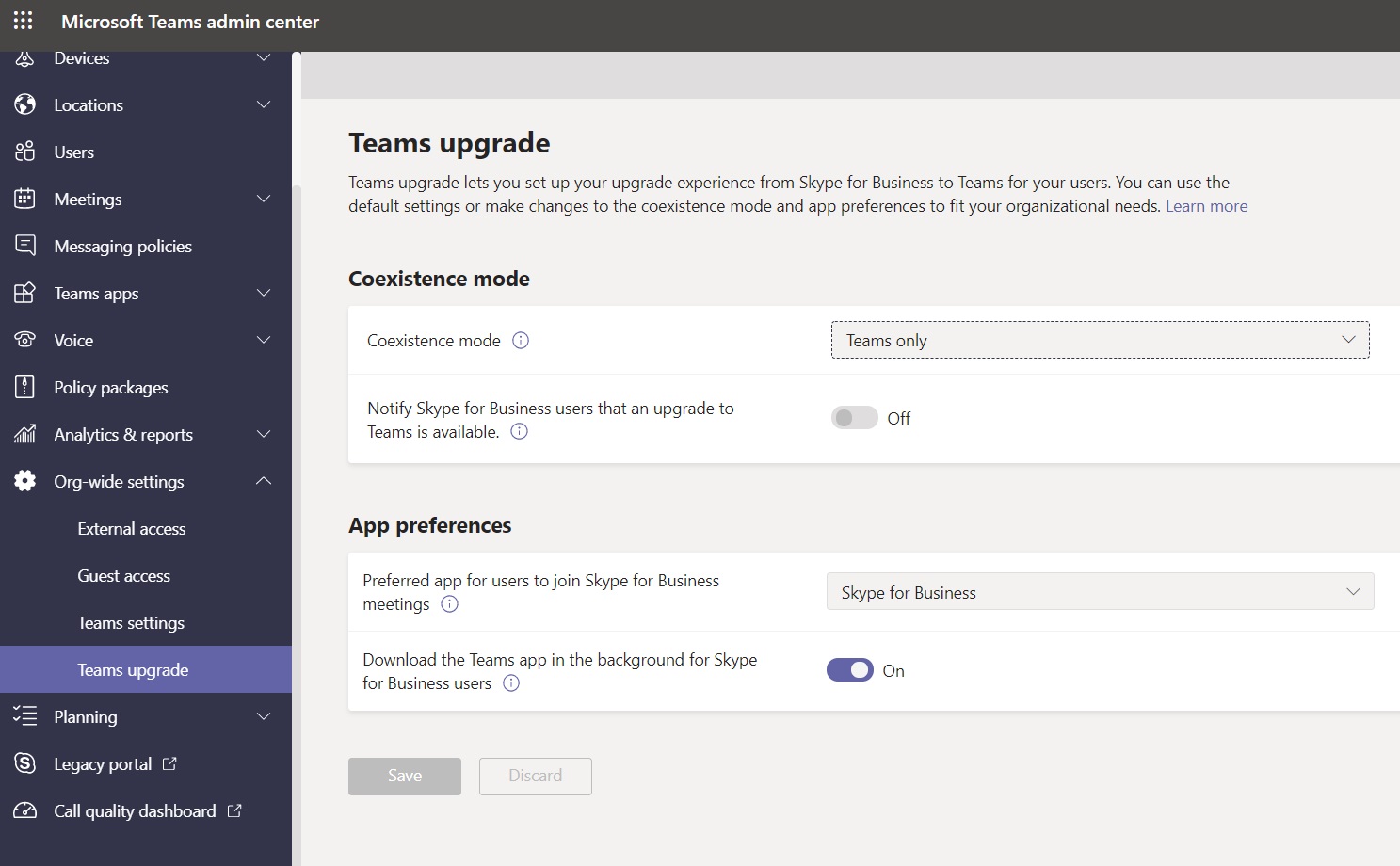
Check Teams Upgrade settings in Teams admin center and see anything wrong there (https://admin.teams.microsoft.com/)
Please mark as "Accept the answer" if the above steps helps you. Others with similar issues can also follow the solution as per your suggestion
Regards,
Manu
Thanks for the quick response!
The only difference I have is the Coexistence mode is currently set as Islands.

Hi Manu,
this settings has nothing related to Teams Client Update, it's related to the Coexistance Mode between Teams and Skype for Business.
Best. Luca
Hi Luca,
You are correct. I was trying to see if they have Skype For Business also co-existing.
Thanks,
Manu
Hi,
This means that you have Skype for business is co-existing for some users.
You need to check Teams logs as per the following document and see if it says something on the update failure
https://learn.microsoft.com/en-us/microsoftteams/log-files
Thanks,
Manu
I can't fine evidence of any update failures in logs. It never states it does fail when performing a check. It's just claiming I'm at the latest already.

Hi skeletor,
Do you use Microsoft Teams client every day?
If so, it will delay to automatically update client.
The latest version of Microsoft Teams is 1.3.00.13565. It was last updates on 5/21/20.
If checking for update takes a long time, we suggest you uninstall the client and download the package from https://www.microsoft.com/en-us/microsoft-365/microsoft-teams/download-app. Then, reinstall it.
Hope it will be helpful.
I don't use Teams everyday. I have tried manually checking for updates both on org network and off network on home internet.
It's always claimed I have the latest version very quickly with no signs of issues.
To my knowledge all computers have the same version of Teams at this time. This was rolled out by including it within an Office365 update.
The computers all have received "Teams Machine-Wide Installer" on them.
Thank you