I use GitHub Copilot Code Review in Visual Studio, it generates some comments but they cannot be viewed.
In Visual Studio, in the Git Changes panel, I click on the chat icon above my staged changes. It works for a minute and then displays a message that looks like a link "3 Copilot review comments".
When I click on that link, nothing happens.
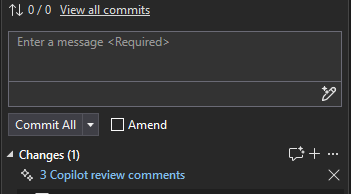
I have the same issue on the latest versions of Visual Studio 2019, 2022 and 2026 Insider.
Every time I click the chat icon, it uses one of my limited premium requests, but I don't ever get the result.
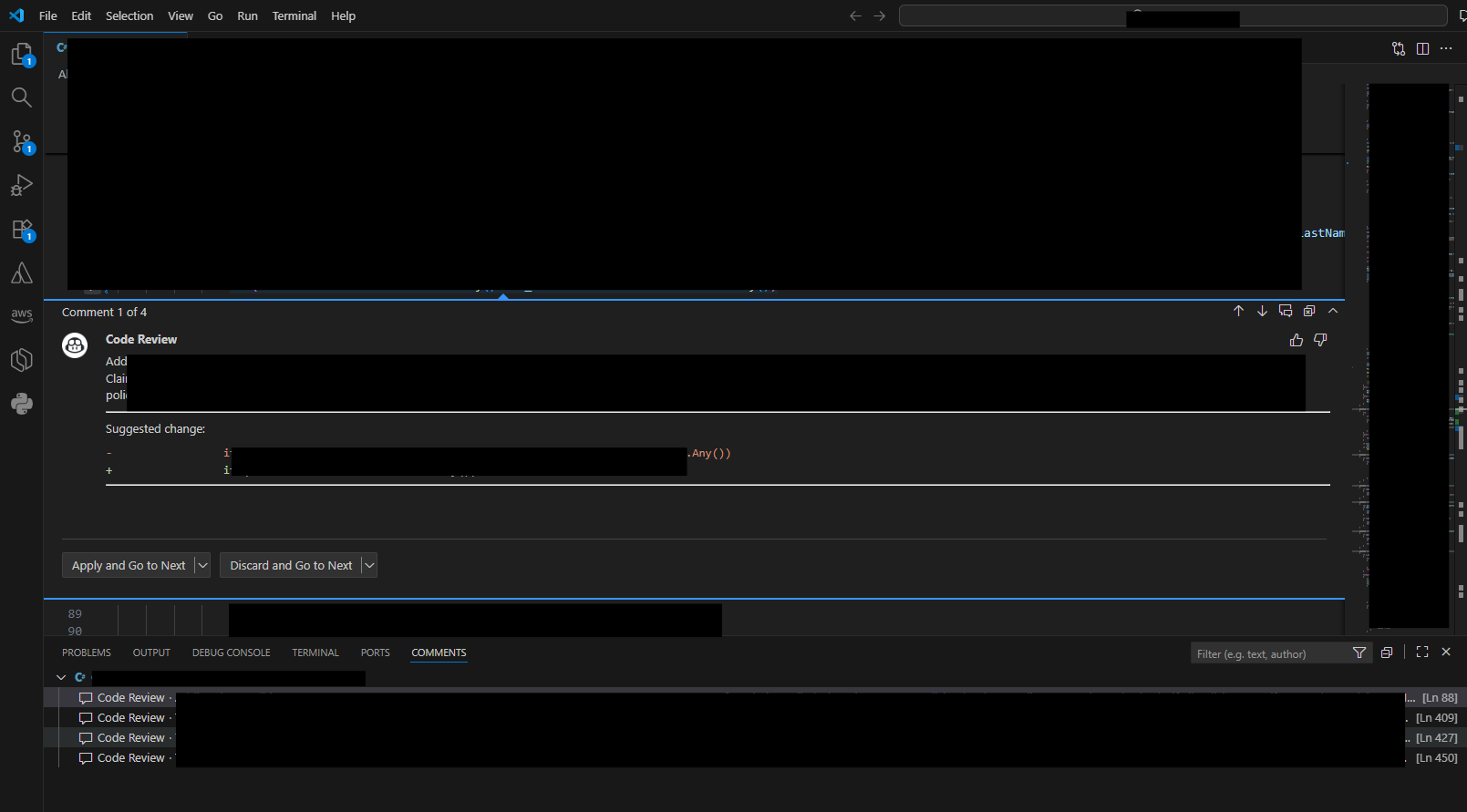
In VS Code, clicking the link opens the comment inside the changed document. The comments can also be viewed in a 'Comments' tab next to the 'Terminal'.
(Side issue: I wanted to report this issue using Report a Problem inside Visual Studio, but I keep getting an error "WebSocket connection closed". This also happens on all 3 versions of Visual Studio)
' cx='32' cy='32' r='32' /%3E%3Ctext x='50%25' y='55%25' dominant-baseline='middle' text-anchor='middle' fill='%23FFF' %3EYF%3C/text%3E%3C/svg%3E)
' cx='32' cy='32' r='32' /%3E%3Ctext x='50%25' y='55%25' dominant-baseline='middle' text-anchor='middle' fill='%23FFF' %3ELT%3C/text%3E%3C/svg%3E)