Since this forum is a public platform, so we have modified your question to hide your personal for privacy. For future posts, kindly avoid sharing personal or organizational information to protect your data.
Hello @Md Alam,
Thank you for reaching out to the Q&A forum!
For your situation, please take note this point:
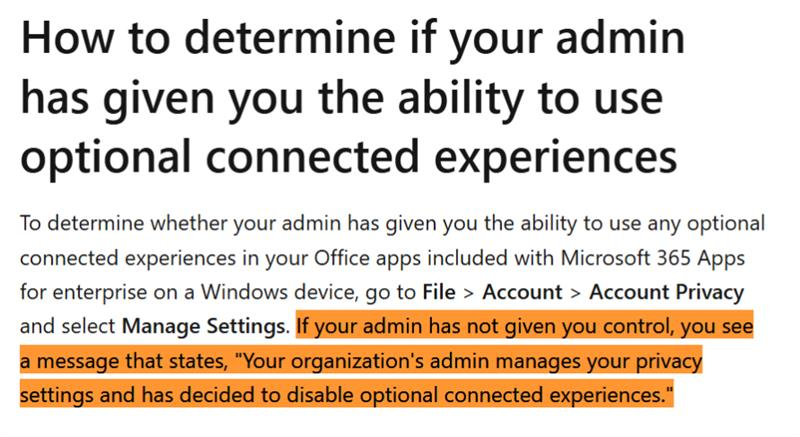
For reference: Overview of optional connected experiences in Office - Microsoft 365 Apps | Microsoft Learn
Therefore, if you have already confirmed that the user has the correct license (including the Copilot add-on), please take note that these settings are controlled by the organization’s admin through the Microsoft 365 Apps Admin Center.
So, to enable Optional Connected Experiences, you can follow these steps in Microsoft 365 Apps Admin Center:
1.You need to sign in as an admin at https://config.office.com.
2.The, you navigate to Policy Management => Create Policy or edit an existing policy.
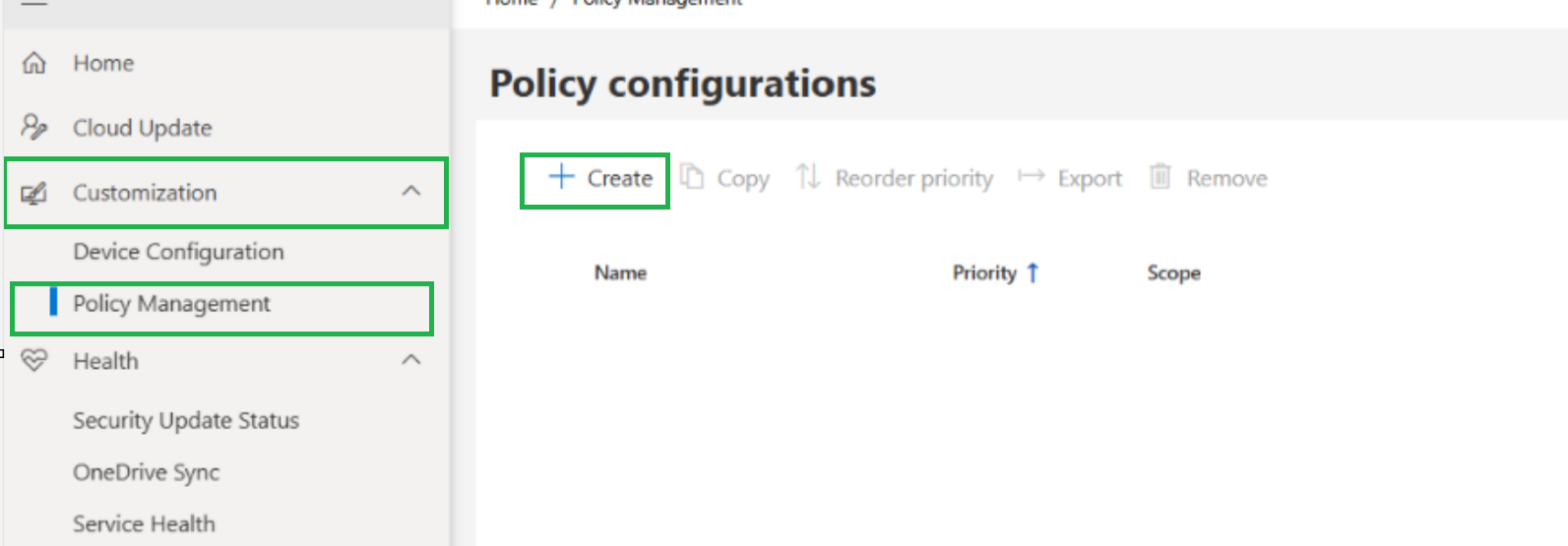
3.Under Privacy Settings, you can enable the following options:
- Allow the use of connected experiences in Office (required).
- Allow the use of additional optional connected experiences in Office (critical for Copilot, Designer, Translator).
- Allow the use of connected experiences in Office that download online content (needed for Designer and Copilot).
- (Recommended) Allow the use of connected experiences in Office that analyze content.
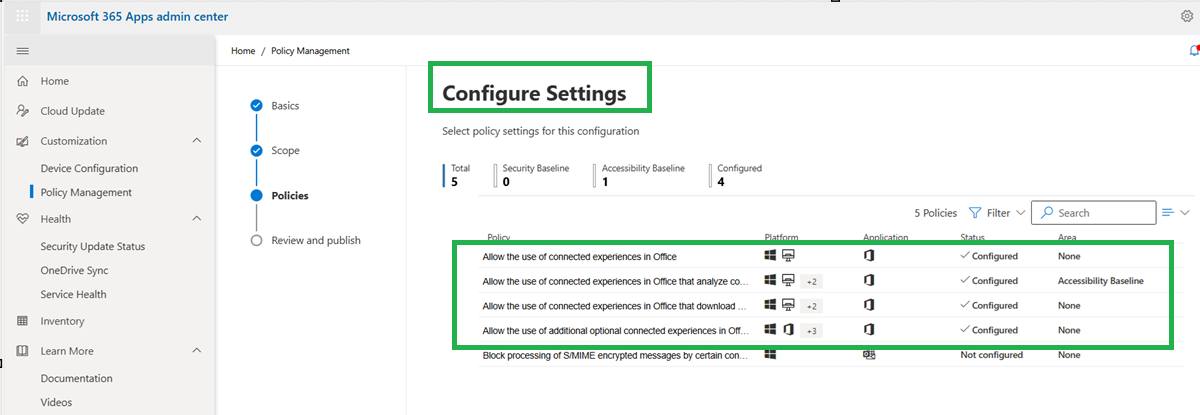
4.You save and deploy the policy to the user. After updating the policy, you can ask the user to sign out and sign back in to Office apps or restart them to refresh the settings.
More detail you can read in this article: Use policy settings to manage privacy controls for Microsoft 365 Apps for enterprise - Microsoft 36…
Once again, thank you again for raising this issue; it’s helped broaden my understanding. I hope you understand that I want to help as much as I can within the scope of this forum.
Looking forward to hearing from you!
If the answer is helpful, please click "Accept Answer" and kindly upvote it. If you have extra questions about this answer, please click "Comment".
Note: Please follow the steps in our documentation to enable e-mail notifications if you want to receive the related email notification for this thread.
' cx='32' cy='32' r='32' /%3E%3Ctext x='50%25' y='55%25' dominant-baseline='middle' text-anchor='middle' fill='%23FFF' %3EMA%3C/text%3E%3C/svg%3E)

' cx='32' cy='32' r='32' /%3E%3Ctext x='50%25' y='55%25' dominant-baseline='middle' text-anchor='middle' fill='%23FFF' %3ETL%3C/text%3E%3C/svg%3E)