Hi Daniel,
Welcome to Microsoft Q&A forum. I'm happy to help.
If you have problem with mouse and keyboard in WinRE even you have updated Windows to the latest version, there're a workaround that you use the other WinRE version.
For this guide, you will need 7-zip.
Disclaimer: Microsoft provides no assurances and/or warranties, implied or otherwise, and is not responsible for the information you receive from the third-party linked sites or any support related to technology.
- First, download and save a copy of Windows 11 ISO. Make sure the build of the ISO is other than the one installed on your PC.
- From that ISO, extract
winre.wim. This can be a complex task, but you just need to download 7-zip. Once you’ve 7-zip, open the ISO using it.
- In 7-zip, open .ISO, then go to sources, find
install.wim (or install.esd).
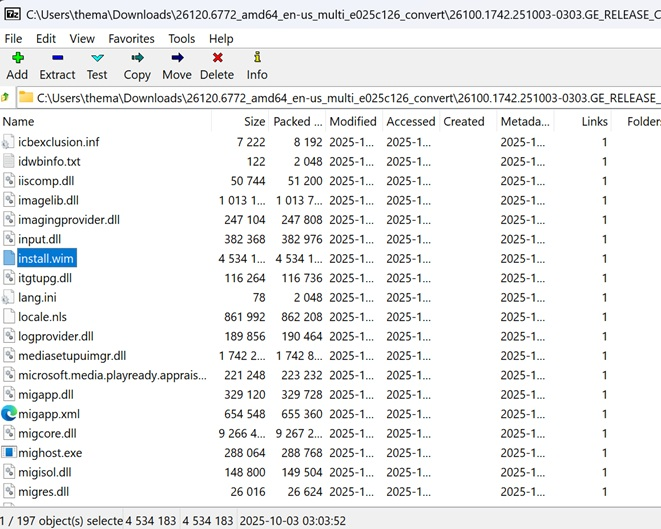
- Double-click
install.wim / install.esd.
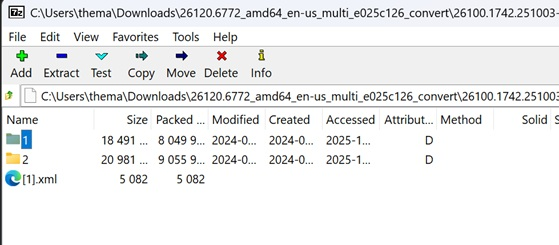
- You’ll see numbered folders like 1, 2, 3. In this case, each represents a Windows edition, but it actually doesn’t matter. Make sure you choose the folder that actually contains additional folders. In my case,
1 worked. It doesn’t matter which number you choose, as Pro and Home effectively come with the same WinRE.
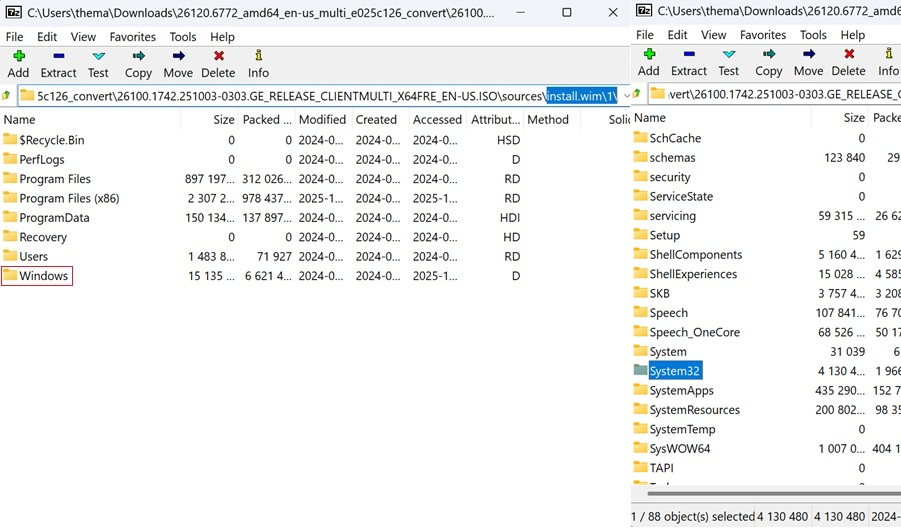
- After selecting
1, navigate to Windows\System32\Recovery.
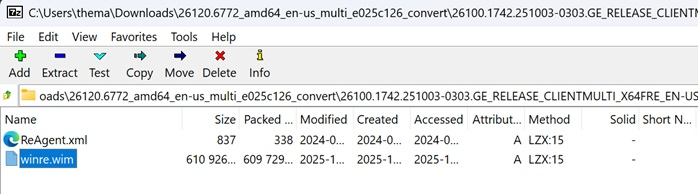
- Now, you’ll see
winre.wim. Copy the file and save it.
- Exit 7-zip. It is no longer required now.
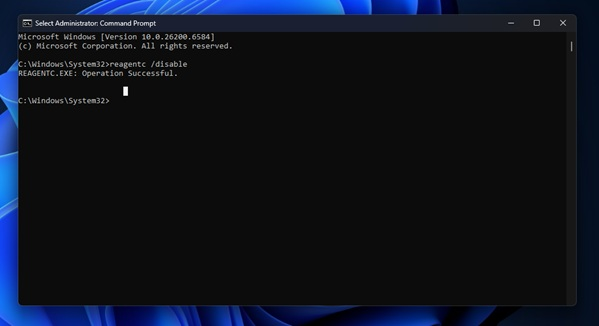
- Open Command Prompt (Run as Administrator) and run
reagentc /disable. This will disable WinRE and allow us to make changes to the file on the system.
- Open File Explorer, enable Hidden items and go to
C:\Windows\System32\Recovery.
- You’ll now see
winre.wim file. It’ll not show up when WinRE is enabled, so make sure you turn it off.
- You can now back up this
WinRE.wim, as we’re going to replace it in the next step.
- Copy the other, working
winre.wim (from the ISO) into this same folder and replace it.
- In Command Prompt (Run as Administrator), run:
reagentc /enable – this turns on WinRE again.
If you follow the steps correctly, WinRE will now work.
I hope that above information is helpful to you.
If you have further questions, please feel free to let me know.
If the answer is helpful, please click "Accept Answer" and kindly upvote it. If you have extra questions about this answer, please click "Comment".
Note: Please follow the steps in our documentation to enable e-mail notifications if you want to receive the related email notification for this thread.
' cx='32' cy='32' r='32' /%3E%3Ctext x='50%25' y='55%25' dominant-baseline='middle' text-anchor='middle' fill='%23FFF' %3ED%3C/text%3E%3C/svg%3E)


' cx='32' cy='32' r='32' /%3E%3Ctext x='50%25' y='55%25' dominant-baseline='middle' text-anchor='middle' fill='%23FFF' %3ELV%3C/text%3E%3C/svg%3E)