Azure | Azure Training
Training: Instruction to develop new skills.

This browser is no longer supported.
Upgrade to Microsoft Edge to take advantage of the latest features, security updates, and technical support.
' cx='32' cy='32' r='32' /%3E%3Ctext x='50%25' y='55%25' dominant-baseline='middle' text-anchor='middle' fill='%23FFF' %3EHV%3C/text%3E%3C/svg%3E)
While adding the Microsoft Entra administrator and assigning the SQL Security Manager role are indeed prerequisites, selecting "Support only Microsoft Entra authentication for this server" is explicitly required to enable the feature is not optional. This setting is toggled in the Azure portal under the SQL server's Microsoft Entra ID settings (using a user with the SQL Security Manager role).
No connection to the data plane (e.g., via SSMS or the Azure portal's query editor) is needed; the configuration is done at the control plane (server resource) level.
So am I wrong here?
' cx='32' cy='32' r='32' /%3E%3Ctext x='50%25' y='55%25' dominant-baseline='middle' text-anchor='middle' fill='%23FFF' %3EMP%3C/text%3E%3C/svg%3E)
the question asks only for the actions required to allow Microsoft Entra-authenticated principals to access an existing Azure SQL database, not to enforce Entra-only authentication on the server.
Because the goal is simply to enable access for Entra principals, the required steps stop at preparing the environment—not enforcing exclusive authentication. Adding a Microsoft Entra administrator establishes an initial entry point for Entra-based access, and assigning the SQL Security Manager role gives you the permissions needed to configure Entra authentication at the server level. Connecting through the Azure portal represents one way to complete the configuration using those permissions.
Selecting Support only Microsoft Entra authentication for this server is not required for merely allowing Entra-authenticated access. That setting is used only when you want to disable SQL authentication entirely and enforce Entra-only authentication. The question does not specify disabling SQL authentication or enforcing exclusivity.
The answer choice about connecting to database is misleading - I can only assume that this was meant to represent the task of connecting to the logical server (e.g. via Azure portal)
Details at https://learn.microsoft.com/en-us/azure/azure-sql/database/authentication-aad-configure?view=azuresql&tabs=azure-portal and https://learn.microsoft.com/en-us/azure/azure-sql/database/authentication-azure-ad-only-authentication?view=azuresql&tabs=azure-cli
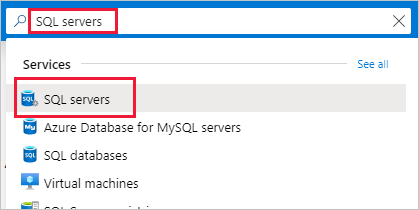

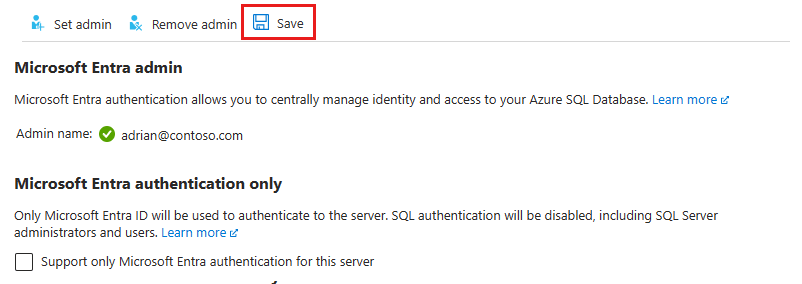 The Object ID is displayed next to the admin name for Microsoft Entra users and groups. For applications (service principals), the Application ID is displayed.
Microsoft Entra-only authentication is a feature within Azure SQL that allows the service to only support Microsoft Entra authenticatio
If the above response helps answer your question, remember to "Accept Answer" so that others in the community facing similar issues can easily find the solution. Your contribution is highly appreciated.
hth
Marcin