Note
Access to this page requires authorization. You can try signing in or changing directories.
Access to this page requires authorization. You can try changing directories.
1. Run the following PowerShell. Modify the parameters accordingly.
 $cred = Get-Credential
Login-AzureRmAccount -Credential $cred

$resourceGroup = "nerg1"
$location = "North Europe"
$vmName = "nerg1win1"

$vm = Get-AzureRmVM -ResourceGroupName $resourceGroup -Name $vmName
Stop-AzureRmVM -ResourceGroupName $resourceGroup -Name $vmName -Force
$vm.StorageProfile.OsDisk.DiskSizeGB = 1023
Update-AzureRmVM -ResourceGroupName $resourceGroup -VM $vm

Start-AzureRmVM -ResourceGroupName $resourceGroup -Name $vmName
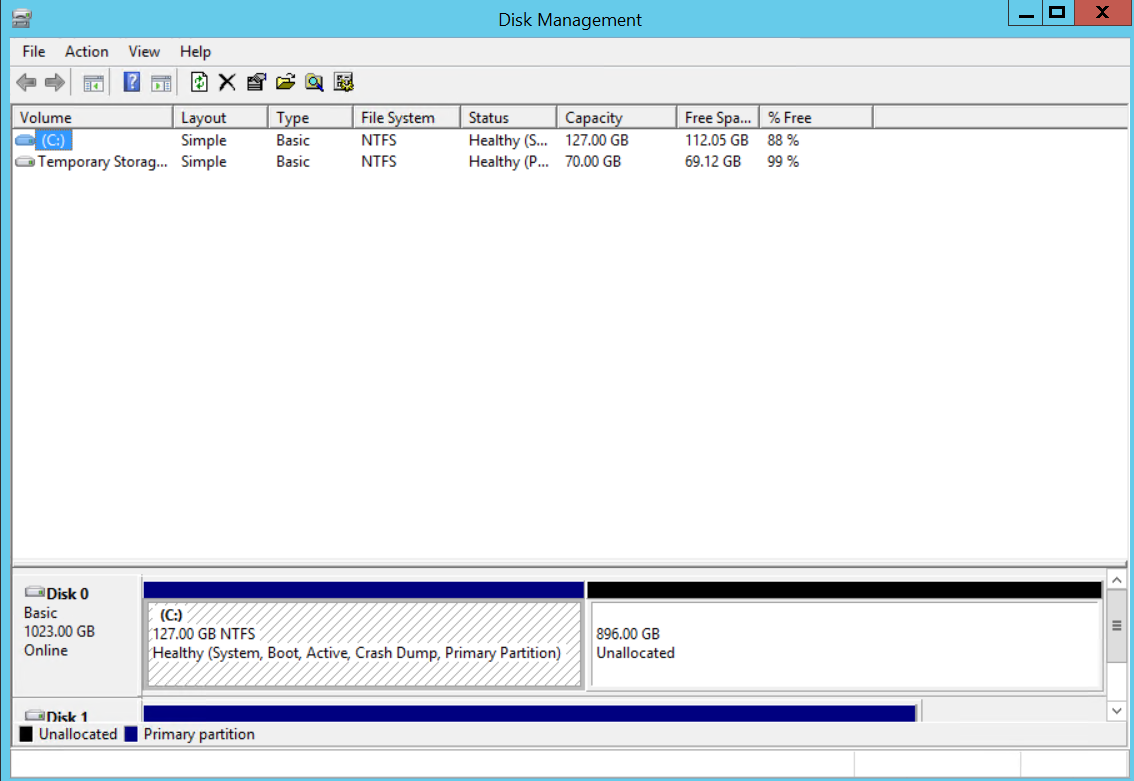
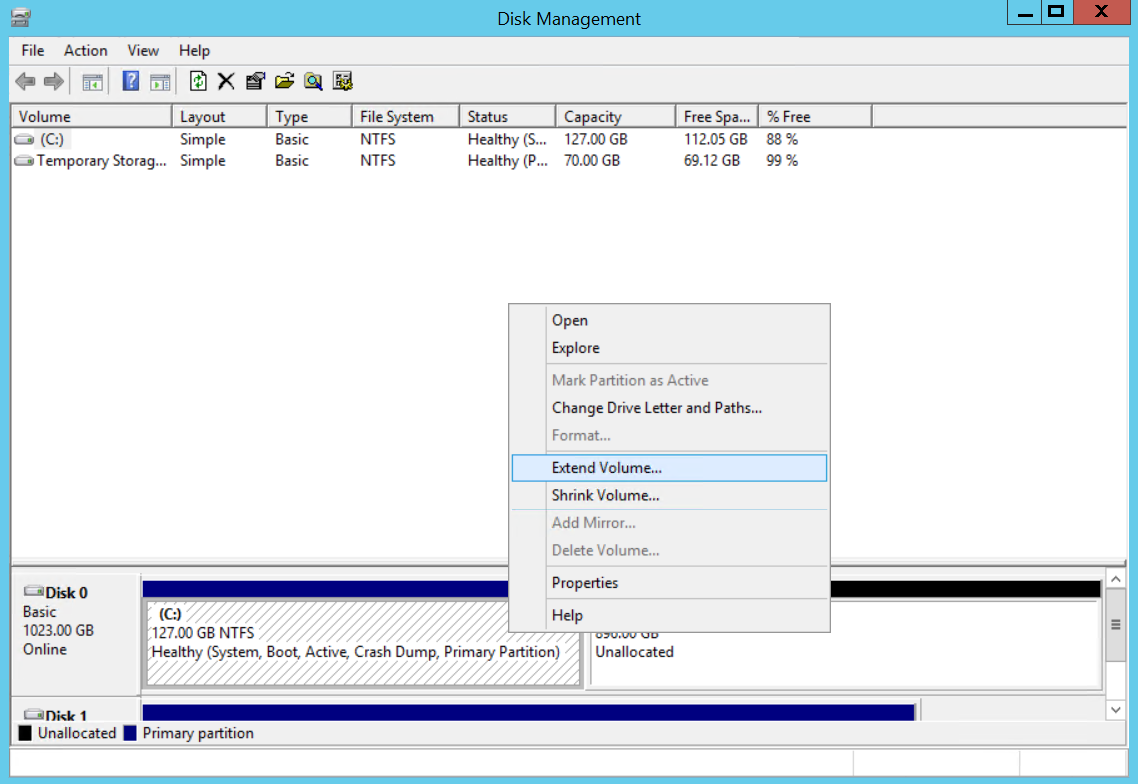
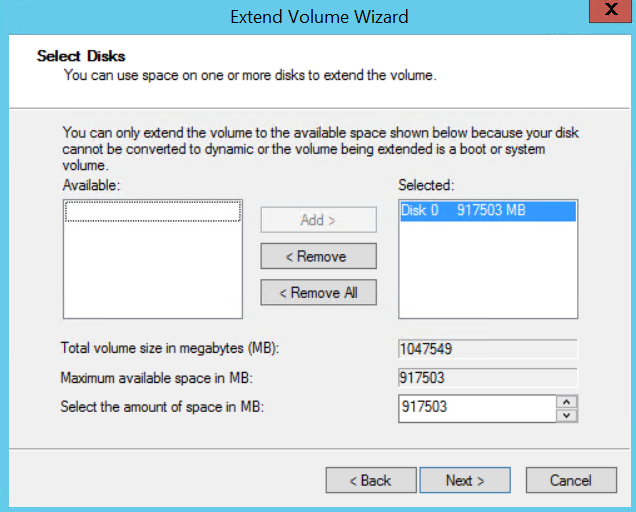
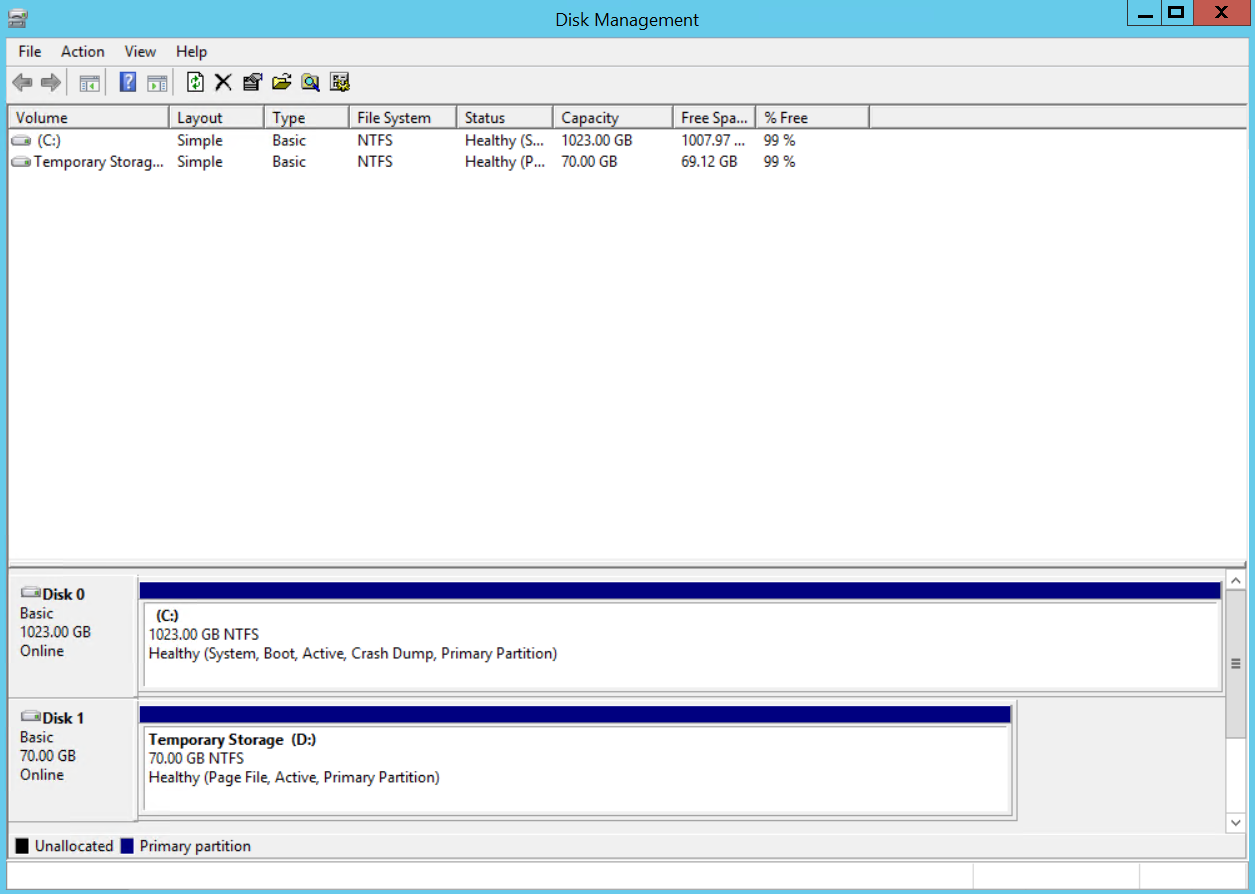
2. Extend the OS disk volume using Disk Manager of Windows operating system.