Note
Access to this page requires authorization. You can try signing in or changing directories.
Access to this page requires authorization. You can try changing directories.
Note
This document refers to the Microsoft Foundry (classic) portal.
🔄 Switch to the Microsoft Foundry (new) documentation if you're using the new portal.
Note
This document refers to the Microsoft Foundry (new) portal.
Important
Priority processing is in preview and available by invitation only. Register here to be notified when it becomes more broadly available.
This preview is provided without a service-level agreement and isn't recommended for production workloads. Certain features might not be supported or might have constrained capabilities. For more information, see Supplemental Terms of Use for Microsoft Azure Previews.
Priority processing provides low-latency performance with the flexibility of pay-as-you-go. It operates on a pay-as-you-go token model, offering rapid response times without long-term contract commitments. This article covers the following topics:
- An overview of priority processing
- How to enable priority processing
- How to verify what service tier was used to process requests
- How to monitor costs
Benefits
- Predictable low latency: Faster, more consistent token generation.
- Easy-to-use flexibility: Like standard pay-as-you-go processing, access priority processing on a flexible, pay-as-you-go basis instead of requiring provisioning and reservations in advance.
Key use cases
- Consistent, low latency for responsive user experiences.
- Pay-as-you-go simplicity with no long-term commitments.
- Business-hour or bursty traffic that benefits from scalable, cost-efficient performance. Optionally, you can combine priority processing with Provisioned Throughput Units (PTU) for steady-state capacity and cost optimization.
Limits
Ramp limit: Rapid increases to your priority processing tokens per minute might lead to hitting ramp rate limits. If you exceed the ramp rate limit, the service might send extra traffic to standard processing instead.
Quota: Priority processing uses the same quota as standard processing. This means your deployment with priority processing enabled consumes quota from your existing standard allocation.
Priority processing support
Global standard model availability
| Region | gpt-4.1, 2025-04-14 |
|---|---|
| eastus 2 | ✅ |
| swedencentral | ✅ |
| westus3 | ✅ |
Known issues
Priority processing currently has these limitations, and fixes are underway:
Long context limit for gpt-4.1: The service doesn't support requests that exceed 128,000 tokens and returns an HTTP 400 error.
No support for PTU spillover: The service doesn't yet support PTU spillover to a priority-processing–enabled deployment. If you need spillover behavior, implement your own logic, such as by using Azure API Management.
Incorrect service_tier value when using streaming in the Responses API: When streaming responses through the Responses API, the
service_tierfield might incorrectly return "priority", even if capacity constraints or ramp limits caused the request to be served by the standard tier. In this case, the expected value forservice_tieris "default".
Prerequisites
- An Azure subscription - Create one for free.
- An Azure OpenAI resource with a model of the deployment type
GlobalStandardorDataZoneStandarddeployed.
Enable priority processing at the deployment level
You can enable priority processing at the deployment level and (optionally) at the request level.
In the Microsoft Foundry portal, you can enable priority processing during deployment setup. Turn on the Priority processing (preview) toggle on the deployment details page when creating the deployment or update the setting by editing the deployment details of a deployed model.

In the Microsoft Foundry portal, you can enable priority processing during deployment setup. Turn on the Priority processing (preview) toggle on the deployment details page when creating the deployment or update the setting of a deployed model by editing the deployment details.

Note
If you prefer to use code to enable priority processing at the deployment level, you can do so via the REST API for deployment by setting the service_tier attribute as follows: "properties" : {"service_tier" : "priority"}. Allowed values for the service_tier attribute are default and priority. default implies standard processing, while priority enables priority processing.
Once a model deployment is configured to use priority processing, you can start sending requests to the model.
Verify service tier used to process request
When you set the service_tier parameter in the request, the response includes the service tier value of the processing mode used to serve the request (priority or default). This response value might be different from the parameter value that you set in the request.
View usage metrics
You can view the utilization measure for your resource in the Azure Monitor section in the Azure portal.
To view the volume of requests processed by standard processing versus priority processing, split by the service tier (standard or priority) that was in the original request:
- Sign in to https://portal.azure.com.
- Go to your Azure OpenAI resource and select the Metrics option from the left navigation.
- On the metrics page, add the Azure OpenAI requests metric. You can also select other metrics like Azure OpenAI latency, Azure OpenAI usage, and others.
- Select Add filter to select the standard deployment for which priority processing requests were processed.
- Select Apply splitting to split the values by ServiceTierRequest and ServiceTierResponse.
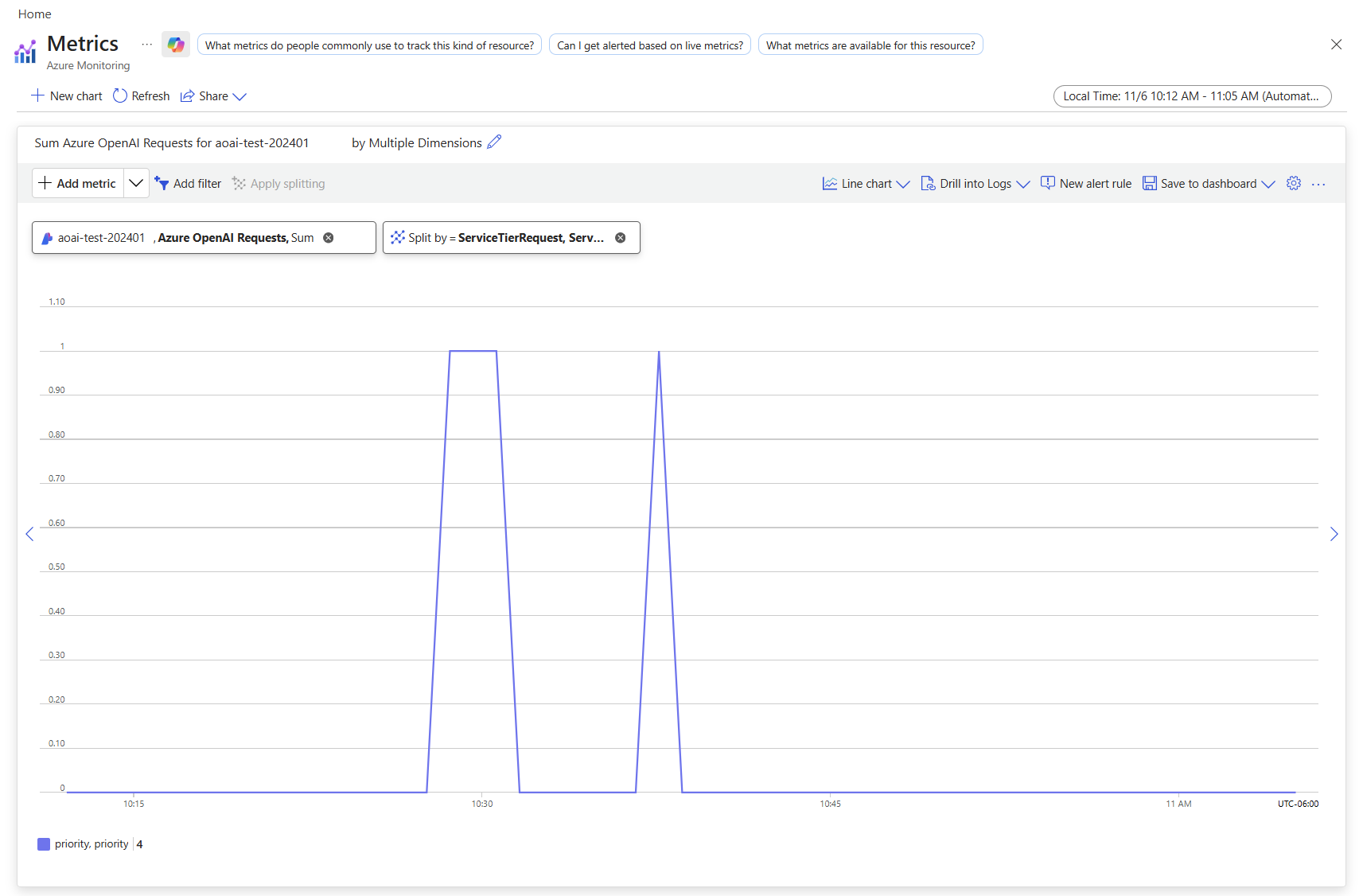
For more information about monitoring your deployments, see Monitor Azure OpenAI.
Monitor costs
You can see a breakdown of costs for priority and standard requests in the Azure portal's cost analysis page by filtering on deployment name and billing tags as follows:
- Go to the cost analysis page in the Azure portal.
- [optional] Filter by resource.
- To filter by deployment name: Add a filter for billing Tag > select deployment as the value, then choose your deployment name.

For information about pricing for priority processing, see the Azure OpenAI Service pricing overview.
Enable priority processing at the request level
Enabling priority processing at the request level is optional. Both the chat completions API and responses API have an optional attribute service_tier that specifies the processing type to use when serving a request as follows:
curl -X POST https://YOUR-RESOURCE-NAME.openai.azure.com/openai/v1/responses \
  -H "Content-Type: application/json" \
  -H "Authorization: Bearer $AZURE_OPENAI_AUTH_TOKEN" \
  -d '{
     "model": "gpt-4.1",
     "input": "This is a test",
     "service_tier": "priority"
    }'
Use the service_tier attribute to override the deployment-level setting. service_tier can take the values auto, default, and priority.
If you don't set the attribute, it defaults to
auto.service_tier = automeans the request uses the service tier configured in the deployment.service_tier = defaultmeans the request uses the standard pricing and performance for the selected model.service_tier = prioritymeans the request uses the priority processing service tier.
The following table summarizes which service tier processes your requests based on the deployment-level and request-level settings for service_tier.
| Deployment-level setting | Request-level setting | Request processed by service tier |
|---|---|---|
| default | auto, default | Standard |
| default | priority | Priority processing |
| priority | auto, priority | Priority processing |
| priority | default | Standard |
Latency target
| Topic | gpt-4.1, 2025-04-14 |
|---|---|
| Latency Target Value | 99% > 80 Tokens Per Second* |
* Calculated as p50 request latency on a per 5 minute basis.
Ramp rate limits
To ensure consistently high performance for all customers, while still providing flexible, on-demand pricing, priority processing enforces ramp rate limits. Currently, the ramp rate limit is defined as increasing traffic by more than 50% tokens per minute in less than 15 minutes.
Downgrade conditions
If priority processing performance degrades and a customer's traffic ramps up too quickly, the service might downgrade some priority requests to standard processing. The service bills requests processed by the standard service tier at standard rates. These requests aren't eligible for the priority processing latency target. Requests processed by the standard service tier include service_tier = default in the response.
Tip
If you routinely encounter ramp rate limits, consider purchasing PTU instead of or in addition to priority processing.
API support
| API Version | |
|---|---|
| Latest supported preview API release: | 2025-10-01-preview |