Note
Access to this page requires authorization. You can try signing in or changing directories.
Access to this page requires authorization. You can try changing directories.
A Microsoft Foundry custom translation language pair includes models, training, tuning, and testing datasets. Creating a language pair is the first step in fine-tuning and deploying a model.
Create a language pair
Follow Create a project, then continue here.
Use the dropdown list to select another Connected service or create a new one.
Enter the following details about your language pair in the dialog:
Language pair name (required): Give your language pair a unique, meaningful name. It's not necessary to mention the languages within the title. You can add language pair description by selecting Advance settings.
Language pair (required): Select the source and target languages from the dropdown list.
Domain (required): Select the domain from the dropdown list that's most appropriate for your language pair. The domain describes the terminology and style of the documents you intend to translate. You can add domain description by selecting Advance settings.

Note
Select Advanced options to add optional details, for example, label, language pair description, and domain description.
Language pair label: You can add label to create the same language pair multiple times. Example, you want to create English to French model for shopping and another English to French model for automotive. A label distinguishes between the same language pair with the same language pair and domain. As a best practice, here are a few tips:
Use a label only if you're planning to build multiple projects for the same language pair and same domain and want to access these projects with a different Domain ID.
Don't use a label if you're building systems for one domain only.
A label isn't required and not helpful to distinguish between language pairs.
You can use the same label for multiple language pairs.
Project description: A short summary about the project. This description has no influence over the behavior of the Custom Translator or your resulting custom system, but can help you differentiate between different projects.
Domain description: Use this field to better describe the particular field or industry in which you're working. or example, if your category is medicine, you might add details about your subfield, such as surgery or pediatrics. The description has no influence over the behavior of the Custom Translator or your resulting custom system.


Edit a language pair
To modify the language pair name, description, domain description, and add/remove a label:
Select the language pair name from the Fine-tuning > AI Service fine-tuning page.

Select the
...next to the language pair name. The Edit and Delete buttons should now be visible.Select Edit and fill in or modify existing text.
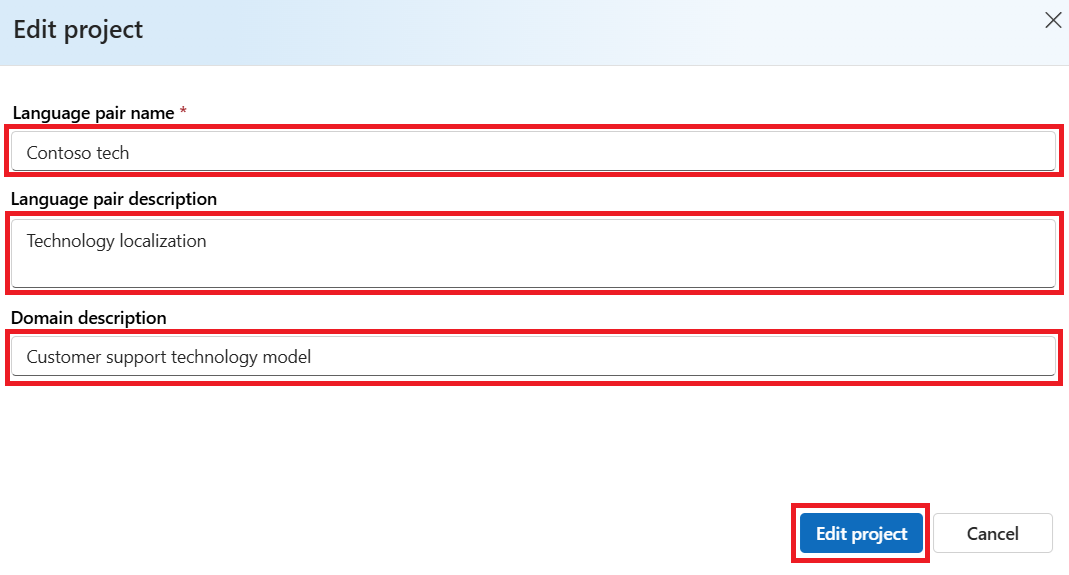
Select Edit project to save.