Note
Access to this page requires authorization. You can try signing in or changing directories.
Access to this page requires authorization. You can try changing directories.
In a publish/subscribe (pub/sub) system, you can use Distributed Application Runtime (Dapr) to streamline and standardize the communication between your microservices and the message broker.
- The publisher app publishes messages via a Dapr sidecar. The sidecar handles the actual communication with the broker.
- The subscriber app receives messages via a Dapr sidecar. The sidecar receives messages from the broker and invokes the subscriber app's endpoint with the message payload.
This tutorial uses a sample project to show you how to run a Dapr pub/sub system. The sample includes:
- A message generator
checkoutservice (the publisher) that generates messages of a specific topic. - An
order-processorservice (the subscriber) that listens for messages from thecheckoutservice of a specific topic.

In this tutorial, you:
- Create a publisher microservice and a subscriber microservice that use the Dapr pub/sub API to send and receive messages for event-driven architectures.
- Deploy the application to Azure Container Apps by using the Azure Developer CLI and Bicep files provided in the sample project.
Prerequisites
- The Azure Developer CLI
- The Dapr CLI, installed and initialized
- Docker Desktop
- Git
Run the Node.js applications locally
Before you deploy the application to Container Apps, take the steps in the following sections to run the order-processor and checkout services locally with Dapr and Azure Service Bus.
Prepare the project
Clone the sample application to your local machine.
git clone https://github.com/Azure-Samples/pubsub-dapr-nodejs-servicebus.gitGo to the sample root directory.
cd pubsub-dapr-nodejs-servicebus
Run the applications by using the Dapr CLI
Take the following steps to run the order-processor subscriber service and the checkout publisher service.
From the sample root directory, go to the order-processor directory.
cd order-processorInstall the dependencies.
npm installRun the
order-processorservice.dapr run --app-port 5001 --app-id order-processing --app-protocol http --dapr-http-port 3501 --resources-path ../components -- npm run startIn a new terminal window, go to the sample root directory, and then go to the checkout directory.
cd checkoutInstall the dependencies.
npm installRun the
checkoutservice.dapr run --app-id checkout --app-protocol http --resources-path ../components -- npm run start
Expected output
In the checkout terminal, the checkout service publishes 20 messages and then temporarily pauses.
== APP == Published data: {"orderId":1}
== APP == Published data: {"orderId":2}
== APP == Published data: {"orderId":3}
== APP == Published data: {"orderId":4}
== APP == Published data: {"orderId":5}
== APP == Published data: {"orderId":6}
== APP == Published data: {"orderId":7}
== APP == Published data: {"orderId":8}
== APP == Published data: {"orderId":9}
== APP == Published data: {"orderId":10}
== APP == Published data: {"orderId":11}
== APP == Published data: {"orderId":12}
== APP == Published data: {"orderId":13}
== APP == Published data: {"orderId":14}
== APP == Published data: {"orderId":15}
== APP == Published data: {"orderId":16}
== APP == Published data: {"orderId":17}
== APP == Published data: {"orderId":18}
== APP == Published data: {"orderId":19}
== APP == Published data: {"orderId":20}
In the order-processor terminal, the order-processor service receives 20 messages.
== APP == Subscriber received: {"orderId":1}
== APP == Subscriber received: {"orderId":2}
== APP == Subscriber received: {"orderId":3}
== APP == Subscriber received: {"orderId":4}
== APP == Subscriber received: {"orderId":5}
== APP == Subscriber received: {"orderId":6}
== APP == Subscriber received: {"orderId":7}
== APP == Subscriber received: {"orderId":8}
== APP == Subscriber received: {"orderId":9}
== APP == Subscriber received: {"orderId":10}
== APP == Subscriber received: {"orderId":11}
== APP == Subscriber received: {"orderId":12}
== APP == Subscriber received: {"orderId":13}
== APP == Subscriber received: {"orderId":14}
== APP == Subscriber received: {"orderId":15}
== APP == Subscriber received: {"orderId":16}
== APP == Subscriber received: {"orderId":17}
== APP == Subscriber received: {"orderId":18}
== APP == Subscriber received: {"orderId":19}
== APP == Subscriber received: {"orderId":20}
Stop the applications
To stop the applications, open a separate terminal and run the following commands:
dapr stop --app-id checkout
dapr stop --app-id order-processor
Deploy the application template by using the Azure Developer CLI
To deploy the application to Container Apps by using azd commands, take the steps in the following sections.
Prepare the project
In a new terminal window, go to the sample root directory.
cd pubsub-dapr-nodejs-servicebus
Create and deploy by using the Azure Developer CLI
Run
azd initto initialize the project.azd initWhen prompted in the terminal, enter a unique environment name. The command uses this name as a prefix for the resource group that it creates to hold all Azure resources.
Run
azd upto prepare the infrastructure and deploy the application to Container Apps in a single command.azd upWhen prompted in the terminal, enter values for the following parameters:
Parameter Description Azure subscription The Azure subscription for your resources Azure location The Azure location for your resources This process can take some time to finish. While the
azd upcommand runs, the output displays two Azure portal links that you can use to monitor the deployment progress. The output also demonstrates howazd up:- Creates and configures all necessary Azure resources via the Bicep files in the ./infra directory by using
azd provision. After the Azure Developer CLI deploys these resources, you can use the Azure portal to access them. The files that are used to configure the Azure resources include:- main.parameters.json.
- main.bicep.
- An app resources directory organized by functionality.
- A core reference library that contains the Bicep modules used by the
azdtemplate.
- Deploys the code by using
azd deploy.
- Creates and configures all necessary Azure resources via the Bicep files in the ./infra directory by using
Expected output
The azd init command displays output that's similar to the following lines:
Initializing an app to run on Azure (azd init)

? Enter a unique environment name: [? for help] <environment-name>

? Enter a unique environment name: <environment-name>

SUCCESS: Initialized environment <environment-name>.
The azd up command displays output that's similar to the following lines:
? Select an Azure Subscription to use:  3. <subscription-name> (aaaa0a0a-bb1b-cc2c-dd3d-eeeeee4e4e4e)
? Enter a value for the 'location' infrastructure parameter: 51. (US) East US 2 (eastus2)

Packaging services (azd package)

  (✓) Done: Packaging service checkout
  - Container: pubsub-dapr-javascript-servicebus-aca/checkout-<environment-name>:azd-deploy-1764784418


  (✓) Done: Packaging service orders
  - Container: pubsub-dapr-javascript-servicebus-aca/orders-<environment-name>:azd-deploy-1764784420


Provisioning Azure resources (azd provision)
Provisioning Azure resources can take some time.

Subscription: <subscription-name> (aaaa0a0a-bb1b-cc2c-dd3d-eeeeee4e4e4e)
Location: East US 2

  You can view detailed progress in the Azure Portal:
  https://portal.azure.com/#view/HubsExtension/DeploymentDetailsBlade/~/overview/id/%2Fsubscriptions%2Faaaa0a0a-bb1b-cc2c-dd3d-eeeeee4e4e4e%2Fproviders%2FMicrosoft.Resources%2Fdeployments%2F<environment-name>-1764784426

  (✓) Done: Resource group: rg-<environment-name> (2.805s)
  (✓) Done: Service Bus Namespace: sb-a1bc2de3fh4ij (17.866s)
  (✓) Done: Log Analytics workspace: log-a1bc2de3fh4ij (23.262s)
  (✓) Done: Application Insights: appi-a1bc2de3fh4ij (3.167s)
  (✓) Done: Portal dashboard: dash-a1bc2de3fh4ij (1.858s)
  (✓) Done: Container Registry: cra1bc2de3fh4ij (20.097s)
  (✓) Done: Container Apps Environment: cae-a1bc2de3fh4ij (1m39.71s)
  (✓) Done: Container App: ca-orders-a1bc2de3fh4ij (19.927s)
  (✓) Done: Container App: ca-checkout-a1bc2de3fh4ij (20.213s)

Deploying services (azd deploy)

  (✓) Done: Deploying service checkout

  (✓) Done: Deploying service orders
  - Endpoint: https://ca-orders-a1bc2de3fh4ij.gentlebeach-c2de3fh4.eastus2.azurecontainerapps.io/


SUCCESS: Your up workflow to provision and deploy to Azure completed in 5 minutes 10 seconds.
Confirm successful deployment
Take the following steps to verify that the checkout service is publishing messages to the Service Bus topic and the order-processor service is receiving the messages.
In the terminal output, copy the
checkoutcontainer app name.Sign in to the Azure portal, and then search for the container app resource by name.
On the container app Overview page, select Monitoring > Log stream.
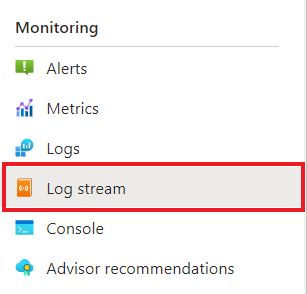
On the Log stream page, next to Container, select checkout.

Confirm the
checkoutcontainer is logging the same output as in the terminal earlier.Connecting to stream... 2025-12-03T17:59:44.86984 Connecting to the container 'checkout'... 2025-12-03T17:59:44.88762 Successfully Connected to container: 'checkout' [Revision: 'ca-checkout-a1bc2de3fh4ij--azd-1010101010', Replica: 'ca-checkout-a1bc2de3fh4ij--azd-1010101010-e3fh4ij5kl-6mn7o'] 2025-12-03T17:59:20.110076973Z Published data: {"orderId":1} 2025-12-03T17:59:21.122761423Z Published data: {"orderId":2} 2025-12-03T17:59:22.134562301Z Published data: {"orderId":3} 2025-12-03T17:59:23.148699507Z Published data: {"orderId":4} 2025-12-03T17:59:24.160779162Z Published data: {"orderId":5} 2025-12-03T17:59:25.176694795Z Published data: {"orderId":6} 2025-12-03T17:59:26.189284846Z Published data: {"orderId":7} 2025-12-03T17:59:27.201353592Z Published data: {"orderId":8} 2025-12-03T17:59:28.217884685Z Published data: {"orderId":9} 2025-12-03T17:59:29.229885611Z Published data: {"orderId":10} 2025-12-03T17:59:30.242877567Z Published data: {"orderId":11} 2025-12-03T17:59:31.255062497Z Published data: {"orderId":12} 2025-12-03T17:59:32.270373602Z Published data: {"orderId":13} 2025-12-03T17:59:33.283227059Z Published data: {"orderId":14} 2025-12-03T17:59:34.297275983Z Published data: {"orderId":15} 2025-12-03T17:59:35.309770245Z Published data: {"orderId":16} 2025-12-03T17:59:36.324099049Z Published data: {"orderId":17} 2025-12-03T17:59:37.337279276Z Published data: {"orderId":18} 2025-12-03T17:59:38.351045429Z Published data: {"orderId":19} 2025-12-03T17:59:39.364701033Z Published data: {"orderId":20}Take similar steps for the
order-processorservice.Connecting to stream... 2025-12-03T17:59:54.59128 Connecting to the container 'orders'... 2025-12-03T17:59:54.62517 Successfully Connected to container: 'orders' [Revision: 'ca-orders-h4ij5kl6mn7op--azd-1010101010', Replica: 'ca-orders-h4ij5kl6mn7op--azd-1010101010-8qr9st0uv1-wx2yz'] 2025-12-03T17:59:20.121003257Z Subscriber received: {"orderId":1} 2025-12-03T17:59:21.134397375Z Subscriber received: {"orderId":2} 2025-12-03T17:59:22.145897352Z Subscriber received: {"orderId":3} 2025-12-03T17:59:23.159802356Z Subscriber received: {"orderId":4} 2025-12-03T17:59:24.173394595Z Subscriber received: {"orderId":5} 2025-12-03T17:59:25.188890235Z Subscriber received: {"orderId":6} 2025-12-03T17:59:26.200088846Z Subscriber received: {"orderId":7} 2025-12-03T17:59:27.212526588Z Subscriber received: {"orderId":8} 2025-12-03T17:59:28.236604126Z Subscriber received: {"orderId":9} 2025-12-03T17:59:29.242356323Z Subscriber received: {"orderId":10} 2025-12-03T17:59:30.253994680Z Subscriber received: {"orderId":11} 2025-12-03T17:59:31.267712900Z Subscriber received: {"orderId":12} 2025-12-03T17:59:32.282449416Z Subscriber received: {"orderId":13} 2025-12-03T17:59:33.296803973Z Subscriber received: {"orderId":14} 2025-12-03T17:59:34.308987729Z Subscriber received: {"orderId":15} 2025-12-03T17:59:35.321011193Z Subscriber received: {"orderId":16} 2025-12-03T17:59:36.336338712Z Subscriber received: {"orderId":17} 2025-12-03T17:59:37.347838169Z Subscriber received: {"orderId":18} 2025-12-03T17:59:38.370022121Z Subscriber received: {"orderId":19} 2025-12-03T17:59:39.377157717Z Subscriber received: {"orderId":20}

Understand azd up
When the azd up command runs successfully:
- The Azure Developer CLI creates the Azure resources referenced in the sample project ./infra directory in the Azure subscription you specify. You can find those Azure resources in the Azure portal.
- The app is deployed to Container Apps. In the Azure portal, you can access the fully functional app.
Run the Python applications locally
Before you deploy the application to Container Apps, take the steps in the following sections to run the order-processor and checkout services locally with Dapr and Azure Service Bus.
Prepare the project
Clone the sample application to your local machine.
git clone https://github.com/Azure-Samples/pubsub-dapr-python-servicebus.gitGo to the sample root directory.
cd pubsub-dapr-python-servicebus
Run the applications by using the Dapr CLI
Take the following steps to run the order-processor subscriber service and the checkout publisher service.
From the sample root directory, go to the order-processor directory.
cd order-processorInstall the dependencies.
pip3 install -r requirements.txtRun the
order-processorservice.
In a new terminal window, go to the sample root directory, and then go to the checkout directory.
cd checkoutInstall the dependencies.
pip3 install -r requirements.txtRun the
checkoutservice.
Expected output
In the checkout terminal, the checkout service publishes 19 messages and then temporarily pauses.
== APP == INFO:root:Published data: {"orderId": 1}
== APP == INFO:root:Published data: {"orderId": 2}
== APP == INFO:root:Published data: {"orderId": 3}
== APP == INFO:root:Published data: {"orderId": 4}
== APP == INFO:root:Published data: {"orderId": 5}
== APP == INFO:root:Published data: {"orderId": 6}
== APP == INFO:root:Published data: {"orderId": 7}
== APP == INFO:root:Published data: {"orderId": 8}
== APP == INFO:root:Published data: {"orderId": 9}
== APP == INFO:root:Published data: {"orderId": 10}
== APP == INFO:root:Published data: {"orderId": 11}
== APP == INFO:root:Published data: {"orderId": 12}
== APP == INFO:root:Published data: {"orderId": 13}
== APP == INFO:root:Published data: {"orderId": 14}
== APP == INFO:root:Published data: {"orderId": 15}
== APP == INFO:root:Published data: {"orderId": 16}
== APP == INFO:root:Published data: {"orderId": 17}
== APP == INFO:root:Published data: {"orderId": 18}
== APP == INFO:root:Published data: {"orderId": 19}
In the order-processor terminal, the order-processor service receives 19 messages.
== APP == Subscriber received : 1
== APP == 127.0.0.1 - - [03/Dec/2025 15:37:28] "POST /orders HTTP/1.1" 200 -
== APP == Subscriber received : 2
== APP == 127.0.0.1 - - [03/Dec/2025 15:37:29] "POST /orders HTTP/1.1" 200 -
== APP == Subscriber received : 3
== APP == 127.0.0.1 - - [03/Dec/2025 15:37:30] "POST /orders HTTP/1.1" 200 -
== APP == Subscriber received : 4
== APP == 127.0.0.1 - - [03/Dec/2025 15:37:31] "POST /orders HTTP/1.1" 200 -
== APP == Subscriber received : 5
== APP == 127.0.0.1 - - [03/Dec/2025 15:37:32] "POST /orders HTTP/1.1" 200 -
== APP == Subscriber received : 6
== APP == 127.0.0.1 - - [03/Dec/2025 15:37:33] "POST /orders HTTP/1.1" 200 -
== APP == Subscriber received : 7
== APP == 127.0.0.1 - - [03/Dec/2025 15:37:34] "POST /orders HTTP/1.1" 200 -
== APP == Subscriber received : 8
== APP == 127.0.0.1 - - [03/Dec/2025 15:37:35] "POST /orders HTTP/1.1" 200 -
== APP == Subscriber received : 9
== APP == 127.0.0.1 - - [03/Dec/2025 15:37:36] "POST /orders HTTP/1.1" 200 -
== APP == Subscriber received : 10
== APP == 127.0.0.1 - - [03/Dec/2025 15:37:37] "POST /orders HTTP/1.1" 200 -
== APP == Subscriber received : 11
== APP == 127.0.0.1 - - [03/Dec/2025 15:37:38] "POST /orders HTTP/1.1" 200 -
== APP == Subscriber received : 12
== APP == 127.0.0.1 - - [03/Dec/2025 15:37:39] "POST /orders HTTP/1.1" 200 -
== APP == Subscriber received : 13
== APP == 127.0.0.1 - - [03/Dec/2025 15:37:40] "POST /orders HTTP/1.1" 200 -
== APP == Subscriber received : 14
== APP == 127.0.0.1 - - [03/Dec/2025 15:37:41] "POST /orders HTTP/1.1" 200 -
== APP == Subscriber received : 15
== APP == 127.0.0.1 - - [03/Dec/2025 15:37:42] "POST /orders HTTP/1.1" 200 -
== APP == Subscriber received : 16
== APP == 127.0.0.1 - - [03/Dec/2025 15:37:43] "POST /orders HTTP/1.1" 200 -
== APP == Subscriber received : 17
== APP == 127.0.0.1 - - [03/Dec/2025 15:37:44] "POST /orders HTTP/1.1" 200 -
== APP == Subscriber received : 18
== APP == 127.0.0.1 - - [03/Dec/2025 15:37:45] "POST /orders HTTP/1.1" 200 -
== APP == Subscriber received : 19
== APP == 127.0.0.1 - - [03/Dec/2025 15:37:46] "POST /orders HTTP/1.1" 200 -
Stop the applications
To stop the applications, open a separate terminal and run the following commands:
dapr stop --app-id checkout
dapr stop --app-id order-processor
Deploy the application template by using the Azure Developer CLI
To deploy the application to Container Apps by using azd commands, take the steps in the following sections.
Prepare the project
In a new terminal window, go to the sample root directory.
cd pubsub-dapr-python-servicebus
Create and deploy by using the Azure Developer CLI
Run
azd initto initialize the project.azd initWhen prompted in the terminal, enter a unique environment name. The command uses this name as a prefix for the resource group that it creates to hold all Azure resources.
Run
azd upto prepare the infrastructure and deploy the application to Container Apps in a single command.azd upWhen prompted in the terminal, enter values for the following parameters:
Parameter Description Azure subscription The Azure subscription for your resources Azure location The Azure location for your resources This process can take some time to finish. While the
azd upcommand runs, the output displays two Azure portal links that you can use to monitor the deployment progress. The output also demonstrates howazd up:- Creates and configures all necessary Azure resources via the Bicep files in the ./infra directory by using
azd provision. After the Azure Developer CLI deploys these resources, you can use the Azure portal to access them. The files that are used to configure the Azure resources include:- main.parameters.json.
- main.bicep.
- An app resources directory organized by functionality.
- A core reference library that contains the Bicep modules used by the
azdtemplate.
- Deploys the code by using
azd deploy.
- Creates and configures all necessary Azure resources via the Bicep files in the ./infra directory by using
Expected output
The azd init command displays output that's similar to the following lines:
Initializing an app to run on Azure (azd init)

? Enter a unique environment name: [? for help] <environment-name>

? Enter a unique environment name: <environment-name>

SUCCESS: Initialized environment <environment-name>.
The azd up command displays output that's similar to the following lines:
? Select an Azure Subscription to use:  3. <subscription-name> (aaaa0a0a-bb1b-cc2c-dd3d-eeeeee4e4e4e)
? Enter a value for the 'location' infrastructure parameter: 51. (US) East US 2 (eastus2)

Packaging services (azd package)

  (✓) Done: Packaging service checkout
  - Container: pubsub-dapr-python-servicebus-aca/checkout-<environment-name>:azd-deploy-1764794878


  (✓) Done: Packaging service orders
  - Container: pubsub-dapr-python-servicebus-aca/orders-<environment-name>:azd-deploy-1764794880


Provisioning Azure resources (azd provision)
Provisioning Azure resources can take some time.

Subscription: <subscription-name> (aaaa0a0a-bb1b-cc2c-dd3d-eeeeee4e4e4e)
Location: East US 2

  You can view detailed progress in the Azure Portal:
  https://portal.azure.com/#view/HubsExtension/DeploymentDetailsBlade/~/overview/id/%2Fsubscriptions%2Faaaa0a0a-bb1b-cc2c-dd3d-eeeeee4e4e4e%2Fproviders%2FMicrosoft.Resources%2Fdeployments%2F<environment-name>-1764794886

  (✓) Done: Resource group: rg-<environment-name> (2.444s)
  (✓) Done: Service Bus Namespace: sb-a1bc2de3fh4ij (19.857s)
  (✓) Done: Log Analytics workspace: log-a1bc2de3fh4ij (21.144s)
  (✓) Done: Application Insights: appi-a1bc2de3fh4ij (1.154s)
  (✓) Done: Portal dashboard: dash-a1bc2de3fh4ij (573ms)
  (✓) Done: Container Registry: cra1bc2de3fh4ij (19.595s)
  (✓) Done: Container Apps Environment: cae-a1bc2de3fh4ij (1m26.226s)
  (✓) Done: Container App: ca-orders-a1bc2de3fh4ij (27.124s)
  (✓) Done: Container App: ca-checkout-a1bc2de3fh4ij (28.109s)

Deploying services (azd deploy)

  (✓) Done: Deploying service checkout

  (✓) Done: Deploying service orders
  - Endpoint: https://ca-orders-a1bc2de3fh4ij.icytree-c2de3fh4.eastus2.azurecontainerapps.io/


SUCCESS: Your up workflow to provision and deploy to Azure completed in 5 minutes.
Confirm successful deployment
Take the following steps to verify that the checkout service is publishing messages to the Service Bus topic and the order-processor service is receiving the messages.
In the terminal output, copy the
checkoutcontainer app name.Sign in to the Azure portal, and then search for the container app resource by name.
On the container app Overview page, select Monitoring > Log stream.
On the Log stream page, next to Container, select checkout.
Confirm the
checkoutcontainer is logging the same output as in the terminal earlier.Connecting to stream... 2025-12-03T20:56:10.89517 Connecting to the container 'checkout'... 2025-12-03T20:56:10.92655 Successfully Connected to container: 'checkout' [Revision: 'ca-checkout-a1bc2de3fh4ij--azd-1010101010', Replica: 'ca-checkout-a1bc2de3fh4ij--azd-1010101010-e3fh4ij5kl-6mn7o'] 2025-12-03T20:55:54.971898941Z INFO:root:Published data: {"orderId": 1} 2025-12-03T20:55:55.985395409Z INFO:root:Published data: {"orderId": 2} 2025-12-03T20:55:57.002043502Z INFO:root:Published data: {"orderId": 3} 2025-12-03T20:55:58.017690382Z INFO:root:Published data: {"orderId": 4} 2025-12-03T20:55:59.032269801Z INFO:root:Published data: {"orderId": 5} 2025-12-03T20:56:00.045075250Z INFO:root:Published data: {"orderId": 6} 2025-12-03T20:56:01.058436708Z INFO:root:Published data: {"orderId": 7} 2025-12-03T20:56:02.073213603Z INFO:root:Published data: {"orderId": 8} 2025-12-03T20:56:03.088542130Z INFO:root:Published data: {"orderId": 9} 2025-12-03T20:56:04.102553097Z INFO:root:Published data: {"orderId": 10} 2025-12-03T20:56:05.116147371Z INFO:root:Published data: {"orderId": 11} 2025-12-03T20:56:06.131053744Z INFO:root:Published data: {"orderId": 12} 2025-12-03T20:56:07.144493474Z INFO:root:Published data: {"orderId": 13} 2025-12-03T20:56:08.158381479Z INFO:root:Published data: {"orderId": 14} 2025-12-03T20:56:09.175048175Z INFO:root:Published data: {"orderId": 15} 2025-12-03T20:56:10.188971144Z INFO:root:Published data: {"orderId": 16} 2025-12-03T20:56:11.202891285Z INFO:root:Published data: {"orderId": 17} 2025-12-03T20:56:12.217084672Z INFO:root:Published data: {"orderId": 18} 2025-12-03T20:56:13.229771418Z INFO:root:Published data: {"orderId": 19}Take similar steps for the
order-processorservice.Connecting to stream... 2025-12-03T20:56:18.74960 Connecting to the container 'orders'... 2025-12-03T20:56:18.76913 Successfully Connected to container: 'orders' [Revision: 'ca-orders-h4ij5kl6mn7op--azd-1010101010', Replica: 'ca-orders-h4ij5kl6mn7op--azd-1010101010-8qr9st0uv1-wx2yz'] 2025-12-03T20:56:24.260129668Z Subscriber received : 1 2025-12-03T20:56:24.260504460Z 127.0.0.1 - - [03/Dec/2025 20:56:24] "POST /orders HTTP/1.1" 200 - 2025-12-03T20:56:25.286774893Z Subscriber received : 2 2025-12-03T20:56:25.287837138Z 127.0.0.1 - - [03/Dec/2025 20:56:25] "POST /orders HTTP/1.1" 200 - 2025-12-03T20:56:26.302102842Z Subscriber received : 3 2025-12-03T20:56:26.302508442Z 127.0.0.1 - - [03/Dec/2025 20:56:26] "POST /orders HTTP/1.1" 200 - 2025-12-03T20:56:27.316271178Z Subscriber received : 4 2025-12-03T20:56:27.317288756Z 127.0.0.1 - - [03/Dec/2025 20:56:27] "POST /orders HTTP/1.1" 200 - 2025-12-03T20:56:28.329865261Z Subscriber received : 5 2025-12-03T20:56:28.330863461Z 127.0.0.1 - - [03/Dec/2025 20:56:28] "POST /orders HTTP/1.1" 200 - 2025-12-03T20:56:29.342843607Z Subscriber received : 6 2025-12-03T20:56:29.343687271Z 127.0.0.1 - - [03/Dec/2025 20:56:29] "POST /orders HTTP/1.1" 200 - 2025-12-03T20:56:30.357753094Z Subscriber received : 7 2025-12-03T20:56:30.358124513Z 127.0.0.1 - - [03/Dec/2025 20:56:30] "POST /orders HTTP/1.1" 200 - 2025-12-03T20:56:31.380741546Z Subscriber received : 8 2025-12-03T20:56:31.381553667Z 127.0.0.1 - - [03/Dec/2025 20:56:31] "POST /orders HTTP/1.1" 200 - 2025-12-03T20:56:32.391023392Z Subscriber received : 9 2025-12-03T20:56:32.391420895Z 127.0.0.1 - - [03/Dec/2025 20:56:32] "POST /orders HTTP/1.1" 200 - 2025-12-03T20:56:33.405031572Z Subscriber received : 10 2025-12-03T20:56:33.405412361Z 127.0.0.1 - - [03/Dec/2025 20:56:33] "POST /orders HTTP/1.1" 200 - 2025-12-03T20:56:34.420146848Z Subscriber received : 11 2025-12-03T20:56:34.420589649Z 127.0.0.1 - - [03/Dec/2025 20:56:34] "POST /orders HTTP/1.1" 200 - 2025-12-03T20:56:35.432973524Z Subscriber received : 12 2025-12-03T20:56:35.434080392Z 127.0.0.1 - - [03/Dec/2025 20:56:35] "POST /orders HTTP/1.1" 200 - 2025-12-03T20:56:36.451629817Z Subscriber received : 13 2025-12-03T20:56:36.452061763Z 127.0.0.1 - - [03/Dec/2025 20:56:36] "POST /orders HTTP/1.1" 200 - 2025-12-03T20:56:37.467384128Z Subscriber received : 14 2025-12-03T20:56:37.467686070Z 127.0.0.1 - - [03/Dec/2025 20:56:37] "POST /orders HTTP/1.1" 200 - 2025-12-03T20:56:38.480558316Z Subscriber received : 15 2025-12-03T20:56:38.481147786Z 127.0.0.1 - - [03/Dec/2025 20:56:38] "POST /orders HTTP/1.1" 200 - 2025-12-03T20:56:39.493898658Z Subscriber received : 16 2025-12-03T20:56:39.494203912Z 127.0.0.1 - - [03/Dec/2025 20:56:39] "POST /orders HTTP/1.1" 200 - 2025-12-03T20:56:40.508312320Z Subscriber received : 17 2025-12-03T20:56:40.508685327Z 127.0.0.1 - - [03/Dec/2025 20:56:40] "POST /orders HTTP/1.1" 200 - 2025-12-03T20:56:41.534284222Z Subscriber received : 18 2025-12-03T20:56:41.534598586Z 127.0.0.1 - - [03/Dec/2025 20:56:41] "POST /orders HTTP/1.1" 200 - 2025-12-03T20:56:42.559478561Z Subscriber received : 19 2025-12-03T20:56:42.559954290Z 127.0.0.1 - - [03/Dec/2025 20:56:42] "POST /orders HTTP/1.1" 200 -
Understand azd up
When the azd up command runs successfully:
- The Azure Developer CLI creates the Azure resources referenced in the sample project ./infra directory in the Azure subscription you specify. You can find those Azure resources in the Azure portal.
- The app is deployed to Container Apps. In the Azure portal, you can access the fully functional app.
Run the .NET applications locally
Before you deploy the application to Container Apps, take the steps in the following sections to run the order-processor and checkout services locally with Dapr and Azure Service Bus.
Prepare the project
Clone the sample application to your local machine.
git clone https://github.com/Azure-Samples/pubsub-dapr-csharp-servicebus.gitGo to the sample root directory.
cd pubsub-dapr-csharp-servicebus
Run the applications by using the Dapr CLI
Take the following steps to run the order-processor subscriber service and the checkout publisher service.
From the sample root directory, go to the order-processor directory.
cd order-processorInstall the dependencies.
dotnet buildRun the
order-processorservice.dapr run --app-id order-processor --resources-path ../components/ --app-port 7001 -- dotnet run --project .In a new terminal window, go to the sample root directory, and then go to the checkout directory.
cd checkoutInstall the dependencies.
dotnet buildRun the
checkoutservice.dapr run --app-id checkout --resources-path ../components/ -- dotnet run --project .
Expected output
In the checkout terminal, the checkout service publishes 20 messages and then temporarily pauses.
== APP == Published data: Order { OrderId = 1 }
== APP == Published data: Order { OrderId = 2 }
== APP == Published data: Order { OrderId = 3 }
== APP == Published data: Order { OrderId = 4 }
== APP == Published data: Order { OrderId = 5 }
== APP == Published data: Order { OrderId = 6 }
== APP == Published data: Order { OrderId = 7 }
== APP == Published data: Order { OrderId = 8 }
== APP == Published data: Order { OrderId = 9 }
== APP == Published data: Order { OrderId = 10 }
== APP == Published data: Order { OrderId = 11 }
== APP == Published data: Order { OrderId = 12 }
== APP == Published data: Order { OrderId = 13 }
== APP == Published data: Order { OrderId = 14 }
== APP == Published data: Order { OrderId = 15 }
== APP == Published data: Order { OrderId = 16 }
== APP == Published data: Order { OrderId = 17 }
== APP == Published data: Order { OrderId = 18 }
== APP == Published data: Order { OrderId = 19 }
== APP == Published data: Order { OrderId = 20 }
In the order-processor terminal, the order-processor service receives 20 messages.
== APP == Subscriber received : Order { OrderId = 1 }
== APP == Subscriber received : Order { OrderId = 2 }
== APP == Subscriber received : Order { OrderId = 3 }
== APP == Subscriber received : Order { OrderId = 4 }
== APP == Subscriber received : Order { OrderId = 5 }
== APP == Subscriber received : Order { OrderId = 6 }
== APP == Subscriber received : Order { OrderId = 7 }
== APP == Subscriber received : Order { OrderId = 8 }
== APP == Subscriber received : Order { OrderId = 9 }
== APP == Subscriber received : Order { OrderId = 10 }
== APP == Subscriber received : Order { OrderId = 11 }
== APP == Subscriber received : Order { OrderId = 12 }
== APP == Subscriber received : Order { OrderId = 13 }
== APP == Subscriber received : Order { OrderId = 14 }
== APP == Subscriber received : Order { OrderId = 15 }
== APP == Subscriber received : Order { OrderId = 16 }
== APP == Subscriber received : Order { OrderId = 17 }
== APP == Subscriber received : Order { OrderId = 18 }
== APP == Subscriber received : Order { OrderId = 19 }
== APP == Subscriber received : Order { OrderId = 20 }
Stop the applications
To stop the applications, open a separate terminal and run the following commands:
dapr stop --app-id checkout
dapr stop --app-id order-processor
Deploy the application template by using the Azure Developer CLI
To deploy the application to Container Apps by using azd commands, take the steps in the following sections.
Prepare the project
In a new terminal window, go to the sample root directory.
cd pubsub-dapr-csharp-servicebus
Create and deploy by using the Azure Developer CLI
Run
azd initto initialize the project.azd initWhen prompted in the terminal, enter a unique environment name. The command uses this name as a prefix for the resource group that it creates to hold all Azure resources.
Run
azd upto prepare the infrastructure and deploy the application to Container Apps in a single command.azd upWhen prompted in the terminal, enter values for the following parameters:
Parameter Description Azure subscription The Azure subscription for your resources Azure location The Azure location for your resources This process can take some time to finish. While the
azd upcommand runs, the output displays two Azure portal links that you can use to monitor the deployment progress. The output also demonstrates howazd up:- Creates and configures all necessary Azure resources via the Bicep files in the ./infra directory by using
azd provision. After the Azure Developer CLI deploys these resources, you can use the Azure portal to access them. The files that are used to configure the Azure resources include:- main.parameters.json.
- main.bicep.
- An app resources directory organized by functionality.
- A core reference library that contains the Bicep modules used by the
azdtemplate.
- Deploys the code by using
azd deploy.
- Creates and configures all necessary Azure resources via the Bicep files in the ./infra directory by using
Expected output
The azd init command displays output that's similar to the following lines:
Initializing an app to run on Azure (azd init)

? Enter a unique environment name: [? for help] <environment-name>

? Enter a unique environment name: <environment-name>

SUCCESS: Initialized environment <environment-name>.
The azd up command displays output that's similar to the following lines:
? Select an Azure Subscription to use:  3. <subscription-name> (aaaa0a0a-bb1b-cc2c-dd3d-eeeeee4e4e4e)
? Enter a value for the 'location' infrastructure parameter: 51. (US) East US 2 (eastus2)

Packaging services (azd package)

  (✓) Done: Packaging service checkout
  - Container: pubsub-dapr-csharp-servicebus/checkout-<environment-name>:azd-deploy-1764796559


  (✓) Done: Packaging service orders
  - Container: pubsub-dapr-csharp-servicebus/orders-<environment-name>:azd-deploy-1764796569


Provisioning Azure resources (azd provision)
Provisioning Azure resources can take some time.

Subscription: <subscription-name> (aaaa0a0a-bb1b-cc2c-dd3d-eeeeee4e4e4e)
Location: East US 2

  You can view detailed progress in the Azure Portal:
  https://portal.azure.com/#view/HubsExtension/DeploymentDetailsBlade/~/overview/id/%2Fsubscriptions%2Faaaa0a0a-bb1b-cc2c-dd3d-eeeeee4e4e4e%2Fproviders%2FMicrosoft.Resources%2Fdeployments%2F<environment-name>-1764796579

  (✓) Done: Resource group: rg-<environment-name> (1.727s)
  (✓) Done: Service Bus Namespace: sb-a1bc2de3fh4ij (18.228s)
  (✓) Done: Log Analytics workspace: log-a1bc2de3fh4ij (23.214s)
  (✓) Done: Application Insights: appi-a1bc2de3fh4ij (1.006s)
  (✓) Done: Portal dashboard: dash-a1bc2de3fh4ij (2.077s)
  (✓) Done: Container Registry: cra1bc2de3fh4ij (18.492s)
  (✓) Done: Container Apps Environment: cae-a1bc2de3fh4ij (1m53.753s)
  (✓) Done: Container App: ca-orders-a1bc2de3fh4ij (40.053s)
  (✓) Done: Container App: ca-checkout-a1bc2de3fh4ij (29.412s)

Deploying services (azd deploy)

  (✓) Done: Deploying service checkout

  (✓) Done: Deploying service orders
  - Endpoint: https://ca-orders-a1bc2de3fh4ij.whitecoast-c2de3fh4.eastus2.azurecontainerapps.io/


SUCCESS: Your up workflow to provision and deploy to Azure completed in 6 minutes 15 seconds.
Confirm successful deployment
Take the following steps to verify that the checkout service is publishing messages to the Service Bus topic and the order-processor service is receiving the messages.
Copy the
checkoutcontainer app name from the terminal output.Sign in to the Azure portal and search for the container app resource by name.
In the Container Apps dashboard, select Monitoring > Log stream.
On the Log stream page, next to Container, select checkout.
Confirm the
checkoutcontainer is logging the same output as in the terminal earlier.Connecting to stream... 2025-12-03T21:22:38.59199 Connecting to the container 'checkout'... 2025-12-03T21:22:38.61294 Successfully Connected to container: 'checkout' [Revision: 'ca-checkout-a1bc2de3fh4ij--azd-1010101010', Replica: 'ca-checkout-a1bc2de3fh4ij--azd-1010101010-e3fh4ij5kl-6mn7o'] 2025-12-03T21:22:25.764173919Z Published data: Order { OrderId = 1 } 2025-12-03T21:22:26.775186594Z Published data: Order { OrderId = 2 } 2025-12-03T21:22:27.785402134Z Published data: Order { OrderId = 3 } 2025-12-03T21:22:28.795885226Z Published data: Order { OrderId = 4 } 2025-12-03T21:22:29.818661172Z Published data: Order { OrderId = 5 } 2025-12-03T21:22:30.833916028Z Published data: Order { OrderId = 6 } 2025-12-03T21:22:31.847722919Z Published data: Order { OrderId = 7 } 2025-12-03T21:22:32.858583147Z Published data: Order { OrderId = 8 } 2025-12-03T21:22:33.868997259Z Published data: Order { OrderId = 9 } 2025-12-03T21:22:34.879750628Z Published data: Order { OrderId = 10 } 2025-12-03T21:22:35.889718195Z Published data: Order { OrderId = 11 } 2025-12-03T21:22:36.905244880Z Published data: Order { OrderId = 12 } 2025-12-03T21:22:37.915565325Z Published data: Order { OrderId = 13 } 2025-12-03T21:22:38.926142458Z Published data: Order { OrderId = 14 } 2025-12-03T21:22:39.937747578Z Published data: Order { OrderId = 15 } 2025-12-03T21:22:40.952842205Z Published data: Order { OrderId = 16 } 2025-12-03T21:22:41.964924464Z Published data: Order { OrderId = 17 } 2025-12-03T21:22:42.974247022Z Published data: Order { OrderId = 18 } 2025-12-03T21:22:43.988211319Z Published data: Order { OrderId = 19 } 2025-12-03T21:22:44.997345767Z Published data: Order { OrderId = 20 }Do the same for the
order-processorservice.Connecting to stream... 2025-12-03T21:23:11.36616 Connecting to the container 'orders'... 2025-12-03T21:23:11.38606 Successfully Connected to container: 'orders' [Revision: 'ca-orders-h4ij5kl6mn7op--azd-1010101010', Replica: 'ca-orders-h4ij5kl6mn7op--azd-1010101010-8qr9st0uv1-wx2yz'] 2025-12-03T21:22:56.016634660Z Subscriber received : Order { OrderId = 1 } 2025-12-03T21:22:57.092104858Z Subscriber received : Order { OrderId = 2 } 2025-12-03T21:22:58.037571888Z Subscriber received : Order { OrderId = 3 } 2025-12-03T21:22:59.047149782Z Subscriber received : Order { OrderId = 4 } 2025-12-03T21:23:00.057088303Z Subscriber received : Order { OrderId = 5 } 2025-12-03T21:23:01.085777239Z Subscriber received : Order { OrderId = 6 } 2025-12-03T21:23:02.083886674Z Subscriber received : Order { OrderId = 7 } 2025-12-03T21:23:03.091921022Z Subscriber received : Order { OrderId = 8 } 2025-12-03T21:23:04.120860392Z Subscriber received : Order { OrderId = 9 } 2025-12-03T21:23:05.127930191Z Subscriber received : Order { OrderId = 10 } 2025-12-03T21:23:06.137896372Z Subscriber received : Order { OrderId = 11 } 2025-12-03T21:23:07.242953880Z Subscriber received : Order { OrderId = 12 } 2025-12-03T21:23:08.255497831Z Subscriber received : Order { OrderId = 13 } 2025-12-03T21:23:09.264101960Z Subscriber received : Order { OrderId = 14 } 2025-12-03T21:23:10.278569058Z Subscriber received : Order { OrderId = 15 } 2025-12-03T21:23:11.297722094Z Subscriber received : Order { OrderId = 16 } 2025-12-03T21:23:12.294944386Z Subscriber received : Order { OrderId = 17 } 2025-12-03T21:23:13.306328648Z Subscriber received : Order { OrderId = 18 } 2025-12-03T21:23:14.322317879Z Subscriber received : Order { OrderId = 19 } 2025-12-03T21:23:15.076995284Z Subscriber received : Order { OrderId = 20 }
Understand azd up
When the azd up command runs successfully:
- The Azure Developer CLI creates the Azure resources referenced in the sample project ./infra directory in the Azure subscription you specify. You can find those Azure resources in the Azure portal.
- The app is deployed to Container Apps. In the Azure portal, you can access the fully functional app.
Clean up resources
If you're not going to continue to use this application, use the following command to delete the Azure resources you created:
azd down
Related content
- For more information about deploying applications to Container Apps, see Quickstart: Deploy a Dapr application to Azure Container Apps using the Azure CLI.
- For information about using a token to check that requests to your app come from Dapr, see Enable token authentication for Dapr requests.
- For information about making your applications compatible with
azd, see Create Azure Developer CLI templates overview.