Note
Access to this page requires authorization. You can try signing in or changing directories.
Access to this page requires authorization. You can try changing directories.
Important
This feature is in Public Preview. You can confirm preview enrollment on the Previews page. See Manage Azure Databricks previews.
Azure Databricks includes a selection of high-quality generative AI and LLM foundation models in Unity Catalog. This article describes how you can use those models and incorporate them into your inference workflows. These models allow you to access state-of-the-art AI capabilities, saving you the time and expense of building your own custom models.
For information about using your own custom models with Unity Catalog, see Manage model lifecycle in Unity Catalog.
Find foundation models in Unity Catalog
In regions that are enabled for Mosaic AI Model Serving, Azure Databricks has pre-installed a selection of state-of-the-art foundation models. These models have permissive licenses and have been optimized for serving with Provisioned throughput Foundation Model APIs. See Applicable model developer licenses and terms.
Databricks recommends using the base versions of these models for fine-tuning tasks and using the instruct versions for deployment and model serving.
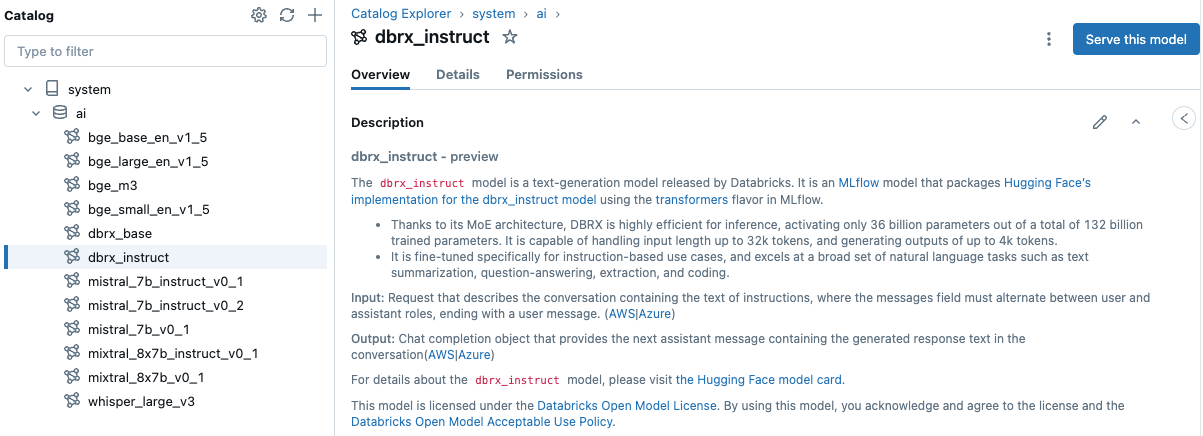
These models are available directly from Catalog Explorer, under the catalog system in the schema ai (system.ai).
You can serve these models with a single click and then incorporate the model serving endpoints directly into your batch inference workflows. To serve a model, click the model's name in the Catalog to open the model page and click Serve this model. For more information about Model Serving, see Deploy models using Mosaic AI Model Serving. For a list of regions supported for Model Serving, see Region availability.
Models in system.ai are available to all account users by default. Unity Catalog metastore admins can limit access to these models. See Unity Catalog privileges and securable objects.