Note
Access to this page requires authorization. You can try signing in or changing directories.
Access to this page requires authorization. You can try changing directories.
This article explains how to configure advanced settings for Defender for Containers on your AKS clusters. It also covers how to add or remove components after initial deployment.
Configure plan components
You can enable or disable specific Defender for Containers components:
Go to Microsoft Defender for Cloud > Environment settings.
Select your Azure subscription.
Select Settings for the Containers plan.
Turn components on or off:
- Agentless discovery for Kubernetes
- Agentless container vulnerability assessment
- Defender DaemonSet
- Azure Policy for Kubernetes
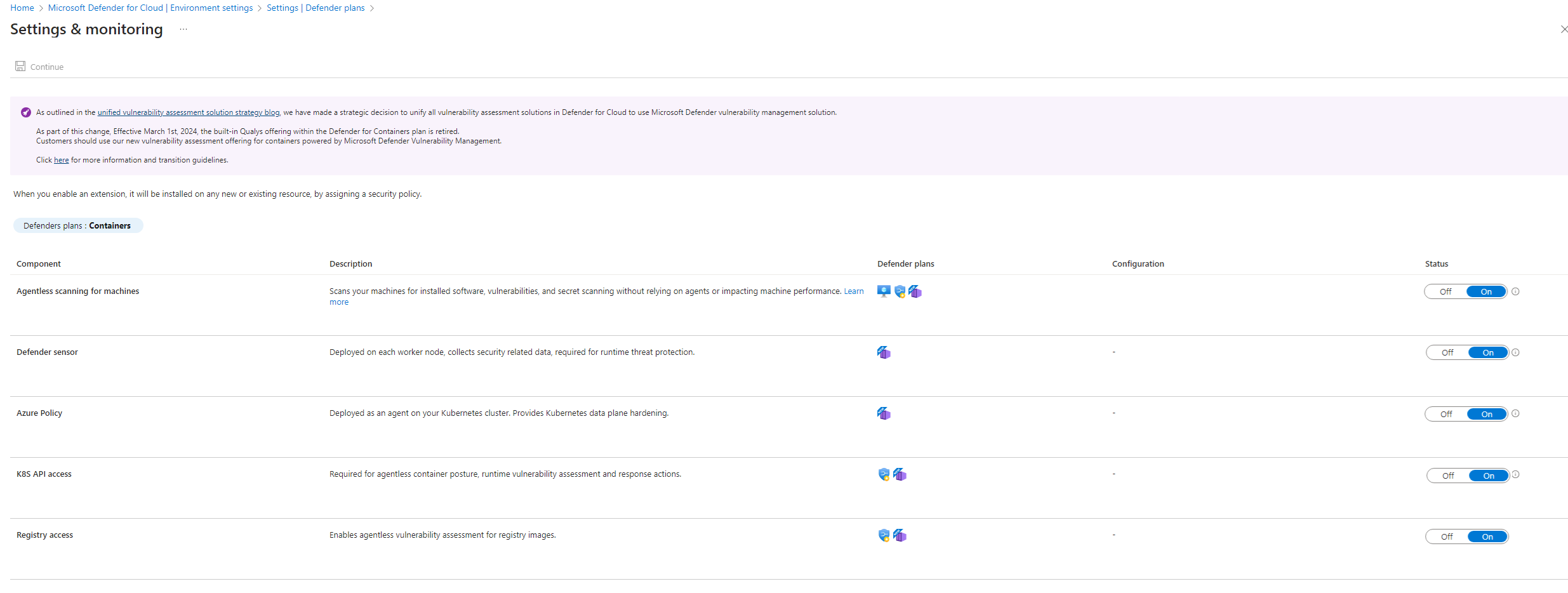
Select Continue and Save.
Add or remove components
After initial deployment, you might need to add components that you skipped or remove unnecessary ones.
Deploy Defender sensor to existing clusters
If the Defender sensor wasn't deployed initially:
Go to Microsoft Defender for Cloud > Recommendations.
Search for "Azure Kubernetes Service clusters should have Defender profile enabled".
Select the clusters missing the sensor.
Select Fix to deploy.
Or use Azure CLI:
az aks update \
    --name <cluster-name> \
    --resource-group <resource-group> \
    --enable-defender
Add Azure Policy extension
To add policy assessment to existing deployments:
az aks enable-addons \
    --addons azure-policy \
    --name <cluster-name> \
    --resource-group <resource-group>
Remove Defender sensor
To remove the Defender sensor while keeping other components:
az aks update \
    --name <cluster-name> \
    --resource-group <resource-group> \
    --disable-defender
Remove Policy add-on
To remove the Azure Policy add-on:
az aks disable-addons \
    --addons azure-policy \
    --name <cluster-name> \
    --resource-group <resource-group>
Best practices
- Regular reviews: Review configuration monthly.
- Test changes: Test configuration changes in non-production first.
- Document settings: Maintain documentation of custom configurations.
- Monitor impact: Watch for performance impact after changes.
- Track exclusions: Document why certain clusters or components are excluded.