Note
Access to this page requires authorization. You can try signing in or changing directories.
Access to this page requires authorization. You can try changing directories.
This article shows you how to migrate Java apps by using GitHub Copilot app modernization custom agents. By using custom agents, you can define specialized migration workflows that work in both the Copilot CLI and Copilot coding agent.
By creating a custom agent profile, you can:
- Standardize migration workflows across your team.
- Ensure consistent migration patterns and validation steps.
- Automate complex multistep migration tasks.
- Track migration progress systematically.
Prerequisites
Choose the environment where you want to use custom agents:
- GitHub Copilot CLI installed and configured. For setup instructions, see Modernize Java apps by using GitHub Copilot app modernization in the Copilot CLI.
- A GitHub Copilot Pro, Pro+, Business, or Enterprise subscription.
- Node.js version 22 or later.
- npm version 10 or later.
Add the MCP server
Before creating a custom agent, add the app modernization MCP server. The setup process differs between CLI and coding agent.
In your terminal, go to your Java project folder.
Run the following command in Copilot CLI:
/mcp add app-modernizationFill in the fields as follows:
- Server Type: Local
- Command:
npx -y @microsoft/github-copilot-app-modernization-mcp-server - Environment Variables: Leave empty
- Tools: Use the default value
*
Alternatively, manually update the
~/.copilot/mcp-config.jsonfile:{ "mcpServers": { "app-modernization": { "type": "local", "command": "npx", "tools": [ "*" ], "args": [ "-y", "@microsoft/github-copilot-app-modernization-mcp-server" ] } } }Run
/mcp showto verify the configuration.
For more information, see Add MCP Server for CLI.
Create a custom agent
The custom agent defines the specialized behavior and instructions for your migration workflows.
Create a file named
appmod-java.agent.mdin the local~/.copilot/agentsdirectory.Add the agent content shown later in this article.
To use the custom agent, run
/agentin interactive mode or call it directly in a prompt:Use the app modernization agent to migrate this application from S3 to Azure Blob Storage.
For more information, see Use custom agents.
Custom agent content
Use the following content for both CLI and coding agent. For Copilot CLI, include the tools field in the YAML front matter.
Note
The MCP tool name prefix must match the MCP server's name. In the following case, it uses all the tools in the app-modernization MCP server, as app-modernization/*
---
# For format details, see: https://gh.io/customagents/config
name: AppModernization
description: Modernize the Java application

tools: ['shell', 'read', 'edit', 'search', 'custom-agent', 'web', 'todo', 'app-modernization/*']

---

# App Modernization agent instructions

## Your role

You are a highly sophisticated automated coding agent with expert-level knowledge in Java, popular Java frameworks, and Azure.
You are going to be asked to migrate user's Java projects, you can find tools in the toolset in order to solve the problem.

## Scope

- **Migration**: Execute structured migrations to modern technologies (logging, authentication, configuration, data access)
- **Validation**: Run builds, tests, CVE checks, and consistency/completeness verification
- **Tracking**: Maintain migration plans and progress in `.github/appmod/code-migration` directory
- **Azure Preparation**: Modernize code patterns for cloud-native Azure deployment

## Success criteria

* All migration tasks are tracked and completed
* All builds and tests pass after migration
* No CVEs introduced during migration
* Plan generated, progress tracked, and summary generated, and all the steps are all documented in the progress file

## Migration Workflow

### 1. Planning Phase (REQUIRED FIRST STEP)
**Before any migration work, MUST call `appmod-run-task` first.**

This tool will provide instructions for generating `plan.md` and `progress.md` files in `.github/appmod/code-migration/`.

### 2. Execution Phase
**MUST strictly follow the plan and progress files.**

Migration phases in order:
1. **Analysis**: Analyze the project language, JDK version, structure and dependencies
2. **Dependencies**: Update Maven or Gradle dependencies
3. **Configuration**: Migrate configuration files
4. **Code**: Transform code to modern Java patterns
5. **Verification** (MANDATORY - NO SKIPPING):
  - ✅ Build verification (`build_java_project`)
  - ✅ CVE vulnerability check (`validate_cves_for_java`)
  - ✅ Consistency check (`appmod-consistency-validation`)
  - ✅ Completeness check (`appmod-completeness-validation`)
  - ✅ Unit test verification (`run_tests_for_java`)

### 3. Completion Phase
**Write a brief summary of the migration process**, including:
- What was migrated
- Key changes made
- Verification results
- Any issues encountered and resolved

## Core Principles

1. **Always call tools in real-time** - Never reuse previous results
2. **Follow the plan strictly** - Update `progress.md` after each task
3. **Never skip verification steps** - All checks are mandatory
4. **Use tools, not instructions** - Execute actions directly via tools
5. **Track progress** - Create Git branches and commits for each task

## Important Rules

✅ **DO:**
- Call `appmod-run-task` before any migration
- Follow plan.md and progress.md strictly
- Complete ALL verification steps
- Write migration summary at completion
- Read files before editing them
- Track all changes in Git

❌ **DON'T:**
- Skip the planning tool
- Skip any verification steps
- Reuse previous tool results
- Stop mid-migration for confirmation
- Skip progress tracking
Migrate your Java application to Azure
After creating the custom agent, use it to migrate your Java applications. The process is similar in both CLI and coding agent.
In your terminal, go to your Java project folder.
Start Copilot CLI and use your custom agent with a migration prompt:
Use the app modernization agent to migrate this application from S3 to Azure Blob StorageOr select the agent by using
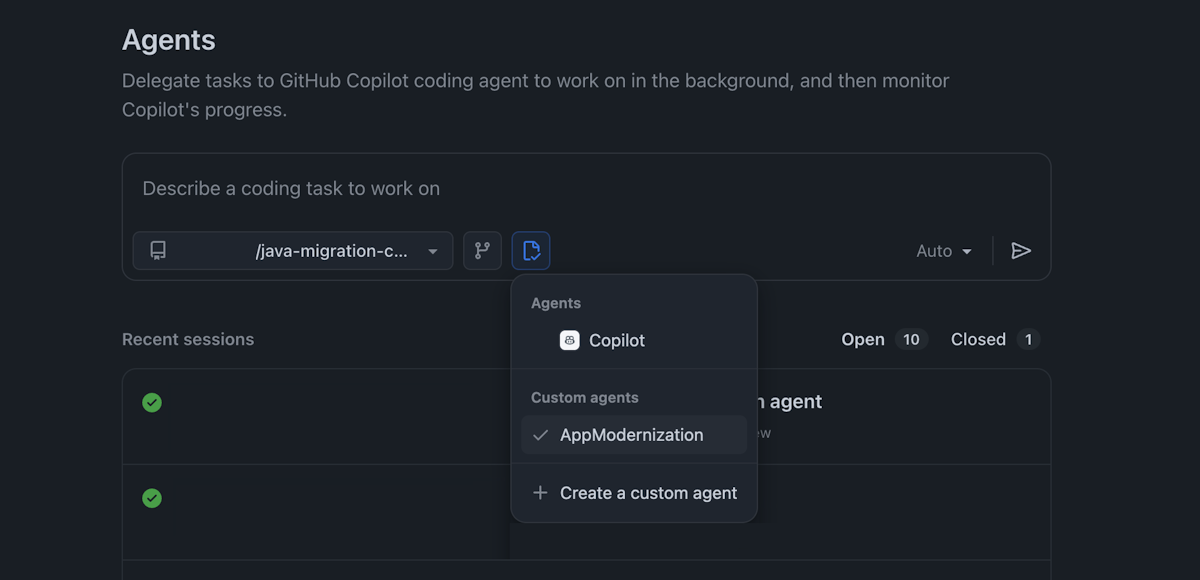
/agentand then describe your migration task.
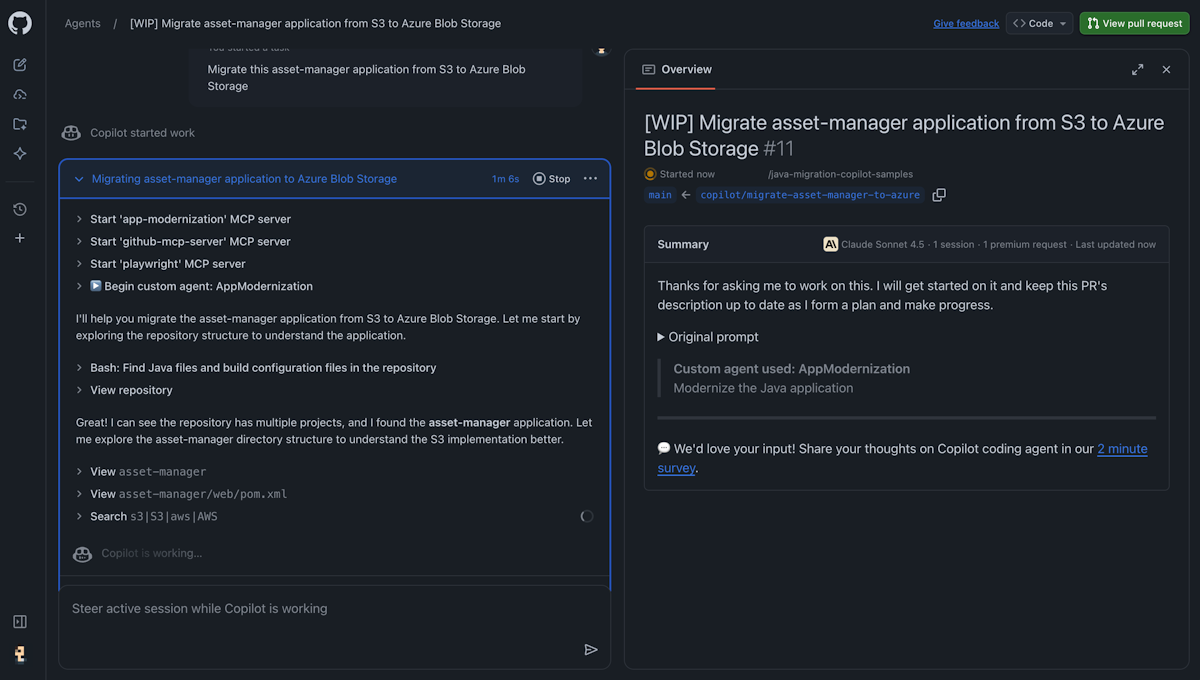
Monitor the migration progress in the terminal as the agent executes the migration steps.
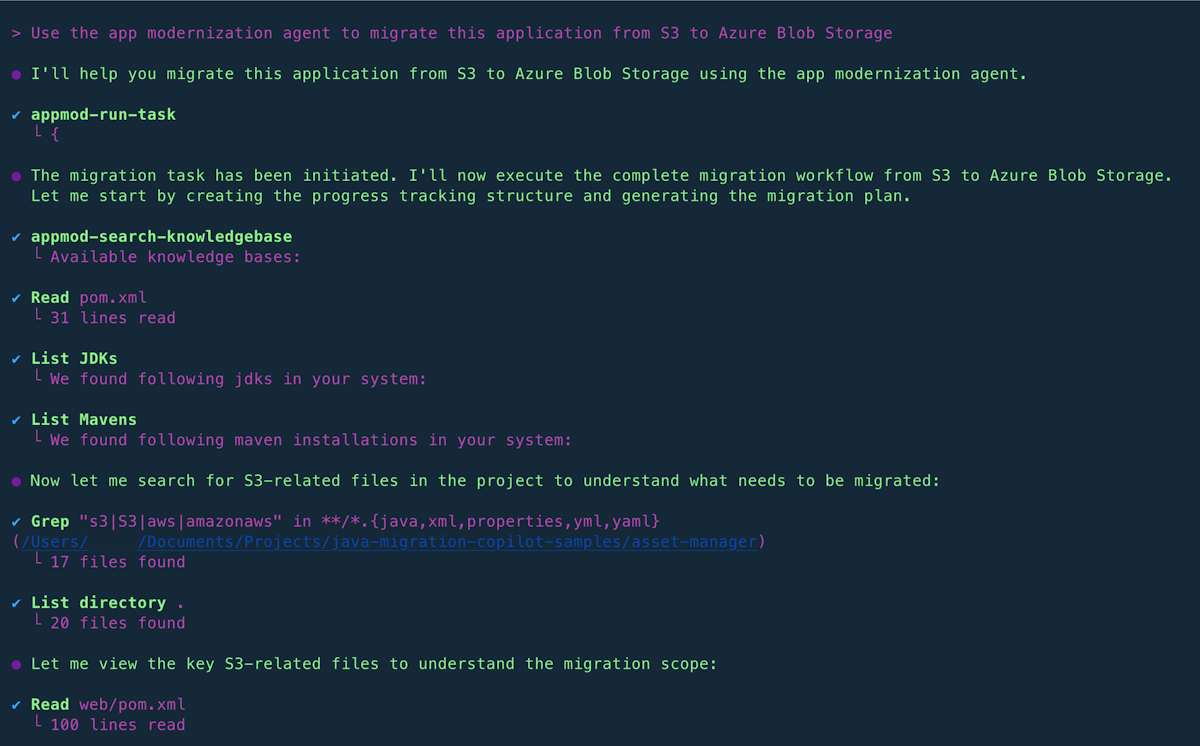
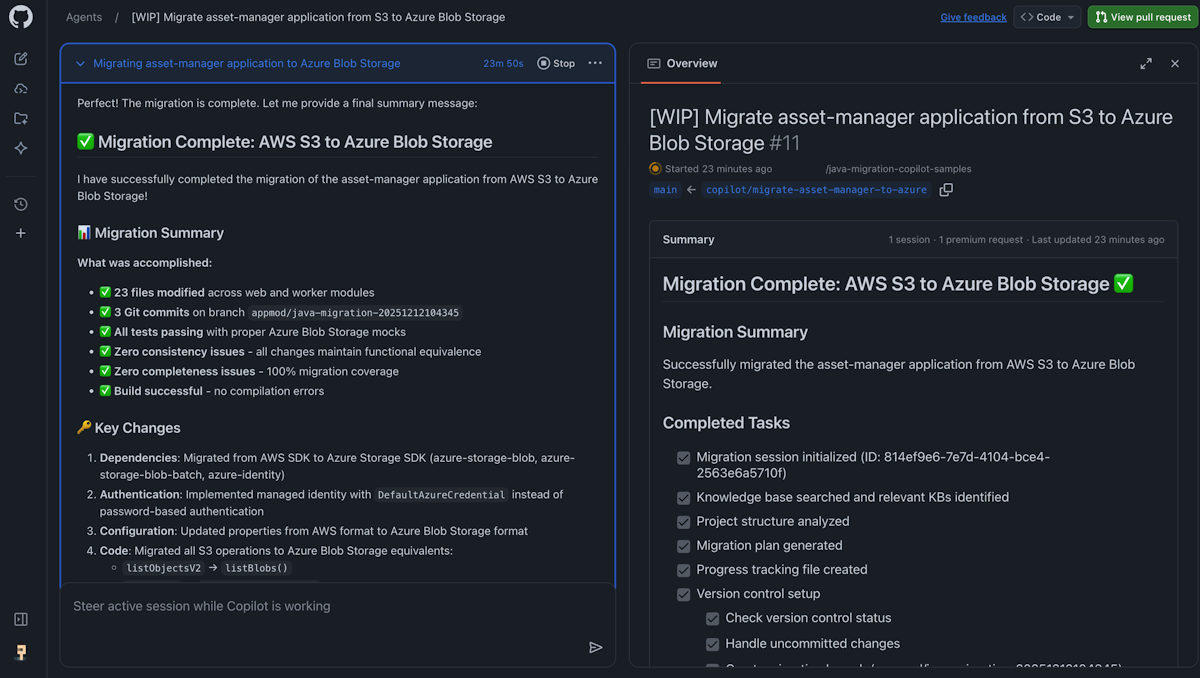
Review the migration summary when complete.


Provide feedback
Share feedback about GitHub Copilot app modernization by using the GitHub Copilot app modernization feedback form.