Note
Access to this page requires authorization. You can try signing in or changing directories.
Access to this page requires authorization. You can try changing directories.
Azure Policy provides a unified framework for defining and enforcing governance rules across your Azure resources.
Machine Configuration extends this capability to the guest OS level, allowing you to audit and enforce configurations inside Windows and Linux machines—helping ensure your workloads remain secure and compliant with internal and industry standards.
This section explains how to discover built-in Machine Configuration policies, understand what they do, and assign them to your environment. We'll also walk through an example—using the Audit Windows Time Zone policy—to illustrate how parameters are used to tailor configurations to your organization's needs.
Discover Built-In Machine Configuration Policies
Azure Policy definitions describe what is being evaluated and how compliance is determined. Built-in definitions are maintained by Microsoft and automatically updated to align with current security and compliance standards.
To view and explore these built-in policies:
Navigate to Azure Portal → Policy → Definitions.
In the left-hand navigation, select Definitions under the Authoring section.
Open the Category filter and select Guest Configuration and Built-in on Policy Type to display all built-in policies related to OS auditing and compliance.
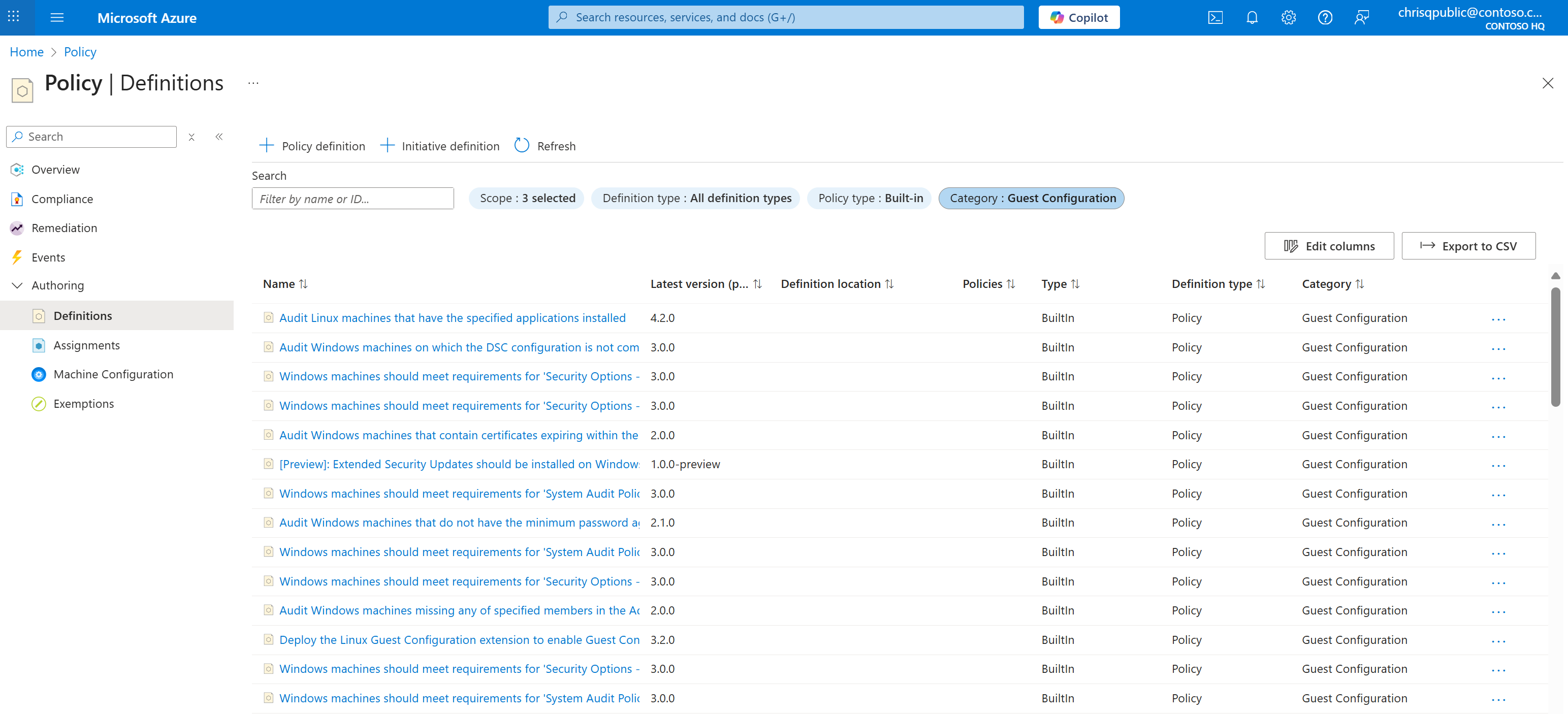
Browse the list to review available definitions, such as:
Audit Linux machines that have the specified applications installed
Audit Windows machines that are not set to the specified time zone
Windows machines should meet requirements for the Azure compute security baseline
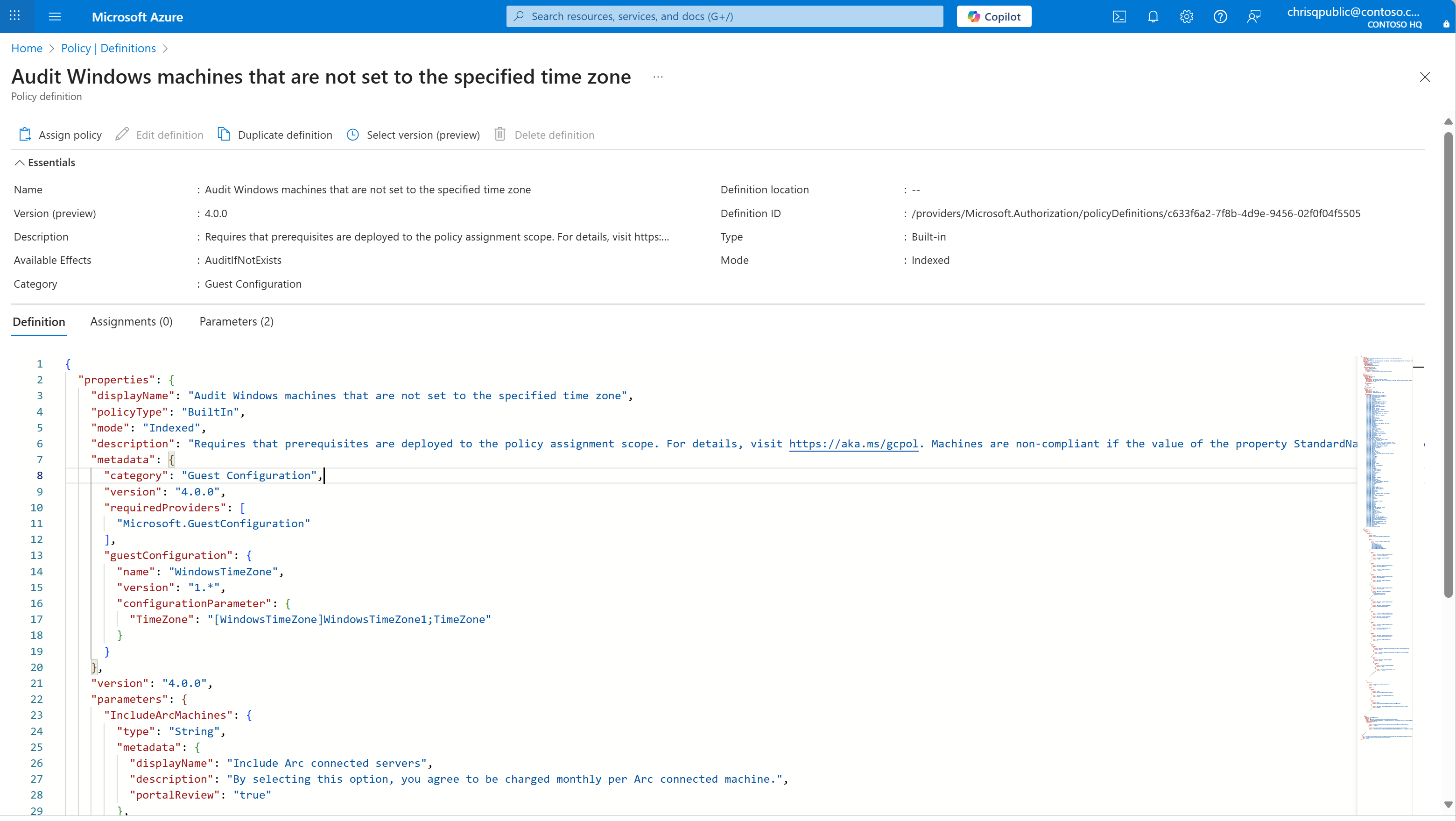
Click any policy name to open its details page. You can inspect:
The JSON definition
Available parameters and versions
Metadata such as category, mode, and required providers
Assign a Built-In Machine Configuration Policy
A policy assignment determines where and how a policy definition is applied—whether to a management group, subscription, or resource group.
When you assign a Machine Configuration policy, Azure evaluates all in-scope machines and reports compliance directly in the Azure Policy → Compliance blade.
Example: Assigning the "Audit Windows Time Zone" Policy
Let’s use one of the built-in Machine Configuration policies—Audit Windows machines that are not set to the specified time zone—as an example.
From the Policy Definitions page, select
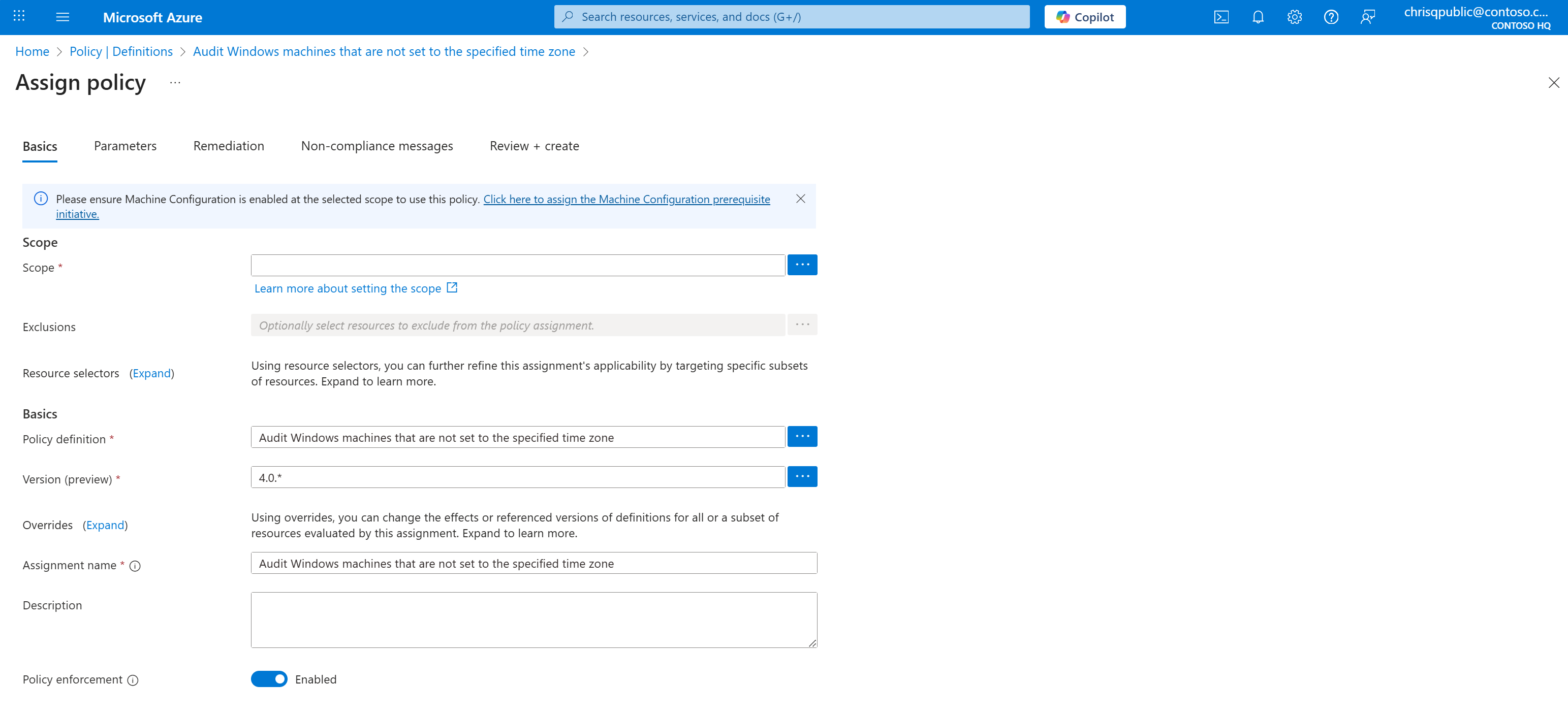
Audit Windows machines that are not set to the specified time zone.Click Assign Policy at the top of the page.
In the Basics tab:
Choose the Scope (subscription or management group).
Confirm that Machine Configuration prerequisites are deployed. (A link to deploy prerequisites appears automatically if not.)
Optionally specify exclusions if certain resources shouldn't be evaluated.
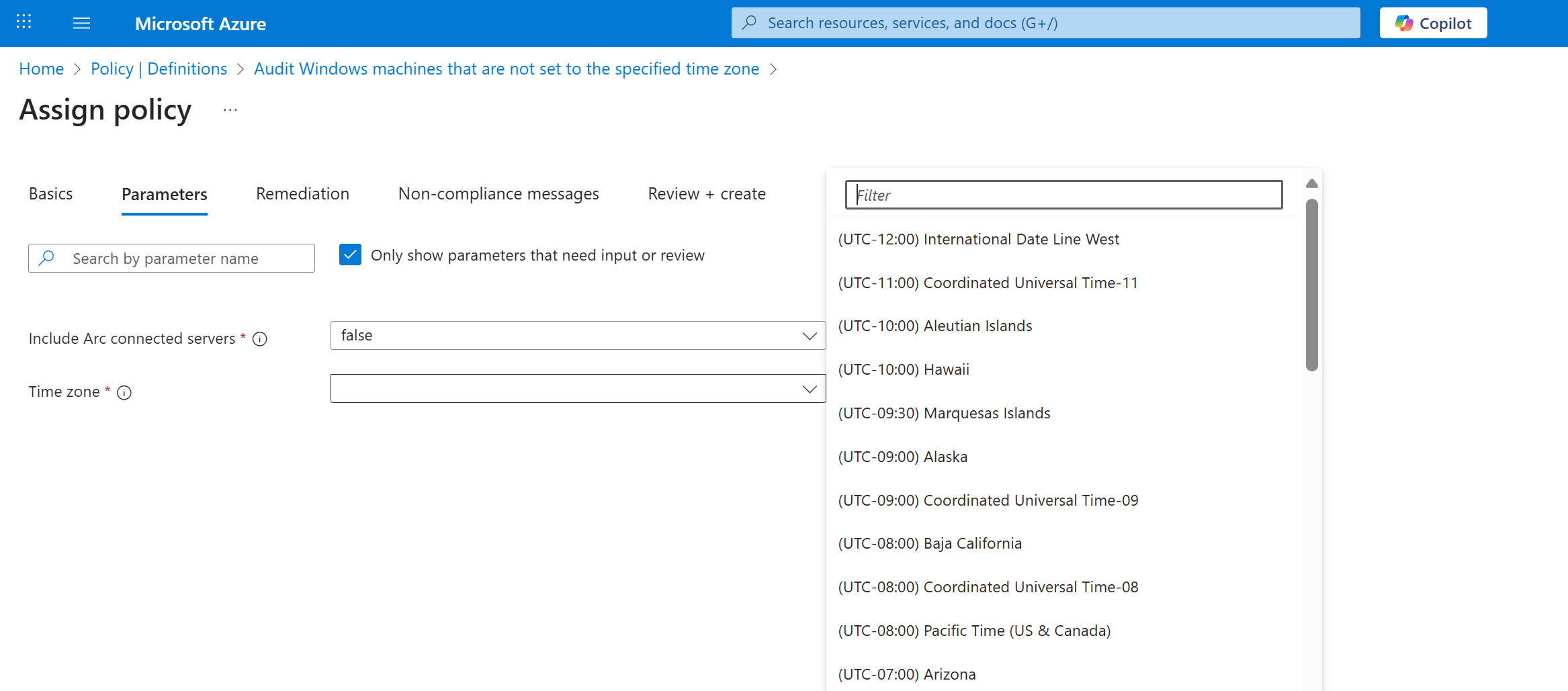
In the Parameters tab:
Set Include Arc connected servers to true if your environment includes Arc-enabled machines.
Choose the desired Time zone (for example, "Pacific Time (US & Canada)").
- Review your configuration under Review + create, then click Create.
Once assigned, the policy will automatically begin evaluating machines within scope. Compliance results will surface in the Policy → Compliance view, where you can drill down to specific resources or export results.
Note
The same process is applicable to other built-in Machine Configuration policies—such as those auditing Linux baselines, password settings, or required applications. Parameters vary by definition and allow you to customize the audit scope without creating new policies.
Programmatic Access and Automation
While this guide focuses on portal-based workflows, you can also assign and manage Machine Configuration policies programmatically through CLI, PowerShell, or REST API.
| Interface | Command/Reference | Documentation |
|---|---|---|
| Azure CLI | az policy definition list and az policy assignment create | Assign policy via Azure CLI |
| PowerShell | Get-AzPolicyDefinition and New-AzPolicyAssignment | Assign policy via PowerShell |
| REST API | Microsoft.Authorization/policyAssignments | Azure Policy REST API Reference |
| Guest Configuration | az guestconfig assignment list | Guest Configuration REST API Reference |
| Azure Resource Graph | Query guestconfigurationresources table for compliance results | Query Guest Configuration with Azure Resource Graph |
Next Steps
After assigning your policy, you can: