Note
Access to this page requires authorization. You can try signing in or changing directories.
Access to this page requires authorization. You can try changing directories.
Note
Community interest groups have now moved from Yammer to Microsoft Viva Engage. To join a Viva Engage community and take part in the latest discussions, fill out the Request access to Finance and Operations Viva Engage Community form and choose the community you want to join.
The LISTJOIN function returns a Record list value that represents a new joined list of records that is created from the specified arguments.
Syntax
LISTJOIN (list 1 [, list 2, …, list N])
Arguments
list 1: Record list
A reference to a data source of the Record list data type. This argument is mandatory.
list N: Record list
A reference to a data source of the Record list data type. These additional arguments are optional.
Return values
Record list
The resulting list of records.
Usage notes
The structure of the list that is created contains only the fields that are present in the structure of every record list that is referenced in the arguments.
Example
You enter data source Record 1 of the Container type. This data source contains the following nested fields of the Calculated field type:
- Code: This field contains an expression that returns a value of the
Stringtype. - Amount: This field contains an expression that returns a value of the
Realtype.
You then enter data source Record 2 of the Container type. This data source contains the following nested fields of the Calculated field type:
- Amount: This field contains an expression that returns a value of the
Realtype. - IsValid: This field contains an expression that returns a value of the
Booleantype.
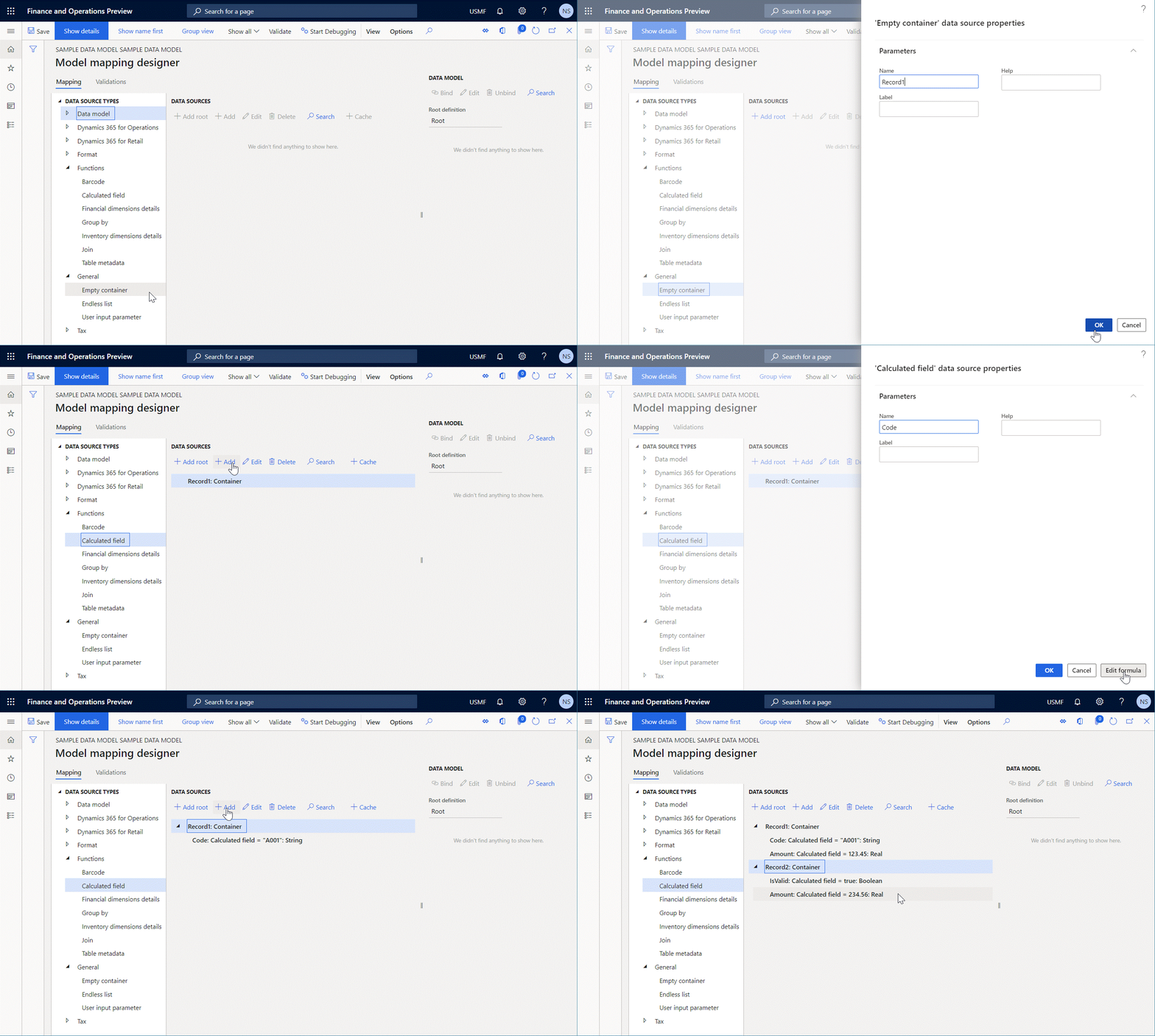
In this case, the expression LISTJOIN(LIST('Record 1'), LIST('Record 2')) returns a new list that contains two records.
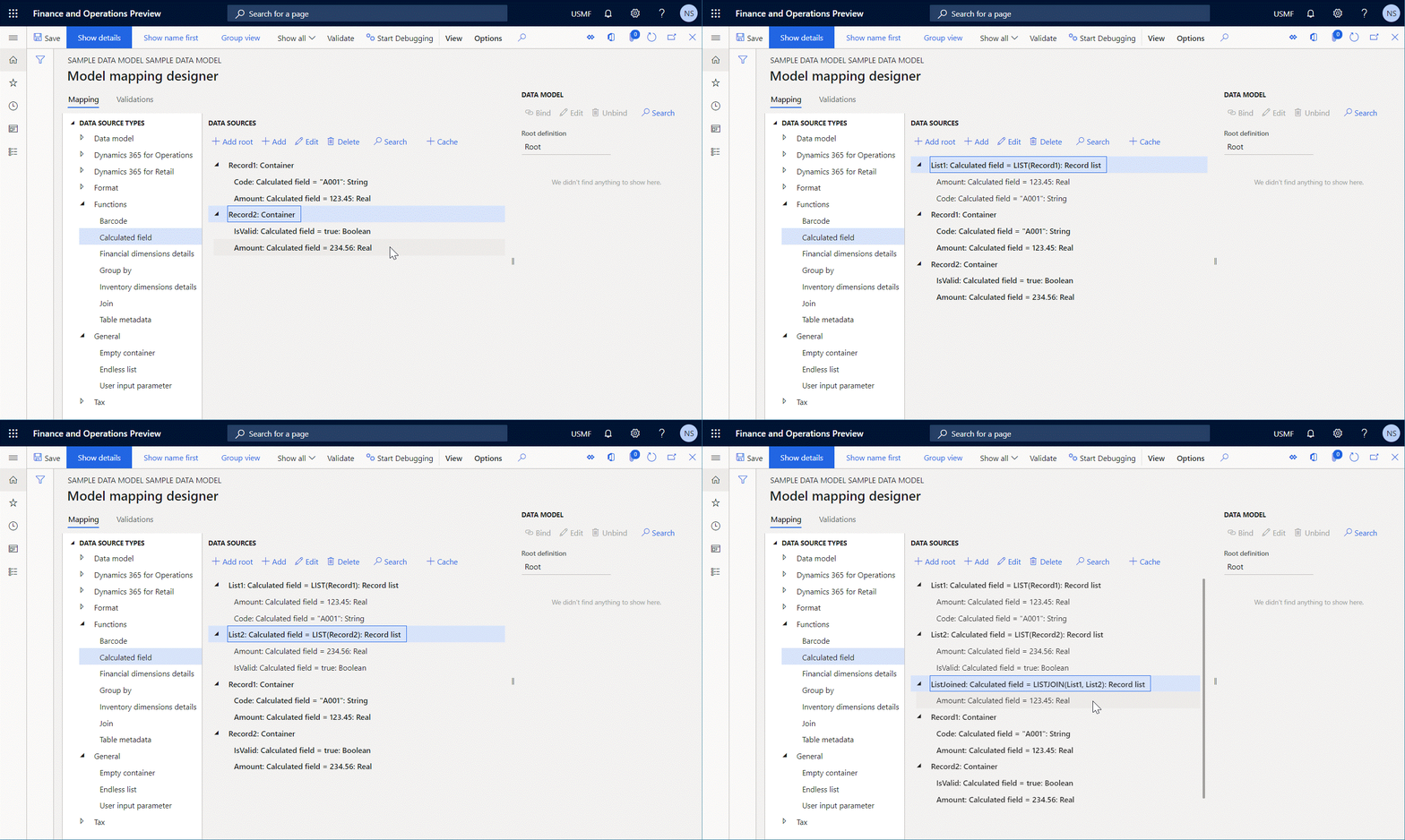
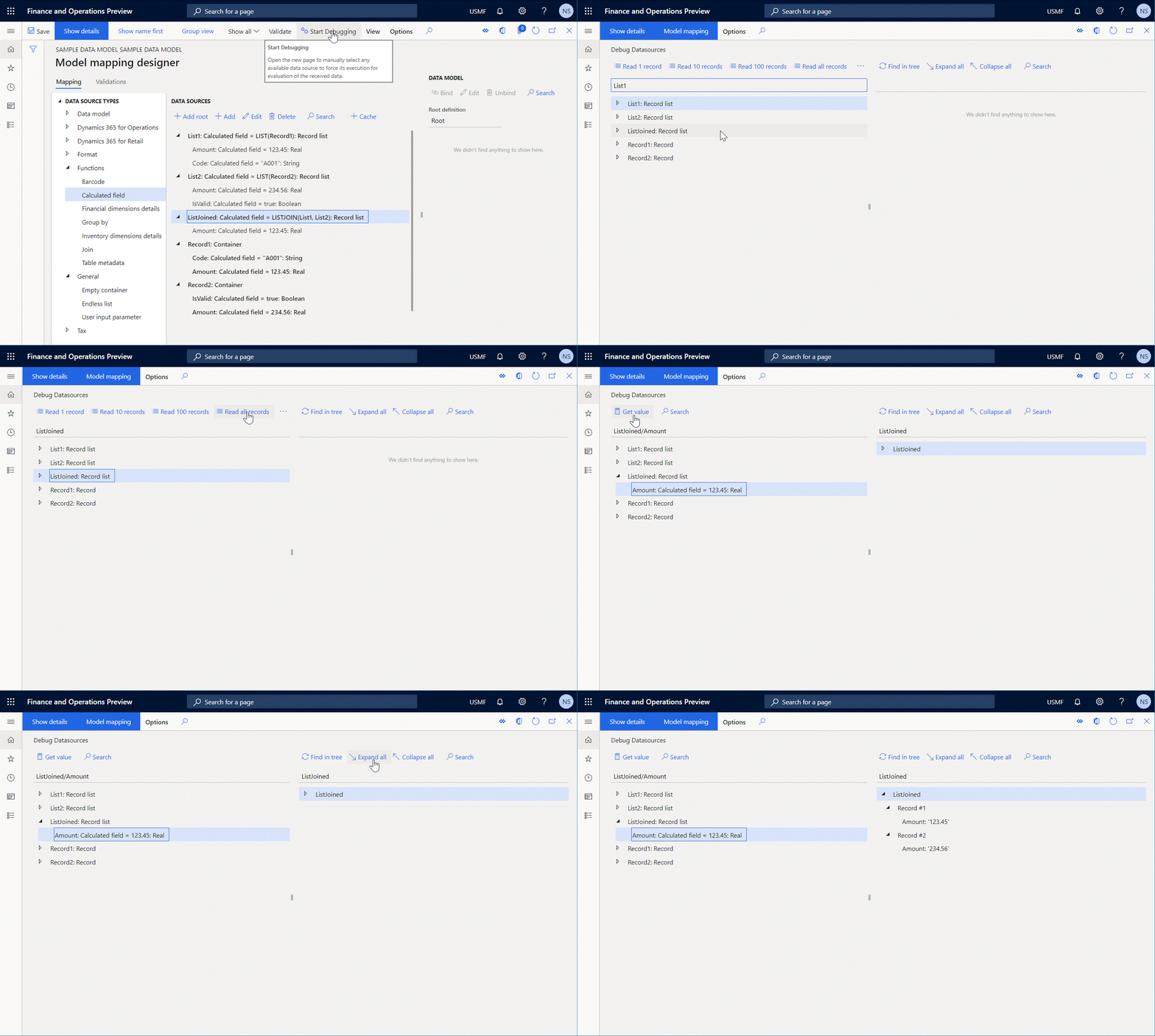
The structure of this list consists of a single Amount field of the Real type, because this field is the only field that is presented in every argument of the called function.
Additional resources
Debug data sources of an executed ER format to analyze data flow and transformation