Note
Access to this page requires authorization. You can try signing in or changing directories.
Access to this page requires authorization. You can try changing directories.
The Manage agents feature in Microsoft Entra lets you view, and control, agent identities you own or sponsor. Agents identities are special identities, such as bots or automated processes, that act on behalf of users or teams. With the manage agents feature, you can easily see which agents you’re responsible for, review their details, and take action to enable, disable, or request access for them.
Note
This feature is in public preview. Functionality might change before general availability.
License requirements
Important
Microsoft Entra Agent ID is part of Microsoft Agent 365, available now in Frontier, the Microsoft early access program for the latest AI innovations. For more information, see Microsoft Entra Agent ID.
Manage agents as an agent identity owner or sponsor
Sign in to the My Account end user portal as either an owner or sponsor of at least one agent identity.
In the left menu, select Manage agents (Preview).
Note
This will only appear if you're an owner or sponsor of at least one agent identity.
Choose either the Agents you sponsor or Agents you own tab to view your agents.
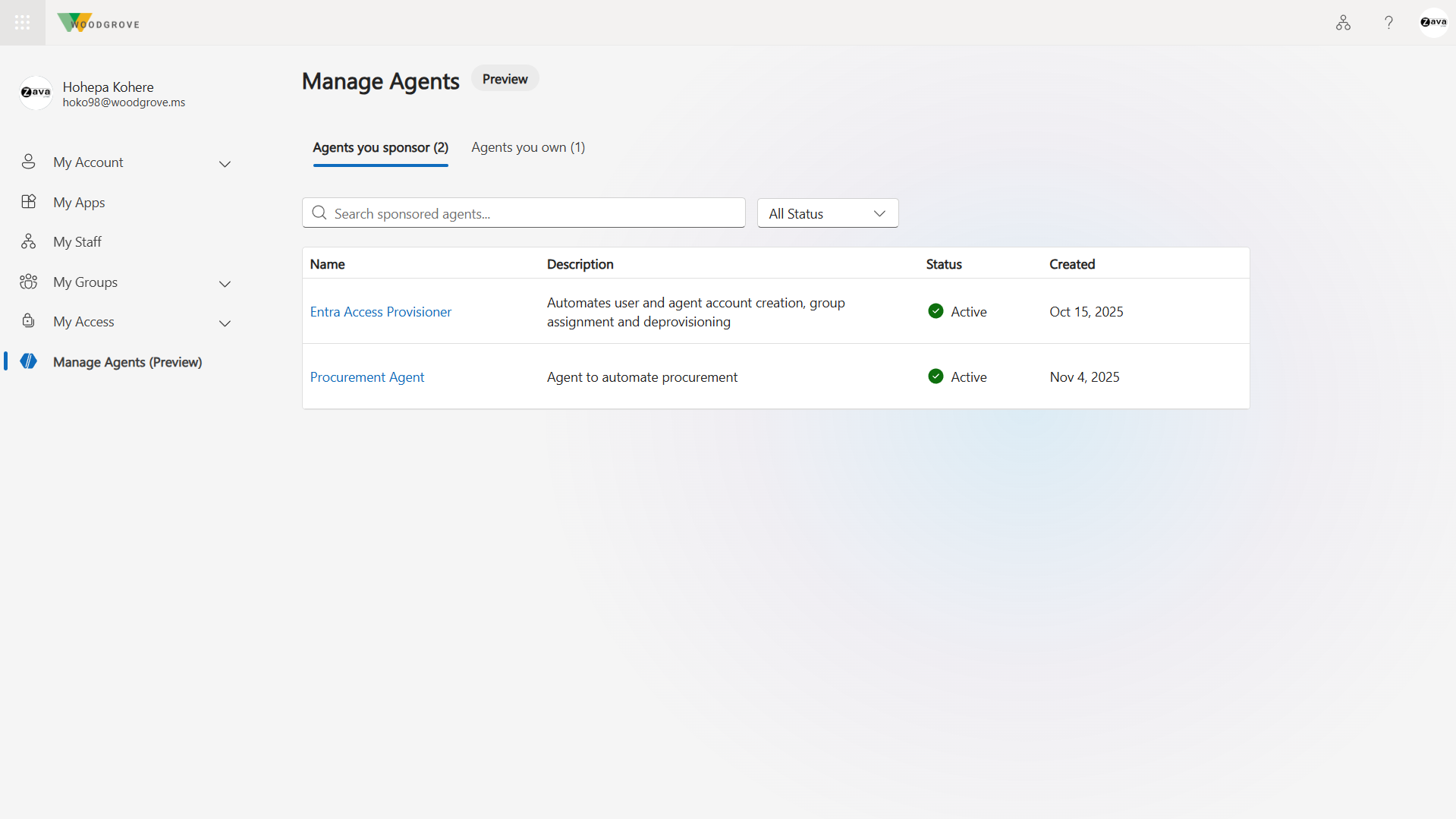
Select an agent to view details about it.

Enable or Disable an agent
To disable an agent, select it from the list and choose Disable agent. This blocks users from being able to access it and prevents it from being issued tokens.
To re-enable, select the agent that is disabled and choose Enable agent. This allows users to access it, and allows it to be issued tokens.
Next Steps
- If an agent needs other access packages, Request an access package on behalf of an agent identity (Preview)