Note
Access to this page requires authorization. You can try signing in or changing directories.
Access to this page requires authorization. You can try changing directories.
Global Secure Access network controls enable you to implement granular access controls for Microsoft Copilot Studio agents. You can apply network security policies including web content filtering, threat intelligence filtering and network file filtering to agent traffic. This capability provides similar security controls for agents that you use for other traffic types in your organization.
Microsoft Entra integrates with Microsoft Copilot Studio to provide network security controls for agent interactions. This integration allows organizations to apply security policies, monitor agent traffic with the Global Secure Access visibility platform, and ensure secure communication between agents and external resources.
Prerequisites
To configure network security for Copilot Studio agents, you must have:
- A Global Secure Access Administrator role in Microsoft Entra ID to manage Global Secure Access features.
- A Power Platform Administrator role to manage Copilot Studio environments.
- A Power Platform environment with Dataverse added to the environment. For more information, see Create and manage environments in the Power Platform admin center.
Enable network controls for Copilot Studio agents
To enable network controls for Copilot Studio agents, you must first enable traffic forwarding from these agents in the Power Platform Admin Center.
- Sign in to the Power Platform Admin Center as a Power Platform Administrator.
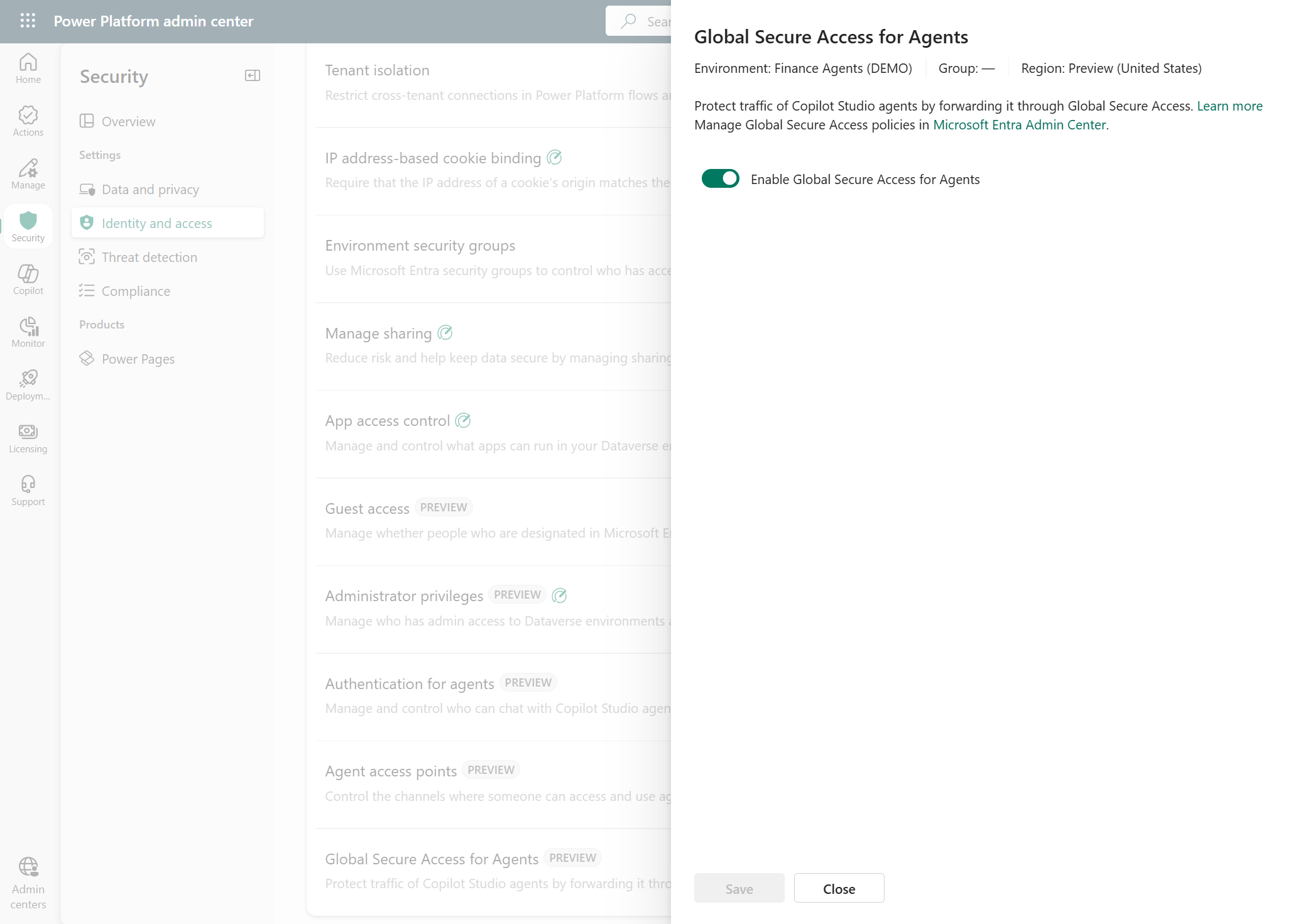
- Browse to Security > Identity & access > Global Secure Access for Agents.
- Select the appropriate environment or environment group and select Set up.
- Enable Global Secure Access for Agents for the selection.
Note
After enabling GSA for Agents in a given environment or environment group, you need to create or update any existing custom connectors for them to route traffic through Global Secure Access.
Create security policies for Copilot Studio agents
After enabling network controls, you can enforce Global Secure Access security policies on agent traffic. You can apply web content filtering, threat intelligence filtering, and other security policies. The following example shows how to configure a web content filtering policy:
- Sign in to the Microsoft Entra admin center as a Global Secure Access Administrator.
- Browse to Global Secure Access > Secure > Web content filtering policies.
- Select Create policy.
- Enter a descriptive name such as Copilot Studio Agent web repositories and a description for the policy, then select Next.
- Select Add rule.
- Configure rules specific to Copilot Studio agent requirements:
- Block web repositories: Add destinations to block web repositories and related domains.
- Select Next to review the policy.
- Select Create policy.
Link policies to the baseline profile
Group your security policies by linking them to the baseline profile to apply them to Copilot Studio agent traffic. Security profiles linked to Conditional Access policies aren't currently supported for Copilot Studio agents.
- Sign in to the Microsoft Entra admin center as a Global Secure Access Administrator.
- Browse to Global Secure Access > Secure > Security profiles.
- Select the Baseline profile tab.
- Select Edit to edit the baseline profile rules.
- Select Link a policy and then select Existing policy.
- Select the Copilot Studio agent web repositories policy created earlier and select Add.
- Select Save to save the profile changes.
Monitor and maintain
Regular monitoring and maintenance ensure your security configuration remains effective:
- Review traffic logs regularly for unusual patterns or blocked legitimate traffic. For more information, see Global Secure Access network traffic logs.
- Update filtering policies as new services or requirements emerge.
- Test policy changes in a development environment before applying to production.
Note
Configuration changes in the Global Secure Access experience related to web content filtering typically take effect in less than five minutes.
Known limitations
- The enforcement feature supports only the baseline profile. Network security policies apply per tenant.
- Global Secure Access partner ecosystem integrations, such as third-party Data Loss Prevention (DLP), aren't supported.
- Copilot Studio Bing search network transactions aren't supported.
- Only specific Copilot Studio connectors are supported with network security controls. Refer to the Copilot Studio documentation for the list of supported connectors.
- Currently the Agent Name returned in the Global Secure Access traffic logs is the agent's unique schema name.
- Currently the block experience for Copilot Studio agents blocked by GSA shows a 502 Bad Gateway for HTTP Actions or a 403 Forbidden for connectors. This is a known issue, and improvements are coming soon.