Note
Access to this page requires authorization. You can try signing in or changing directories.
Access to this page requires authorization. You can try changing directories.
Here are some common issues that might come up when you share a dashboard or report, or when someone else shares with you.
Dashboard recipients see a lock icon in a tile
The people you share with might see a locked tile in a dashboard, or a "Permission required" message when they try to view a report.

If so, you need to grant them permission to the underlying semantic model.
Go to the All or the Semantic models + dataflows tab in your content list.
Select More options (...) next to a semantic model, then choose Manage permissions.

Select Add user.

Enter the full email addresses for individuals, distribution groups, or security groups that you want to add. You can't share dashboards or reports with dynamic distribution lists. Decide if the users can share this semantic model or build content with the data associated with this semantic model, and if you want to send an email notification.

Select Grant access.
I can't share a dashboard or report
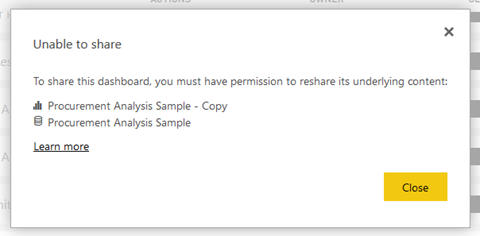
To share a dashboard or report, you need permission to reshare the underlying content; that is, any related reports and semantic models. If you see a message saying you cannot share, ask the report author to give you reshare permission for those reports and semantic models.
I don't have access to a dashboard or report
If you see a "Request access" message when you select the link to a report or dashboard, you do not have permission to view it. You need to request access to it.