Use People cards to stay connected
The People card in the new Outlook for Windows helps you stay connected and informed—without leaving your workflow. When you hover over or select a contact’s name, the card opens inline, surfacing key information like contact details, recent files, messages, and organizational context. You don’t need to launch the People app or switch views.
Start a conversation
You can start a chat, audio, or video call with a contact directly from the People card using your preferred communication app. For contacts within your organization, Outlook automatically detects available chat clients like Microsoft Teams.

Explore organizational context
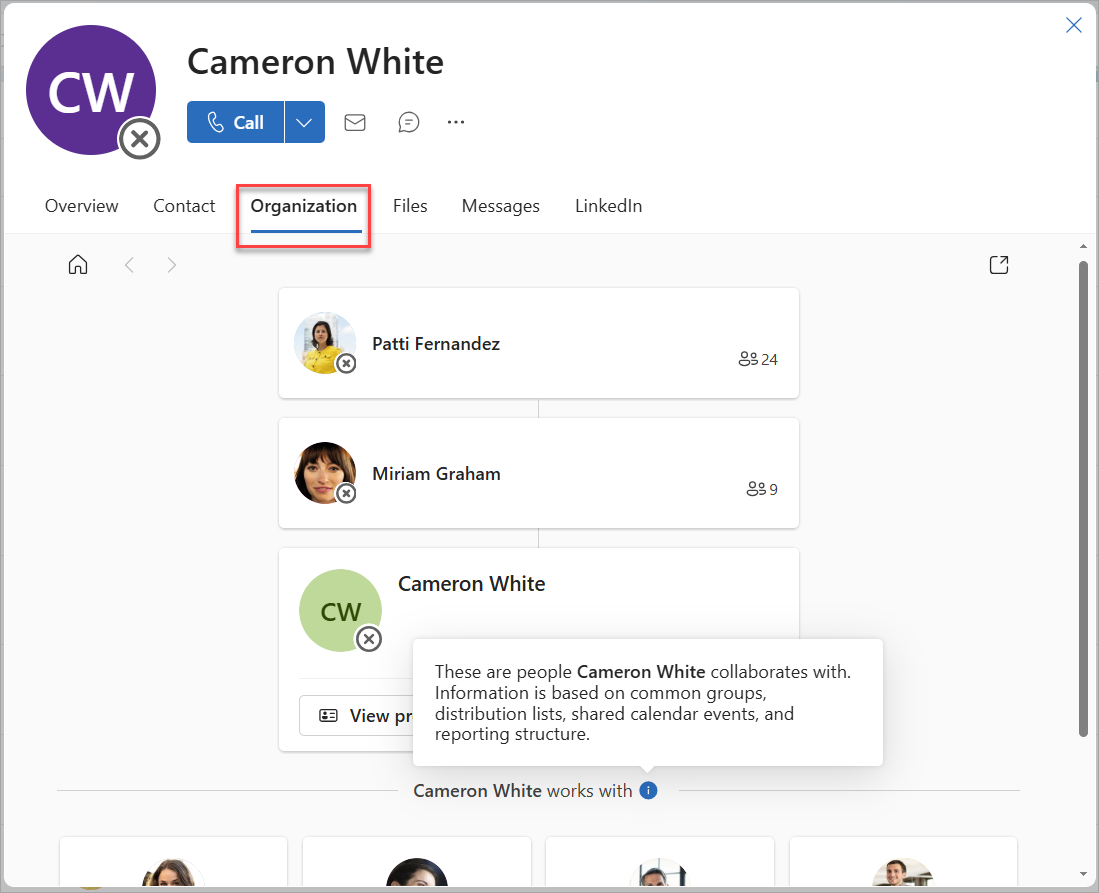
For contacts in your organization, the Organization view helps you explore and understand reporting relationships. You can see where the contact sits in the org chart and quickly access People cards for their manager, peers, or direct reports.
View recent files and attachments
The Files tab on the People card shows recent files and email attachments shared between you and the contact. You can filter by file name or type and open files directly from the card.

Review past messages
The Messages tab provides quick access to recent email and chats with the contact. This is a helpful way to track your engagement history and prepare for follow-ups.

Conversation recap
Copilot summarizes recent conversations with the contact, helping you quickly catch up before your next meeting or email. This feature is especially useful for frequent collaborators.

Recommended prompts
Copilot also offers Recommended prompts—context-aware suggestions that help you take action quickly. These prompts might help you schedule a meeting, follow up on a shared file, or ask for status updates.

Use Copilot in the People card
The Recap tab in the People card introduces intelligent features that help you prepare for meaningful interactions with your contacts.
Important
This feature is in Preview and not all users will have it. You must have a Microsoft 365 Copilot license to use this feature.
The People card in new Outlook for Windows offers a dynamic, in-context way to stay connected with your contacts. From recent files and messages to organizational insights and Copilot-powered summaries, the card brings together everything you need to collaborate effectively—without leaving your inbox.
Next, let's learn about managing contacts in the People hub.