Manage work with GitHub Project boards
GitHub Projects provide comprehensive capabilities to control project deliverables, release dates, and iterations for effective upcoming work planning. Understanding how to leverage these features strategically can transform project delivery outcomes.
Iteration planning framework
Strategic iteration design principles:
You can create iterations to:
- Associate items with time-boxed delivery cycles for predictable release cadence
- Set optimal duration based on team capacity and complexity requirements
- Include strategic breaks for planning, retrospectives, and team development
- Align with business milestones and customer delivery expectations
Iteration length selection guide examples:
| Duration | Best For | Benefits | Considerations |
|---|---|---|---|
| 1 week | Fast-moving features, bug fixes | Rapid feedback, quick adjustments | Limited scope, frequent overhead |
| 2 weeks | Standard agile teams, balanced workload | Good velocity tracking, manageable | Industry standard, proven approach |
| 3 weeks | Complex features, research work | Deep focus, substantial deliverables | Risk of scope creep |
| 4 weeks | Large initiatives, cross-team coordination | Strategic planning, major milestones | Reduced agility, delayed feedback |
When you first create an iteration field, three iterations are automatically created as a foundation. Plan to extend this based on your project timeline and delivery strategy.
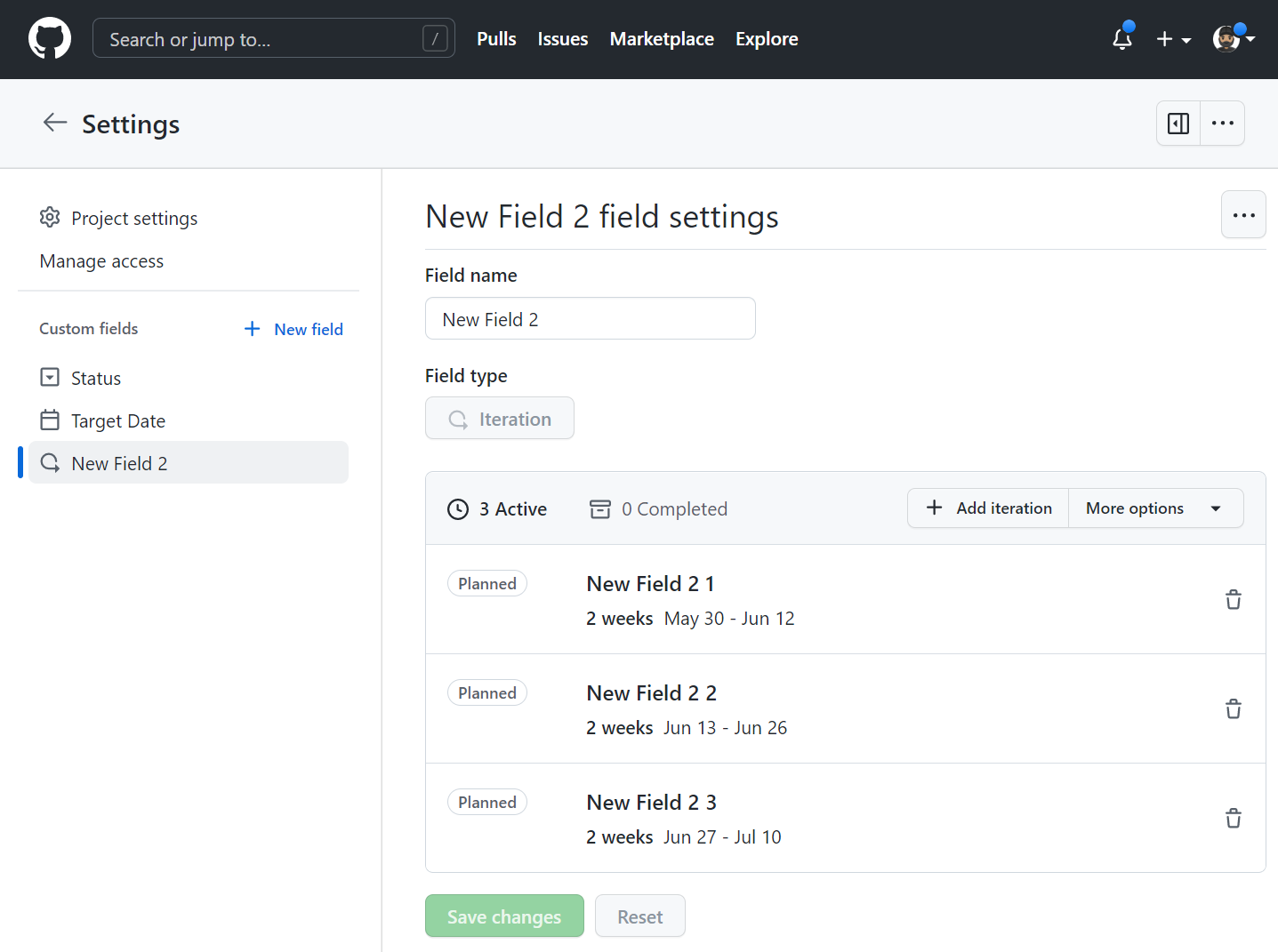
Advanced iteration field configuration
Creating strategic iteration fields
You can use the command palette or the project interface to create iteration fields optimized for your team's workflow.
Command palette method (Recommended for efficiency):
Tip
To open the project command palette, press Ctrl+K (Windows/Linux) or Command+K (Mac).
Start typing "Create new field". When "Create new field" displays in the command palette, select it.
Interface method for detailed configuration:
- Navigate to your project
- Click the plus (+) sign in the rightmost field header
- Select New field from the dropdown menu
- Configure iteration field strategically:
Strategic iteration field naming:
- Use clear, business-aligned names: "Sprint", "Release Cycle", "Development Phase"
- Include version or timeline indicators: "Q1 2024 Sprints", "Version 2.1 Cycles"
- Consider team understanding and adoption
Advanced configuration options:
- Name selection: Choose names that reflect business context and team workflow
- Field type: Select "Iteration" for time-boxed planning
- Start date strategy:
- Current day: For immediate project initiation
- Strategic date: Align with business cycles, team availability, major releases
- Duration optimization:
- Standard teams: 2 weeks (14 days) for balanced planning and delivery
- Research teams: 3-4 weeks for deeper investigation cycles
- Maintenance teams: 1 week for rapid response and fixes
- Click Save and create

Enterprise iteration naming conventions examples:
Format: [Project]_[Year]_[Type]_[Number]
Examples:
- CustomerPortal_2024_Sprint_01
- API_2024_Release_Q1
- Mobile_2024_Feature_Phase2
Strategic iteration management and scaling
Adding and optimizing iterations
Systematic iteration planning approach:
- Navigate to your project
- Click the settings menu (three dots) in the top-right
- Select Settings to access project configuration
- Click the iteration field name you want to enhance
- Strategic iteration addition:
- Click Add iteration for standard duration cycles
- Consider business calendar alignment and team capacity
Advanced iteration customization:
Custom iteration configuration:
- Click the dropdown next to "Add iteration"
- Strategic start date selection: Align with business quarters, team availability, or dependency completion
- Dynamic duration management: Adjust based on scope complexity and team capacity
- Click Add to implement
Save and validate changes: Ensure iteration alignment with project timeline

Strategic break planning and team development
Iteration break best practices: You can insert breaks into your iterations to communicate scheduled time away from delivery work, enabling:
Strategic break types:
- Planning sessions: Requirements gathering, architecture design, sprint planning
- Team development: Training, conferences, skill development, team building
- Process improvement: Retrospectives, process optimization, tool evaluation
- Maintenance windows: Infrastructure updates, security patches, technical debt
- Holiday periods: Planned vacation time, company holidays, team recharge
Break planning framework:
Break Duration Guidelines:
- Planning breaks: 1-2 days between iterations
- Development breaks: 3-5 days quarterly
- Major maintenance: 1 week annually
- Holiday breaks: Variable based on team and region
Enterprise-scale iteration management
Multi-team coordination strategies:
Synchronized iterations:
- Align all teams to same iteration schedule for coordinated releases
- Shared planning and retrospective cycles
- Simplified dependency management and communication
Staggered iterations:
- Offset team cycles to enable continuous integration and testing
- Reduced resource contention for shared services
- Improved deployment pipeline utilization
Portfolio-level planning:
- Program increments: 8-12 week cycles coordinating multiple teams
- Release trains: Coordinated delivery of integrated solutions
- Milestone alignment: Business-critical delivery dates and dependencies
Iteration health monitoring:
- Velocity tracking: Monitor story points or work items completed per iteration
- Burndown analysis: Track progress toward iteration goals and identify risks
- Retrospective metrics: Capture team satisfaction and process improvement opportunities
- Capacity utilization: Balance team workload and prevent burnout
For more information about iterations, see: