Turn on Copilot AI features
One of the many benefits of Copilot for Sales is that it uses AI to assist sellers. Communication with sales contacts along with information from your organization's customer relationship management (CRM) system can be used to help your sellers with the tasks that they perform every day. These tasks might include items such as drafting better emails, taking better notes, and staying on top of their deals.
As of the time of publication of this content, the following Copilot AI features were available:
Generate suggested email content: Offers content that's generated using context from Outlook and your CRM.
View and save email summary: Allows sellers to view a summary of recent emails and save it to the CRM system.
View opportunity summary: Allows sellers to view a summary of recent notes added to an opportunity.
Summarize sales meeting: Offers an automated recap of a recently recorded Teams meeting with sales contacts that sellers can easily insert in an email.
Note
Some copilot AI features may or may not be turned on by default, depending on where your tenant is located. For example, for new customers whose Dynamics 365 organization is in North America or Europe and your CRM resides in the same geography as Microsoft Entra ID, Copilot AI features are turned on by default. Otherwise, you need to turn them on before your sellers can use them.
AI features can be enabled by going to Copilot for Sales administrator settings, selecting Copilot under Tenant, And selecting to turn Copilot on. When turning on AI features, you can determine who to deploy the features to.
You can select one of the following options. Under Apply to, select one of the following options:
The entire organization: Turns on Copilot AI features for all sellers in all environments in your organization.
Specific security groups: Allows only selected security groups in your organization to use Copilot AI features. Search for and select the security groups you want to turn on Copilot AI features for.
Exclude specific security groups: Prevents selected security groups from using Copilot AI features. Search for and select the security groups you want to exclude.

Turn on Copilot AI features in your environment
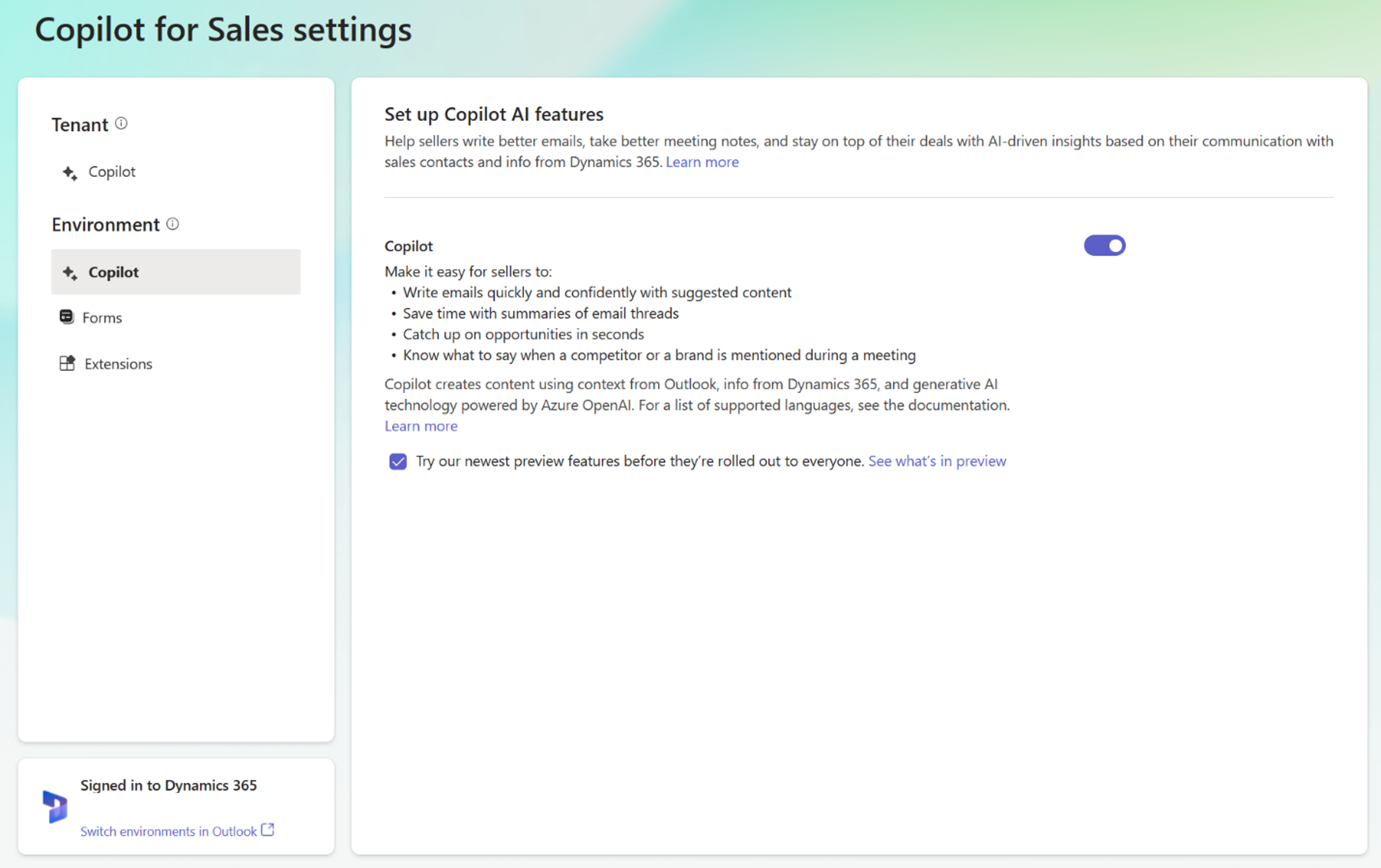
Once Copilot is turned on for a tenant, you can also enable for the environment. Under Environment, select Copilot and turn it on. If you want to be able to try the newest features as they become available in preview, select Try our newest preview features before they're rolled out to everyone.