Note
Access to this page requires authorization. You can try signing in or changing directories.
Access to this page requires authorization. You can try changing directories.
This article helps you resolve common issues that you might encounter when you try to create Informatica resources in Microsoft Azure. These issues include permission errors and missing user profile information.
Prerequisites
- You must have Owner access on the Azure subscription to set up Informatica integration.
- Make sure that your user profile in Azure contains all required business information.
Symptoms
- When you try to create an Informatica resource, you receive an error message that indicates that you're not a subscription owner.
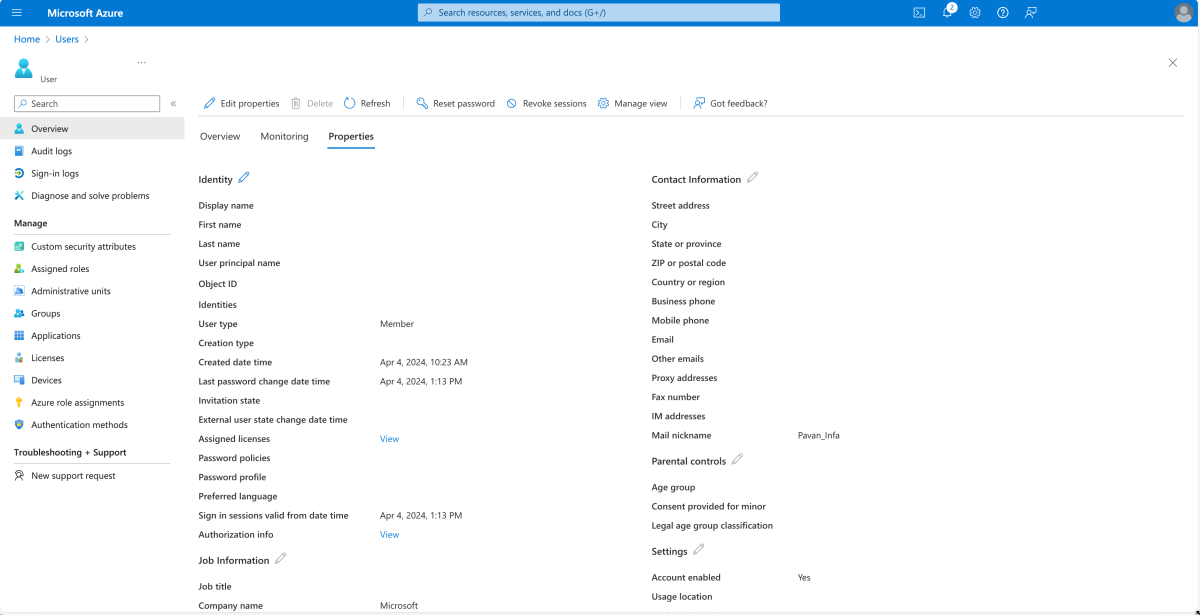
- You can't create an Informatica resource because of missing details in your user profile.
Cause 1: Not a subscription owner
Only users who have Owner access on the Azure subscription can set up the Informatica integration.
Solution 1
- Verify your access level on the Azure subscription.
- If you don't have Owner access, ask your Azure administrator to grant you the required permissions before you start the integration setup.
Cause 2: Missing details in user profile
Your user profile has to be updated to include key business information for Informatica resource creation.
Solution 2
In the Azure portal, select Users, and fill out the required details.

Search for your username in the user information screen.

Edit UserInformation to make sure that all required fields are completed.