Note
Access to this page requires authorization. You can try signing in or changing directories.
Access to this page requires authorization. You can try changing directories.
As an active Visual Studio subscriber, you can use a range of features in Azure DevOps that are included with your subscription. You're able to use these same features in each Azure DevOps organization in which you're a member, whether you created the organization or someone else added you.
Sign in
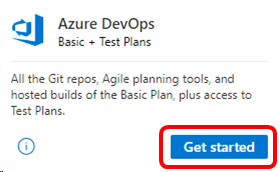
When you sign in to Azure DevOps using either the identity that you used for activating your Visual Studio subscription or your alternate identity, we recognize you automatically. This way you can also add the work or school account you use when logging into Visual Studio, Microsoft 365, or your corporate or school network. You have access to Azure DevOps using both your personal account and your work or school account.
Sign up for a free Azure DevOps organization
Eligibility
| Subscription Level | Channels | Benefit | Renewable? |
|---|---|---|---|
| Visual Studio Enterprise (Standard, monthly cloud) | VL, Azure, Retail, selected NFR1 | Azure Boards & Repos (Basic2), Azure Test Plans, self-hosted parallel jobs | Yes |
| Visual Studio Enterprise subscription with GitHub Enterprise | VL | Azure Boards & Repos (Basic2), Azure Test Plans, self-hosted parallel jobs | Yes |
| Visual Studio Professional (Standard, monthly cloud) | VL, Azure, Retail | Azure Boards & Repos (Basic2) | Yes |
| Visual Studio Professional subscription with GitHub Enterprise | VL | Azure Boards & Repos (Basic2) | Yes |
| Visual Studio Test Professional (Standard) | VL, Retail | Azure Boards & Repos (Basic2), Azure Test Plans | Yes |
| MSDN Platforms (Standard) | VL, Retail | Azure Boards & Repos (Basic2), Azure Test Plans | Yes |
1 Includes: Not for Resale (NFR - including Independent Software Vendor (ISV), Alumni, Xbox Basic, and Bug Bounty), Most Valuable Professional (MVP), Regional Director (RD), Visual Studio Industry Partner (VSIP), Microsoft AI Cloud Partner Program (MAICPP, Enterprise), Microsoft Certified Trainer (MCT) Software & Services Developer, Full-Time Employee (FTE). Excludes: Azure DevOps Tools for Teaching (ADTFT), Student Ambassadors.
2 Basic plan includes defining release pipelines and multi-stage continuous deployment (CD) pipelines, and using approvals and gates to control deployments; when the Free access to Pipelines Preview feature is enabled, Stakeholders gain access to all Azure Pipelines features.
Note
Microsoft no longer offers Visual Studio Professional Annual subscriptions and Visual Studio Enterprise Annual subscriptions in Cloud Subscriptions. There's no change to existing customers experience and ability to renew, increase, decrease, or cancel their subscriptions. New customers are encouraged to go to https://visualstudio.microsoft.com/vs/pricing/ to explore different options to purchase Visual Studio.
Not sure which subscription you're using? Connect to https://my.visualstudio.com/subscriptions to see all the subscriptions assigned to you. If you don't see all your subscriptions, you might have one or more assigned to a different email address. You need to sign in with that email address to see those subscriptions.
Frequently asked questions
Q: As a Visual Studio Enterprise subscriber, do I get more parallel jobs in Azure DevOps?
A: Yes. Visual Studio Enterprise subscribers get one extra self-hosted parallel job in each Azure DevOps Services organization where they're a member.
Q: Can I also use Azure DevOps Server with my subscription?
A: Yes. Page 24 of the Licensing Whitepaper for the Microsoft Visual Studio Product Family and Visual Studio Subscriptions provides guidance on the use of Azure DevOps Server in subscriptions:
"Visual Studio Enterprise Subscription, Visual Studio Professional Subscription, Visual Studio Test Professional Subscription, MSDN Platforms, and all Visual Studio cloud subscribers can download and deploy one instance of Azure DevOps Server. These same Visual Studio subscribers are granted an Azure DevOps Server User CAL to be used within their organization (it isn't valid for use of Azure DevOps Server acquired by a different organization)."
Q: What does my Dev Essentials developer program include?
A: Visual Studio Dev Essentials is a free developer program offering tools, cloud services, training, and software trials. It includes Azure DevOps Basic Level, such as Free Git repos, Agile planning tools and hosted builds for any language-but it isn't a Visual Studio Subscription and it doesn't include subscription-level Azure DevOps entitlements such as "Basic + Test Plans" or parallel jobs.
Q: What Azure DevOps access levels are available for Dev Essentials users?
A: Visual Studio Dev Essentials members must use Azure DevOps through the platform's built-in free tiers:
| Access Level | Available to Dev Essentials? | Description |
|---|---|---|
| Stakeholder | Yes (unlimited, free) | View work items, dashboards, discounts; limited access to repos and pipelines. |
| Basic | Yes, if assigned one of the organization's 5 free Basic seats | Note included as a Dev Essentials entitlement; assignment is at the organization owner's discretion. |
| Basic + Test Plan | No | Requires a paid license or qualifying Visual Studio Subscription. You might try test plans for free. |
Q: What is "Azure DevOps organization" in Dev Essentials?
A: An Azure DevOps organization is the top-level container that holds project, repos, pipelines, artifacts, and access assignments. Dev Essentials doesn't create a special or separate organization for you. Instead:
- Any Dev Essentials member can create their own organization at https://dev.azure.com using their Microsoft account.
- You can also be added to someone else's organization.
- The organization owner—not Dev Essentials membership—determines your access level within that organization.
Thus, when you refer to "the Azure DevOps organization" as a Dev Essentials user, it means: Any Azure DevOps organization where you are a member-created by you or by someone else.
Dev Essentials doesn't automatically upgrade your access; you receive Stakeholder access unless an organization assigns you one of its free Basic licenses.
Q: Do Dev Essentials members receive Basic + Test Plans automatically?
A: No. Only Visual Studio Subscription subscribers receive automatic access-level elevation. As a Dev Essentials user, you rely on free access tiers and organization assignments. Try test plans for free.
Q: Can Dev Essentials users contribute to code, pipelines, and boards?
A: Yes, if the organization assigns users a Basic license. Otherwise, users remain Stakeholders with limited capabilities.
Do Visual Studio subscribers need manual upgrades to Basic?
A: No. Azure DevOps detects your subscription automatically and applies your correct entitlement upon sign-in.
Support resources
- For assistance with sales, subscriptions, accounts, and billing for Visual Studio Subscriptions, see Visual Studio Subscriptions support.
- Have a question about Visual Studio IDE, Azure DevOps, or other Visual Studio products or services? Visit Visual Studio support.
- Azure DevOps documentation.
See also
- Visual Studio documentation
- Azure DevOps documentation
- Azure documentation
- Microsoft 365 documentation
Next steps
Learn more about Azure DevOps features:
Learn how to activate your Azure DevTest individual credit.