หมายเหตุ
การเข้าถึงหน้านี้ต้องได้รับการอนุญาต คุณสามารถลอง ลงชื่อเข้าใช้หรือเปลี่ยนไดเรกทอรีได้
การเข้าถึงหน้านี้ต้องได้รับการอนุญาต คุณสามารถลองเปลี่ยนไดเรกทอรีได้
This article explains how to delete a database in Azure Data Explorer.
Prerequisites
- An Azure subscription. Create a free Azure account.
Delete a database
To delete a database from your Azure Data Explorer cluster:
Open your cluster in the Azure portal.
In the left-hand menu, under Data, select Databases.
Select the box next to the database to delete. Then, in the top menu, select the Delete icon.
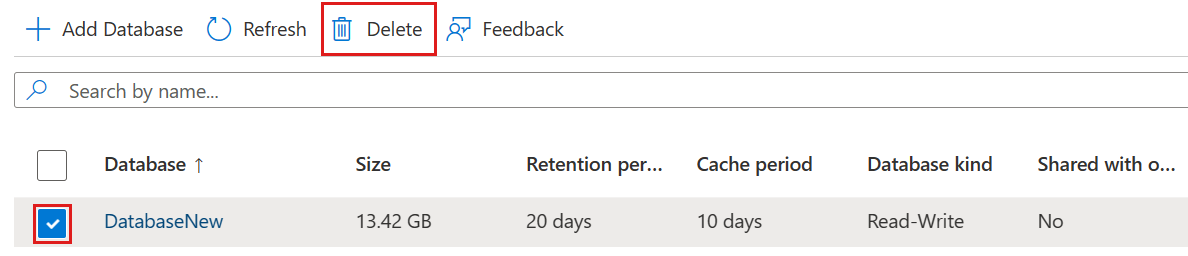
In the Delete database pop-up, select Yes.
Once deleted, the database is taken off the list.