หมายเหตุ
การเข้าถึงหน้านี้ต้องได้รับการอนุญาต คุณสามารถลอง ลงชื่อเข้าใช้หรือเปลี่ยนไดเรกทอรีได้
การเข้าถึงหน้านี้ต้องได้รับการอนุญาต คุณสามารถลองเปลี่ยนไดเรกทอรีได้
Azure DevOps Services
You can get a list of users and groups that have access to your organization in Azure DevOps by exporting users. The downloaded list also indicates access levels.
Prerequisites
| Category | Requirements |
|---|---|
| Permissions | Member of the Project Collection Administrators group. Organization owners are automatically members of this group. |
Export a list of users
From your web portal or the Azure DevOps CLI command, get a list of the users in your organization and view their access level information.
Select the
 Azure DevOps logo to open Projects. Then choose Organization settings.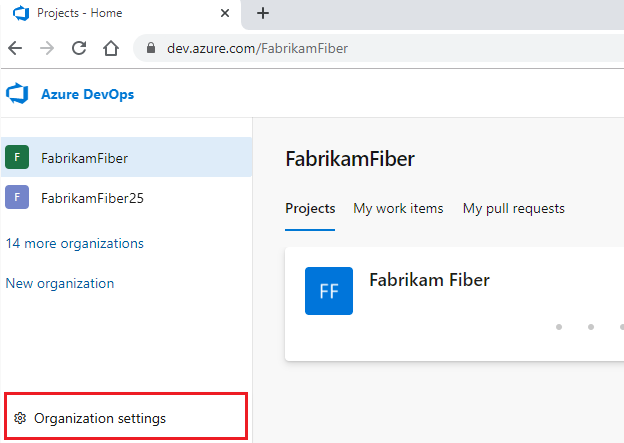
Select Users > Export users.
