หมายเหตุ
การเข้าถึงหน้านี้ต้องได้รับการอนุญาต คุณสามารถลอง ลงชื่อเข้าใช้หรือเปลี่ยนไดเรกทอรีได้
การเข้าถึงหน้านี้ต้องได้รับการอนุญาต คุณสามารถลองเปลี่ยนไดเรกทอรีได้
Allows you to issue web requests using Dev Proxy. This plugin is convenient for simulating requests such as webhook notifications.
To issue the configured request, press w in the command prompt session where Dev Proxy is running.
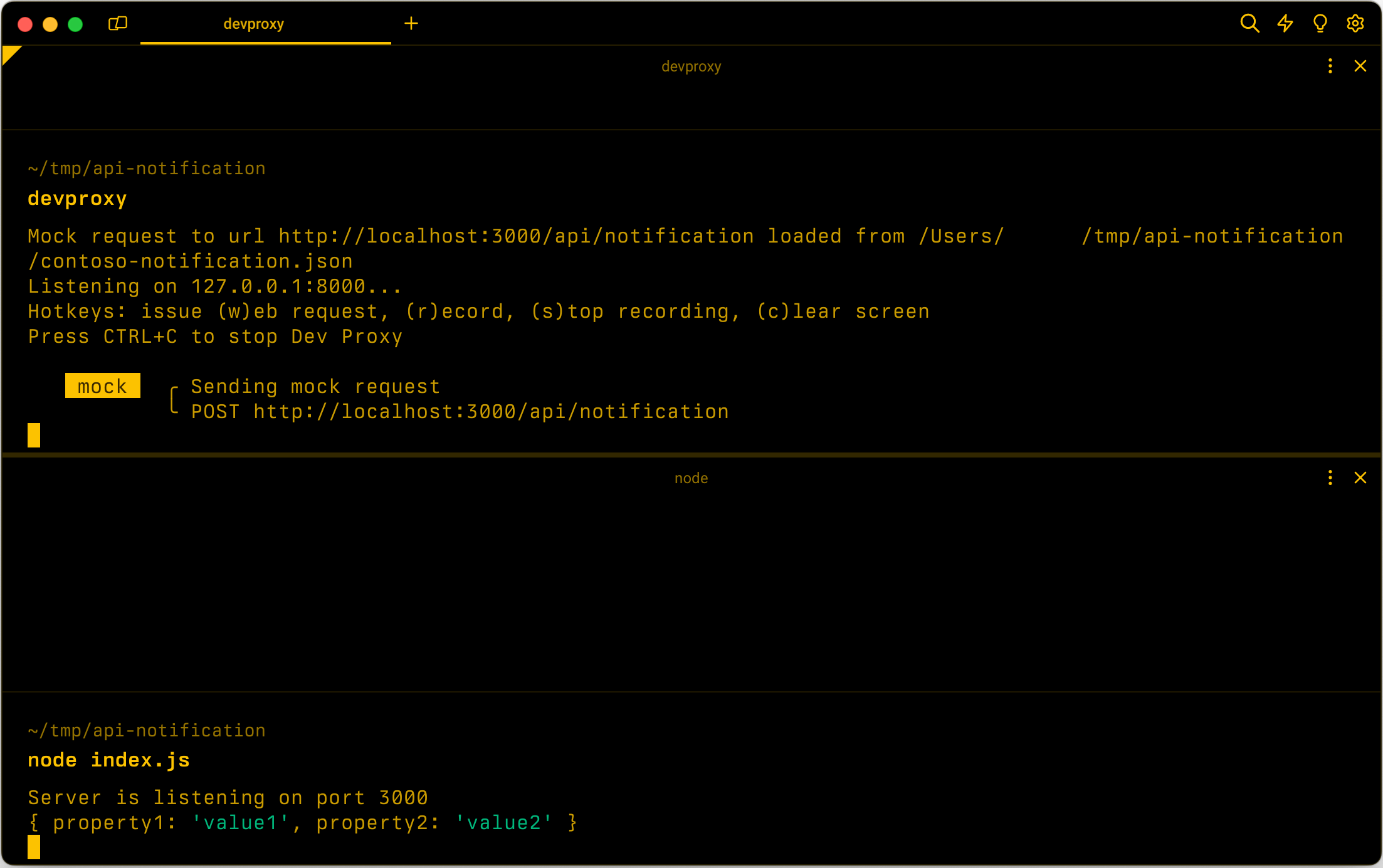
Configuration example
{
  "$schema": "https://raw.githubusercontent.com/dotnet/dev-proxy/main/schemas/v2.0.0/rc.schema.json",
  "plugins": [
    {
      "name": "MockRequestPlugin",
      "enabled": true,
      "pluginPath": "~appFolder/plugins/DevProxy.Plugins.dll",
      "configSection": "contosoNotification"
    }
  ],
  "contosoNotification": {
    "$schema": "https://raw.githubusercontent.com/dotnet/dev-proxy/main/schemas/v2.0.0/mockrequestplugin.schema.json",
    "mockFile": "mock-request.json"
  }
}
Configuration properties
| Property | Description | Default |
|---|---|---|
mockFile |
Path to the file containing the mock request | mock-request.json |
Command line options
None
Mock request file example
{
  "$schema": "https://raw.githubusercontent.com/dotnet/dev-proxy/main/schemas/v2.0.0/mockrequestplugin.mockfile.schema.json",
  "request": {
    "url": "http://localhost:3000/api/notification",
    "method": "POST",
    "body": {
      "property1": "value1",
      "property2": "value2"
    }
  }
}
Mock request file properties
| Property | Description | Required |
|---|---|---|
request |
Defines the request that Dev Proxy should issue. | Yes |
Mock request properties
| Property | Description | Required | Default |
|---|---|---|---|
url |
URL that Dev Proxy should call. | Yes | empty |
method |
HTTP method that Dev Proxy should use. | No | POST |
body |
Body of the request that Dev Proxy should send. | No | empty |
headers |
Array of request headers that Dev Proxy should send with the request. | No | empty |
You can configure body to a string or a JSON object.
Mock request headers
| Property | Description | Required |
|---|---|---|
name |
Request header name. | Yes |
value |
Request header value. | Yes |
ทํางานร่วมกับเราใน GitHub
แหล่งที่มาสำหรับเนื้อหานี้สามารถพบได้บน GitHub ซึ่งคุณยังสามารถสร้างและตรวจสอบปัญหาและคำขอดึงข้อมูลได้ สำหรับข้อมูลเพิ่มเติม ให้ดูคู่มือผู้สนับสนุนของเรา

Dev Proxy