หมายเหตุ
การเข้าถึงหน้านี้ต้องได้รับการอนุญาต คุณสามารถลอง ลงชื่อเข้าใช้หรือเปลี่ยนไดเรกทอรีได้
การเข้าถึงหน้านี้ต้องได้รับการอนุญาต คุณสามารถลองเปลี่ยนไดเรกทอรีได้
Sample applications are created in C# and JAVA languages and are available on GitHub.
You can choose to take inspiration from the sample application and build your own application in any language.
The sample application achieves the following goals:
- Generates a Microsoft Entra token.
- Gets available datasets.
- Creates user-defined queries.
- Gets user-defined and system queries.
- Schedules a report.
The sample application doesn’t cover the method of calling APIs for other functionalities. However, the process of calling other APIs remains the same as outlined above.
How to run the application
Clone the repository to a local system using this command:
git clone https://github.com/partneranalytics/ProgrammaticExportSampleAppISV.gitNote
For more instructions, refer to the
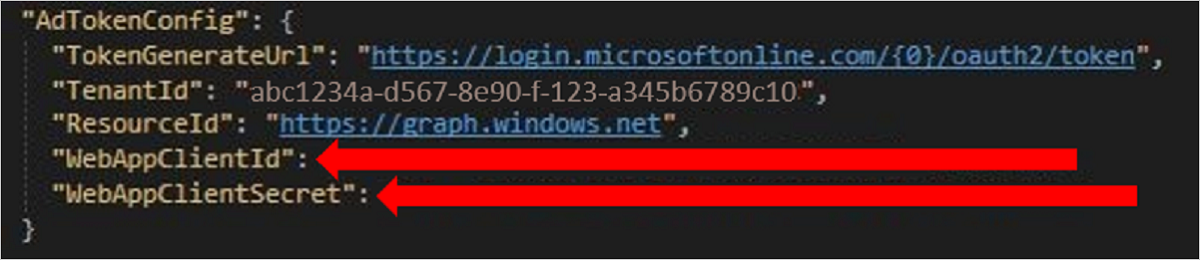
ProgrammaticExportSampleAppISV/README.mdfile in the GitHub repository.To quickly run the app, update the client ID and client secret in the appsettings.Development.json
Running the app will start a local web server and a page will open (https://localhost:44365/ProgrammaticExportSampleApp/sample).

This page will make API calls to the webserver running on the local machine, which in turn will make the actual API calls.
Code snippets
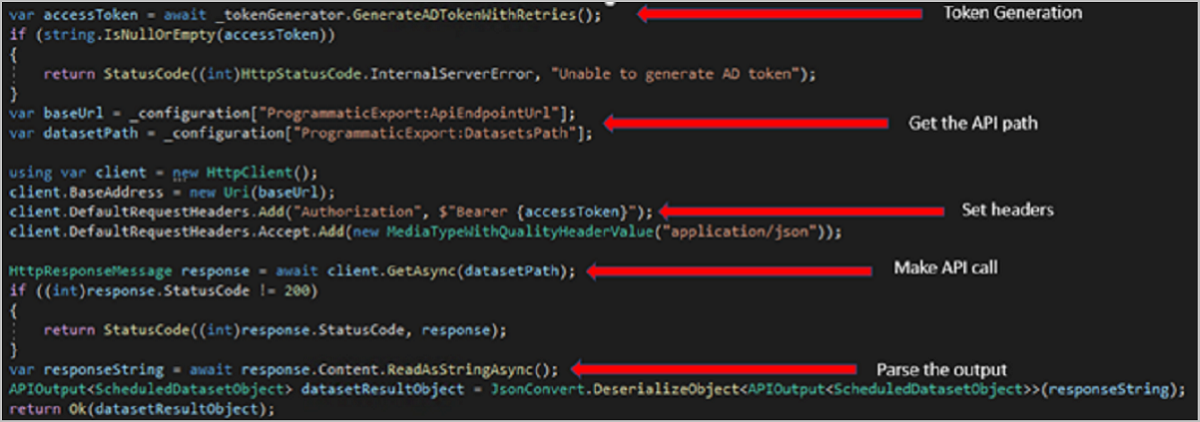
The basic structure of the C# code for doing the programmatic access API calls is as follows: