開始探索量子運算、發現最新的量子突破,並在 Azure Quantum 中利用 Copilot 的協助來建立和運行量子程式,所有這些都可以在 Microsoft Quantum 網站上完成。
Microsoft Quantum 網站具有下列功能:
- Azure Quantum 中的 Copilot:AI 在量子世界中相遇。 Azure Quantum 中的 Copilot 是一個產生式 AI 助理,可協助您學習和探索量子運算。
- Azure Quantum 中的程式代碼: 使用內建程式代碼視窗和編譯程式,直接在瀏覽器中探索並執行 Q# 程式代碼,並將作業提交至記憶體內部模擬器或免費的 Quantinuum 模擬器。 在 Azure Quantum 中使用 Copilot 來說明 Q# 程式代碼,以及從提示產生程式代碼。
- Quantum Katas:動手操作的教學課程,用於教導量子計算概念和Q#程式語言。
- 程式代碼範例: Azure Quantum 程式代碼連結庫是一組豐富的範例,使用 Q#、Python 和 Qiskit 程式代碼來示範量子案例。
- 量子概念: 從量子理論的基本概念到量子運算的進階技術,概念庫是一個速成課程,幫助您快速掌握量子運算。
- 影片: 流覽影片庫,以採訪領先的量子運算研究人員和創新者。
- Azure Quantum 部落格: 隨時掌握最新的量子運算研究和創新。
您開始探索 Azure Quantum 只需要一個 Microsoft (MSA) 電子郵件帳戶即可。 您可以免費在https://account.microsoft.com/建立 MSA。
執行Q#程式
若要開始探索 Azure Quantum 中的 Copilot 和進行程式設計,請從量子樣本下拉式清單中選擇其中一個範例。
使用任何Microsoft (MSA) 帳戶流覽至 Azure Quantum 中的程式代碼。
選取 [量子樣本],然後選取 [亂數產生器]。 下列程式碼會複製到程式碼視窗。
/// # Sample
/// Quantum Random Number Generator
///
/// # Description
/// This program implements a quantum random number generator by setting qubits
/// in superposition and then using the measurement results as random bits.

import Std.Measurement;
import Std.Intrinsic;

operation Main() : Result[] {
    // Generate 5-bit random number.
    let nBits = 5;
    return GenerateNRandomBits(nBits);
}

/// # Summary
/// Generates N random bits.
operation GenerateNRandomBits(nBits : Int) : Result[] {
    // Allocate N qubits.
    use register = Qubit[nBits];

    // Set the qubits into superposition of 0 and 1 using the Hadamard
    // operation `H`.
    for qubit in register {
        H(qubit);
    }

    // At this point each has 50% chance of being measured in the |0〉 state
    // and 50% chance of being measured in the |1〉 state.
    // Measure each qubit and reset them all so they can be safely deallocated.
    let results = MeasureEachZ(register);
    ResetAll(register);
    return results;
}
選取 [記憶體內部模擬器]。
選取執行。
- 結果會顯示在 [結果] 欄位中,而結果的長條圖會顯示在程式碼視窗下方。
- 您可以移動 [選擇執行次數] 的滑桿,以指定程式執行的次數。
- 「射擊」欄位會顯示每次射擊的結果。
若要使用不同的模擬器再次執行程式:
- 選取 [In-Memory 模擬器] 下拉式列表,然後選取 [Quantinuum Emulator]。
- 選取嘗試次數 (目前限制為 20 次),然後選取 [執行]。
- 作業狀態會顯示在程式碼視窗的頂端。
- 結果的長條圖會顯示在程式碼視窗的下方。 目前無法使用 Quantinuum 模擬器取得每個拍攝的結果。
提示 Copilot
- 在程式代碼視窗中,選取 [說明程序代碼 ] 以提示 Azure Quantum 中的 Copilot 產生程式代碼範例的分析。
您可以在 Azure Quantum 中指示 Copilot,來取得幾乎所有與量子相關的內容,例如:
- 「說明 MResetZ 作業」
- 「撰寫 Q# 糾纏兩個量子位的程序代碼」
- 「解釋量子干擾」
在 VS Code for the Web 上開啟程式碼範例
若要進一步探索範例程式代碼,您可以輕鬆地在適用於 Web 的 VS Code 中開啟程式代碼,並利用改善的錯誤傳訊、Q#語法醒目提示和整合式偵錯等功能。 如果您已經設定 Azure 帳戶,則可以直接從 VS Code 連線至 Azure Quantum 工作區。
若要在 VS Code for the Web 中開啟程式代碼:
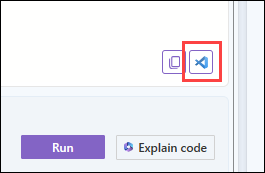
選取程式代碼視窗底部的 VS Code 圖示。
下一步
您也可以使用 Azure 入口網站 或設定本機開發環境來執行量子程式。