Describe routing capabilities in Dynamics 365
Customers needing support can submit help requests in many ways. Today, support requests can be submitted almost anywhere. Cases can be created through a chat request on your website, a social channel, or automatically from an IoT device alert or event.
In Dynamics 365 Customer Service and Contact Center, cases can be created in multiple ways based on the needs of the organizations.
Manually: Support agents can create cases manually as they take incoming calls from customers. For example, a support agent might manually convert an incoming phone call activity they receive from a customer into a case. In many instances, cases might also be manually created directly from a customer's record such as accounts and contacts.
Automatically: Record creation rules can be defined that create new case records automatically from different types of records in the application. For example, when a new email is received, a rule automatically creates a case record and populates the details of the case based on who sent the email.
Once in the system, it's important to ensure the most appropriate person is working on the case. This process is often handled differently based on their unique circumstances. For example, organizations with small call volumes might not need to route cases because their staff can support all their different scenarios. Larger organizations such as contact centers, however, need to be able to intelligently route cases based on different scenarios. For example, if a case is related to a specific product, they might want to route the case to an agent who is skilled in that product. Additionally, they may want to understand the intent of the customer's inquiry and route the case to a representative accordingly.
Dynamics 365 Customer Service uses queues to help with workload management. Queues are holding containers for cases. Organizations typically create multiple queues based on how they want to route cases. For example, you might create a queue that represents each of the different departments that handle cases.
Cases can be routed to queues in multiple ways. Agents can manually place cases into specific queues, or routing rules can be created to help automatically route items to queues.
Dynamics 365 Customer Service includes two types of routing:
Basic: Typically used to route records such as cases, leads, emails, etc. to individuals, teams, or queues based on different defined rule criteria. The criteria used with the basic routing feature are typically basic and simple. This option is typically used by smaller organizations, or organizations that don’t require more advanced routing.
Advanced (Unified Routing): Provides more advanced routing capabilities that direct incoming work to the best suited queue and agent. Unified routing provides more advanced routing capabilities.
For example: A basic routing rule set might contain the following rule items:
Gold Route: Route any case with a service level of gold to the gold queue.
Silver Route: Route any case with a service level of silver to the silver queue.
Bronze Route: Route any case with a service level of bronze to the bronze queue.
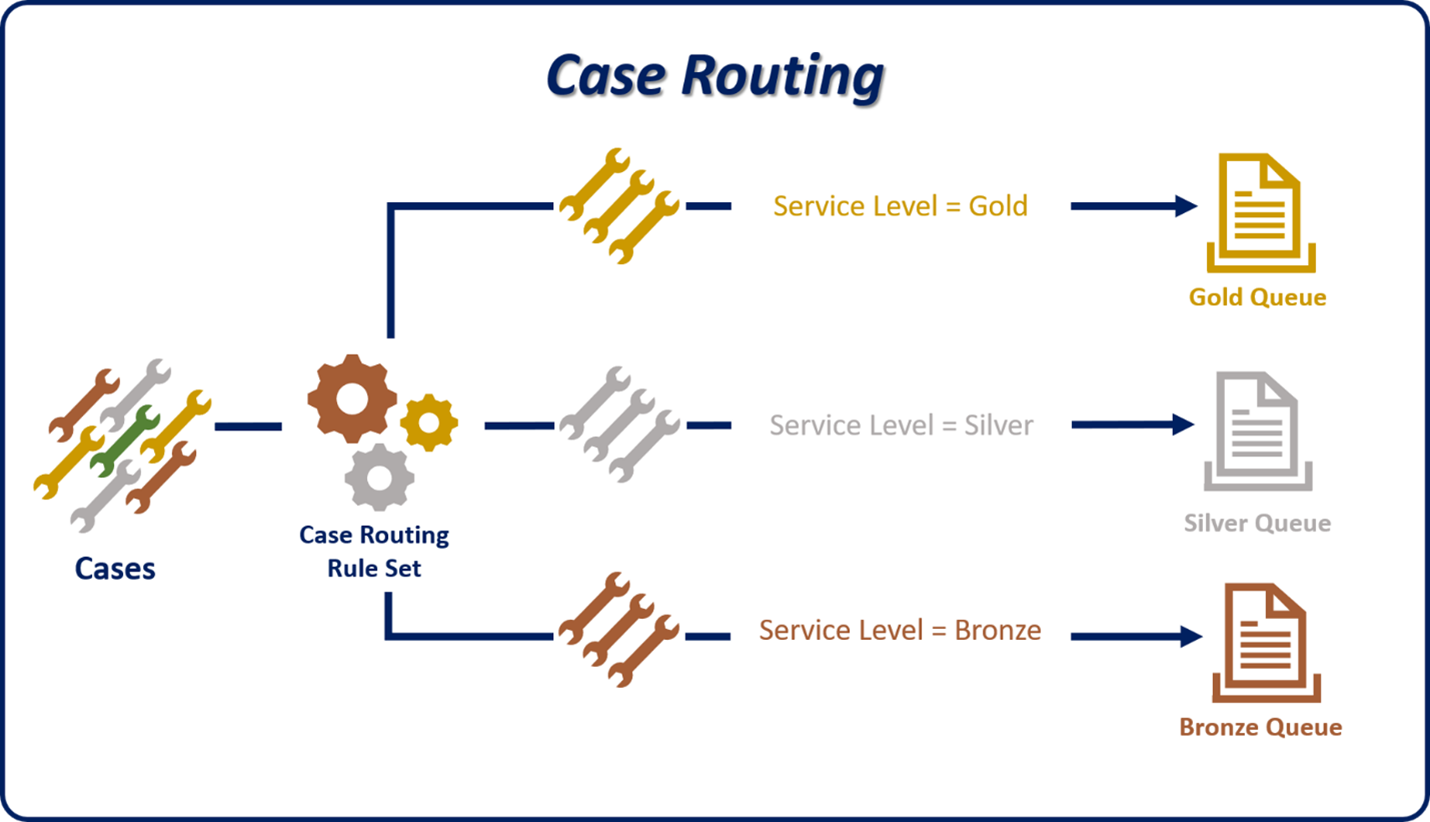
Most organizations require more advanced routing capabilities. This is where Unified routing comes in. Unified Routing acts as the core routing engine for all channels (voice, chat, email, SMS, social). Unified routing is a two-step process. This process involves:
Classification: Adds context to the work item (for example, priority, customer type, required skills).
Assignment: Matches work items to agents based on skills, availability, and capacity (how many items they can work on at one time).

Let’s look at an example. A customer is reaching out via a chat channel to ask a billing related question. The first thing that occurs is that classification rules run against the conversation to classify it as a billing-related question. Additionally, classification rules can also identify specific skills needed such as certifications, or languages they need to work in the conversation. Once classified, the assignment engine identifies a representative who has those skills and is available to work on the item because they aren't running at their maximum capacity.
Unified routing is best used:
When you need consistent routing logic across multiple channels
By organizations with complex routing needs (skills, priority, context).
By enterprise-level contact centers with high interaction volumes.
Different unified routing capabilities
Another key advantage of unified routing is its ability to support many different types of routing needs. For example, some organizations might want to route items to representatives based on the skills that are needed to resolve the issue. Other organizations who are using the work force management (WFM) capabilities available in Contact Center, may want to route items based on which representatives are currently working a shift.
Unified Routing in Dynamics 365 Provides many different routing options. Those options include:
Skills-Based Routing: Assigns work to agents who have the required skills (for example, language, product expertise). Skills are defined in agent profiles and matched against work item requirements.

When to use:
When interactions require specific expertise
For technical support, multilingual support, or specialized product lines.
Reduces transfer rates and improves first-contact resolution.
Shift-Based Routing: Routes work only to agents who are scheduled and available during their shift. Shift routing can be configured to consider breaks, training, and other exceptions.
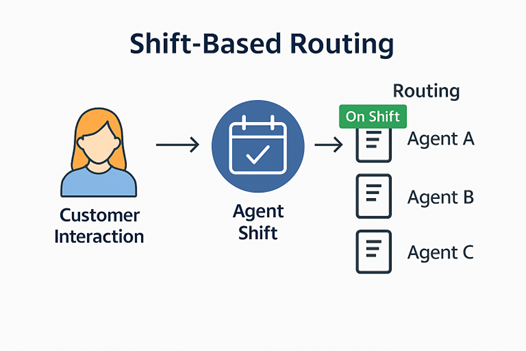
When to use:
For 24/7 operations or teams with rotating shifts.
Ensure compliance with workforce management and avoid assigning work to unavailable agents.
Useful for global teams across time zones.
Capacity-Based Routing: Assigns work based on an agent's capacity profile (for example, max number of chats or cases).

When to use:
For high-volume environments where multitasking is common.
Ideal for chat-heavy support teams or blended agents handling multiple channels.
Helps maintain quality and agent well-being.
Intent Based Routing: Uses AI intent models to assign intent to a work item. The work item is sent to a queue that includes representatives who are qualified to work on items of that intent. (Requires the Customer Intent Agent to be configured)
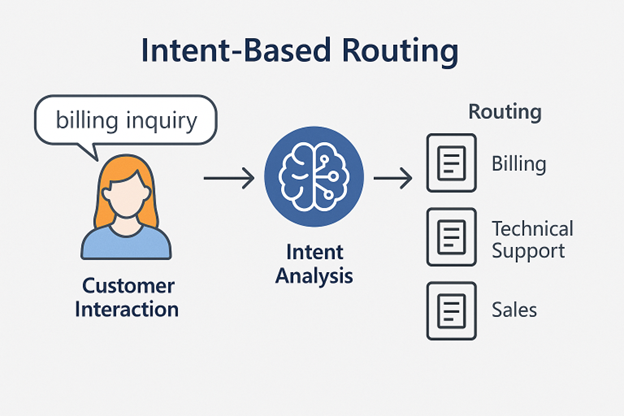
When to use:
High-volume environments where customers contact for multiple reasons, and manual categorization is inefficient.
- When you want to reduce misrouting and improve first-contact resolution.
- For chatbots or virtual agents that escalate to human agents based on detected intent.
- Ideal for organizations with diverse service offerings (e.g., billing, tech support, sales) where intent determines the best team.