您的 Windows 開發人員帳戶隨附於選取的 Visual Studio 訂用帳戶中,可讓您將免費和付費的 Windows 應用程式提交至 Windows 市集。
Activation steps
若要使用 Windows 開發人員帳戶,您必須設定帳戶或使用現有的帳戶登入。
Important
建立 Windows 開發人員帳戶需要使用 Microsoft 帳戶 (MSA)。 不支援使用 Microsoft Entra 帳戶。
建議您為此程式建立「私人」瀏覽器視窗。 例如,在Google Chrome中,建立新的 「incognito」 視窗。 在 Internet Explorer 中,建立新的 [InPrivate] 視窗。
- 登入 https://my.visualstudio.com/benefits。
- Locate the Windows Developer Account tile in the Tools section and select on the Get Code link at the bottom of the benefit tile. Copy the code to your clipboard, then select Activate.

- 在站臺上 https://developer.microsoft.com/microsoft-store/register/ ,您可以開始註冊程式。 Select Sign up to continue.
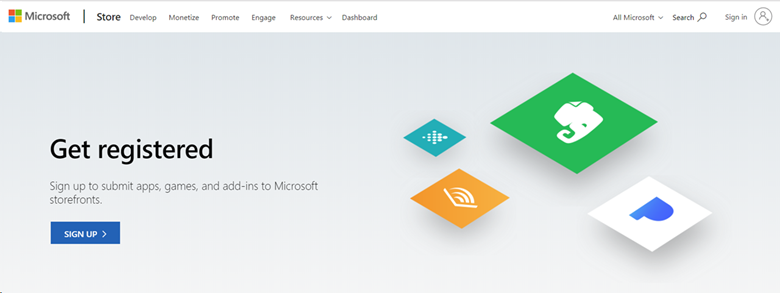 註冊程式中第一個步驟的
 - 登入您的訂用帳戶。 如果您有多個帳戶,請選擇與您的企業訂用帳戶相關聯的帳戶。
- Enter your email address, select your preferred language, and select Save.
- On the next page, select the country/region where you live or where your business is located, and then select Next.
- Select Individual as your account type.
- 建立您的發行者顯示名稱。 此名稱是您的客戶看到與您的應用程式、載入巨集和服務相關聯的唯一名稱。
- Provide your contact information and preferred email language, then select Next.
- 系統可能會要求您驗證密碼。 Enter it and select Sign in.
- 在 [註冊 – 付款] 頁面上,將您稍早複製的程式代碼貼到 [促銷碼] 字段中。 頁面會更新以顯示 不需要付款。 Select Next.
- 檢閱您的帳戶資訊、檢閱應用程式開發人員合約,然後選取複選框以指出您接受條款和條件。 Then select Finish.
- 選取 [移至儀錶板 ] 以開始使用您的 Windows 開發人員帳戶!
Eligibility
| Subscription Level | Channels | Benefit | Renewable? |
|---|---|---|---|
| Visual Studio Enterprise (標準) | VL、Azure、Retail、selected NFR* | Included | Yes |
| 使用 GitHub Enterprise 的 Visual Studio Enterprise 訂用帳戶 | VL | Included | Yes |
| Visual Studio Professional (標準) | VL、Azure、Retail | Included | Yes |
| 包含 GitHub Enterprise 的 Visual Studio Professional 訂用帳戶 | VL | Included | Yes |
| Visual Studio Test Professional (標準) | VL, Retail | Not available | NA |
| MSDN 平台 (標準) | VL, Retail | Not available | NA |
| Visual Studio Enterprise、Visual Studio Professional (月租雲端) | Azure | Not available | NA |
* 包括:不適用於轉售(NFR)、FTE、Visual Studio 產業合作夥伴(VSIP)、MCT 軟體和服務開發人員、最有價值的專業(MVP)、區域總監(RD)。排除:Microsoft雲端合作夥伴計劃、Imagine、NFR Basic。
Note
Microsoft不再在雲端訂用帳戶中提供 Visual Studio Professional 年度訂閱和 Visual Studio Enterprise 年度訂閱。 現有客戶體驗和更新、增加、減少或取消其訂閱的能力不會有任何變更。 建議新客戶前往 https://visualstudio.microsoft.com/vs/pricing/,以探索購買Visual Studio的不同選項。
不確定您使用哪一個訂用帳戶? 連接至 https://my.visualstudio.com/subscriptions,以查看分配給您電子郵件地址的所有訂閱。 如果您看不到所有訂閱,可能是有一個或多個訂閱綁定到不同的電子郵件地址。 您必須使用該電子郵件位址登入,才能看到這些訂用帳戶。
Support resources
- 需要使用 Windows 開發人員帳戶的協助嗎? Check out the support resources on the Windows Dev Center.
- Windows Development
- 如需 Visual Studio 訂用帳戶的銷售、訂用帳戶、帳戶和計費協助,請連絡 Visual Studio Visual Studio 訂用帳戶支援。
- 有關於 Visual Studio IDE、Azure DevOps Services 或其他 Visual Studio 產品或服務的問題嗎? 請造訪 Visual Studio 客服。
See also
Next steps
若要充分利用您的 Visual Studio 訂用帳戶,請啟用下列絕佳優點: