Note
Access to this page requires authorization. You can try signing in or changing directories.
Access to this page requires authorization. You can try changing directories.
Azure Copilot can author Azure API Management policies based on your requirements. By using Azure Copilot, you can create policies quickly, even if you're not sure what code you need. This can be especially helpful when creating complex policies with many requirements.
To get help authoring API Management policies, start from the Design tab of an API you previously imported to your API Management instance. Be sure to use the code editor view. Ask Azure Copilot to generate policy definitions for you, then copy the results right into the editor, making any desired changes. You can also ask questions to understand the different options or change the provided policy.
When you're working with API Management policies, you can also select a portion of the policy, right-click, and then select Explain. This will open Azure Copilot and paste your selection with a prompt to explain how that part of the policy works.
Tip
The tasks and sample prompts listed here show a few of the areas where Azure Copilot can be especially helpful. However, this isn't a complete list of all the things you can do. We encourage you to experiment with your own prompts and see how Azure Copilot can help you manage your Azure resources and environment.
Sample prompts
Here are a few examples of the kinds of prompts you can use to get help authoring API Management policies. Modify these prompts based on your real-life scenarios, or try additional prompts to create different kinds of policies.
- "Generate a policy to configure rate limiting with 5 requests per second"
- "Generate a policy to remove a 'X-AspNet-Version' header from the response"
- "Explain (selected policy or element) to me"
Examples
When creating an API Management policy, you can say "Can you show me how to write a policy expression to filter API responses based on user roles in Azure API Management?" Azure Copilot generates a policy and explains how it works.
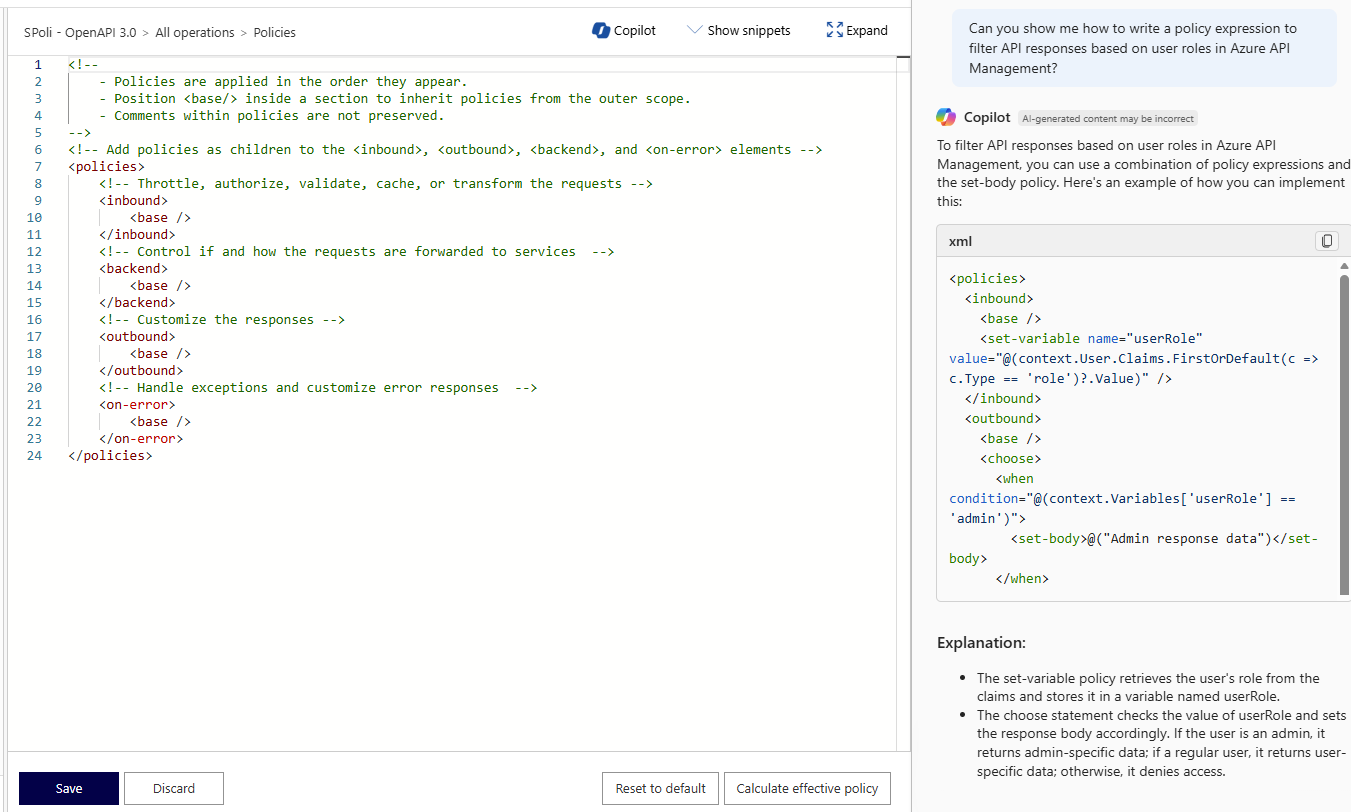
When you have questions about policy elements, you can get more information by selecting a section of the policy, right-clicking, and selecting Explain.

Azure Copilot explains how the code works, breaking down each specific section and providing links to learn more.

Next steps
- Explore capabilities of Azure Copilot.
- Learn more about Azure API Management.