Note
Access to this page requires authorization. You can try signing in or changing directories.
Access to this page requires authorization. You can try changing directories.
Note
The Vulnerability Management section in the Microsoft Defender portal is now located under Exposure management. With this change, you can now consume and manage security exposure data and vulnerability data in a unified location, to enhance your existing Vulnerability Management features. Learn more.
These changes are relevant for Preview customers (Microsoft Defender XDR + Microsoft Defender for Identity preview option).
Important
Some information in this article relates to a prereleased product which may be substantially modified before it's commercially released. Microsoft makes no warranties, expressed or implied, with respect to the information provided here.
Microsoft Defender Vulnerability Management provides exceptions to help you control what type of data is relevant to your organization and to selectively exclude specific data from your remediation efforts.
Exceptions provide more accurate risk reporting and prioritization, especially when you have alternate mitigations, accepted risk, or a remediation plan in place.
This article describes how to create, view, and manage Defender Vulnerability Management exceptions.
Tip
Did you know you can try all the features in Microsoft Defender Vulnerability Management for free? Find out how to sign up for a free trial.
Types of exceptions
Microsoft Defender Vulnerability Management supports two types of exceptions:
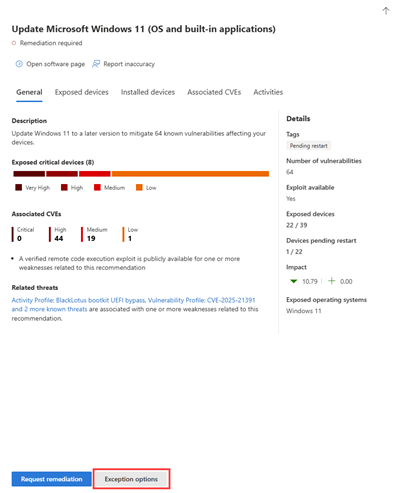
Security recommendation exceptions: Exclude specific security recommendations from analysis in your environment. You create this exception at the security recommendation level, which applies to all underlying CVEs associated with that recommendation.
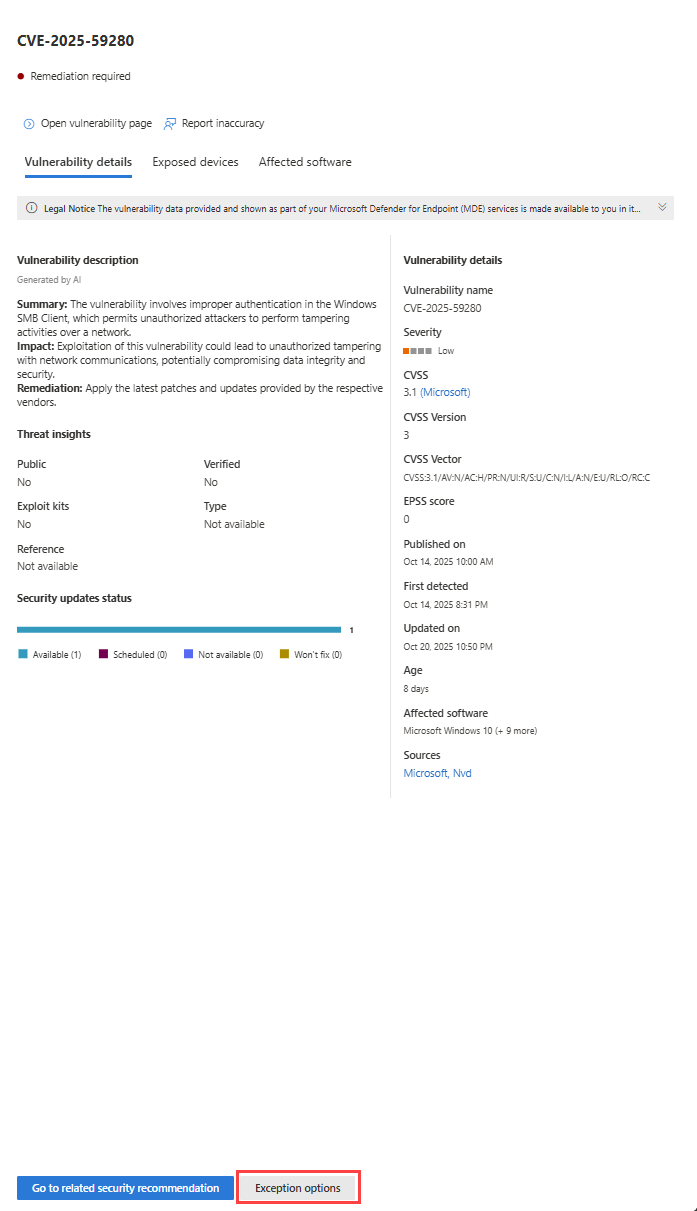
CVE exceptions: Exclude specific Common Vulnerabilities and Exposures (CVEs) from analysis in your environment. You create a CVE exception from the Weaknesses page for a specific CVE.
Exception by device group
You can apply an exception to all current device groups or to specific device groups. Future device groups aren't included in the exception. Device groups that already have an exception aren't displayed in the list.
After you create the exception:
- For recommendation exceptions, if you select specific device groups, the recommendation state changes from active to partial exception. The state changes to full exception if you select all the device groups.
- For CVE exceptions, the CVE no longer appears in the inventory lists for the selected scope.

Global exceptions
If you have Security Administrator permission or a custom role that includes the exceptions handling permission, you can create and cancel a global exception. This exception affects all current and future device groups in your organization, and only users with similar permissions can change it.
Important
While the Global Administrator permission also allows you to create and cancel global exceptions, Microsoft recommends that you use roles with the fewest permissions. Using lower accounts with lower permissions helps improve security for your organization. Global Administrator is a highly privileged role that should be limited to emergency scenarios when you can't use an existing role.
After you create the exception:
- For recommendation exceptions, the recommendation state changes from active to full exception.
- For CVE exceptions, the CVE no longer appears in the inventory lists for the entire organization.

Some things to keep in mind:
- If a recommendation is under global exception, then newly created exceptions for device groups is suspended until the global exception has expired or been canceled. After that point, the new device group exceptions go into effect until they expire.
- If a recommendation already has exceptions for specific device groups and a global exception is created, then the device group exception is suspended until it expires or the global exception is canceled before it expires.
Justification
The following justifications are available for exceptions:
- Third party control: A third party product or software already addresses this recommendation.
- Alternate mitigation: An internal tool already addresses this recommendation.
- Risk accepted: Poses low risk and/or implementing the recommendation is too expensive.
- Planned remediation (grace): Already planned but is awaiting execution or authorization.
- CVE with no patch (CVE exceptions only): No patch is available from the vendor.
- False positive (CVE exceptions only): The CVE doesn't apply to your environment.
Exposed devices and impact after exceptions
The impact (after exceptions) shows remaining impact to exposure score or secure score after exceptions are applied. Exception justifications that affect the scores include third party control and alternate mitigation. Other justifications don't reduce the exposure of a device, and so the exposure score and secure score don't change.
