Note
Access to this page requires authorization. You can try signing in or changing directories.
Access to this page requires authorization. You can try changing directories.
Data binding in ontology (preview) connects the schema of entity types, relationship types, and properties to concrete data sources that drive enterprise operations and analytics.
Important
This feature is in preview.
With data binding, you can:
- Seamlessly integrate data into a semantic layer without copying data.
- Enrich entity types with up-to-date, contextually relevant information from batch and real-time sources.
- Provide a semantic backbone for AI agents and automation, supporting reasoning, decision-making, and actions across the enterprise.
Prerequisites
Before binding data to your ontology, make sure you have the following prerequisites:
- A Fabric workspace with a Microsoft Fabric-enabled capacity.
- Ontology item (preview) enabled on your tenant.
- An ontology (preview) item with entity types created.
- Data that is prepared according to these guidelines:
- The data is in Microsoft Fabric, in OneLake or an eventhouse.
- The data is organized, and has gone through any necessary ETL required by your business.
- time series data is in columnar format. In a columnar format, time series data is structured so that each row represents a timestamped observation for an entity, and columns represent the property values (like temperature or pressure).
- The data contains all required information for it to be modeled. For more information, see Core concept: Data binding.
Key concepts
Data binding uses the following ontology (preview) concepts.
Entity type: An abstract representation of a business object (like Vehicle or Sensor). It defines a logical model of an item.
Entity instance: A specific occurrence of an entity type, representing a real-world object with its own unique values for the defined properties. For example, if Vehicle is an entity type, then a particular car with its own VIN, make, and model is an entity instance.
Property: An attribute of an entity, like ID, temperature or location. Properties can be created manually or from data through data binding.
- Properties can be bound to static or time series data. Static data doesn't change over time, and represents fixed characteristics about the entity type (like ID). Time series data contains attributes whose values vary over time (like temperature and location).
Entity type key: A unique identifier for each instance of an entity type within your ontology. This value is created from static data bound to one or more properties modeled on your entity type.
Note
Due to a known issue, only strings or integers should be currently used as entity type keys.
How-to steps
This section contains step-by-step instructions for adding and managing data bindings.
Note
Any updates in upstream data sources (like new rows) need to be manually refreshed before they're visible in the ontology item. For more information, see refresh the graph model.
Add static data
First, bind static data. Static data bindings must be created before time series data bindings.
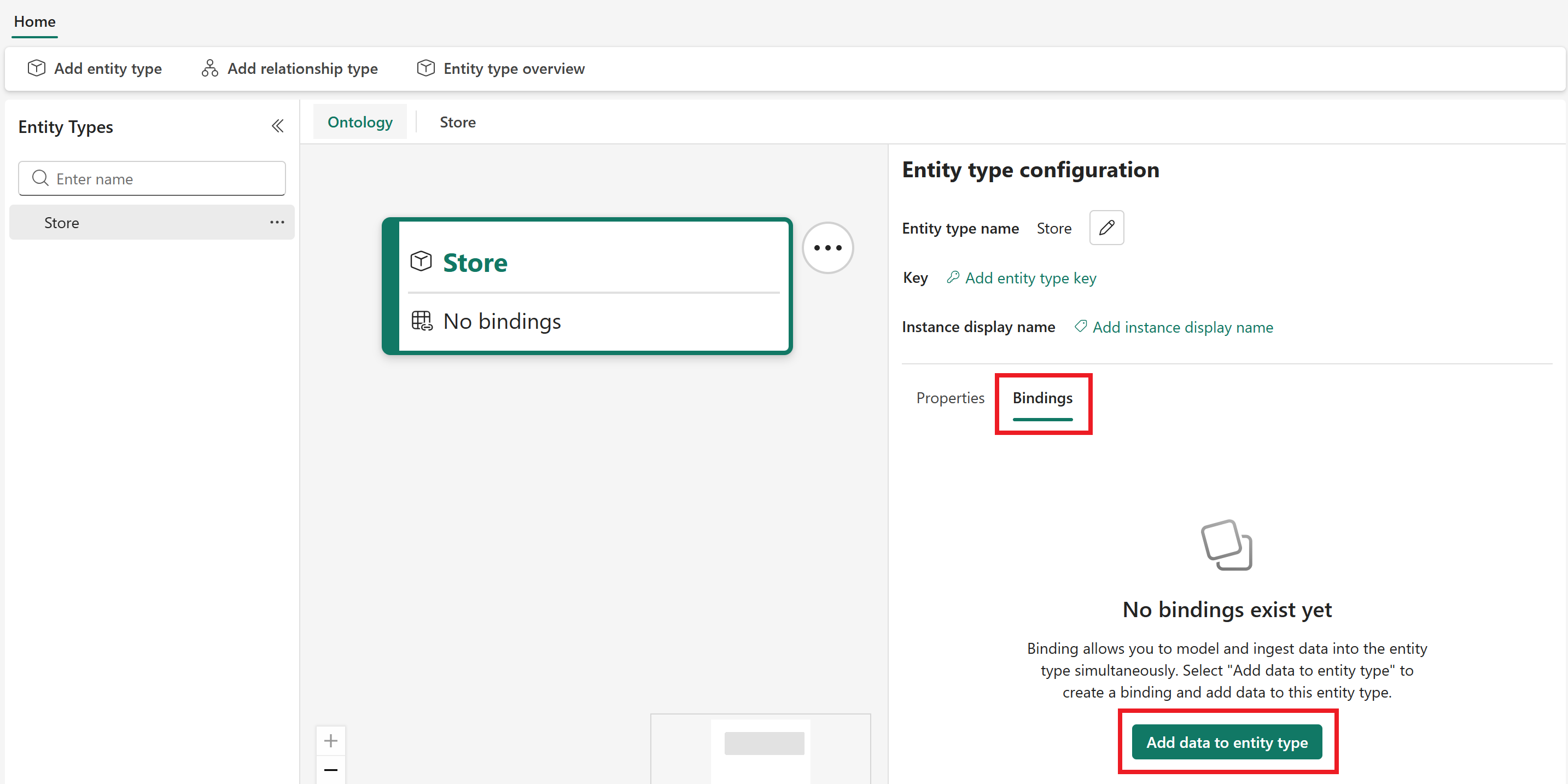
Select the entity to which you want to bind data in the Entity Types pane. This opens the Entity type configuration pane for the entity type. In the Bindings tab, select Add data to entity type.
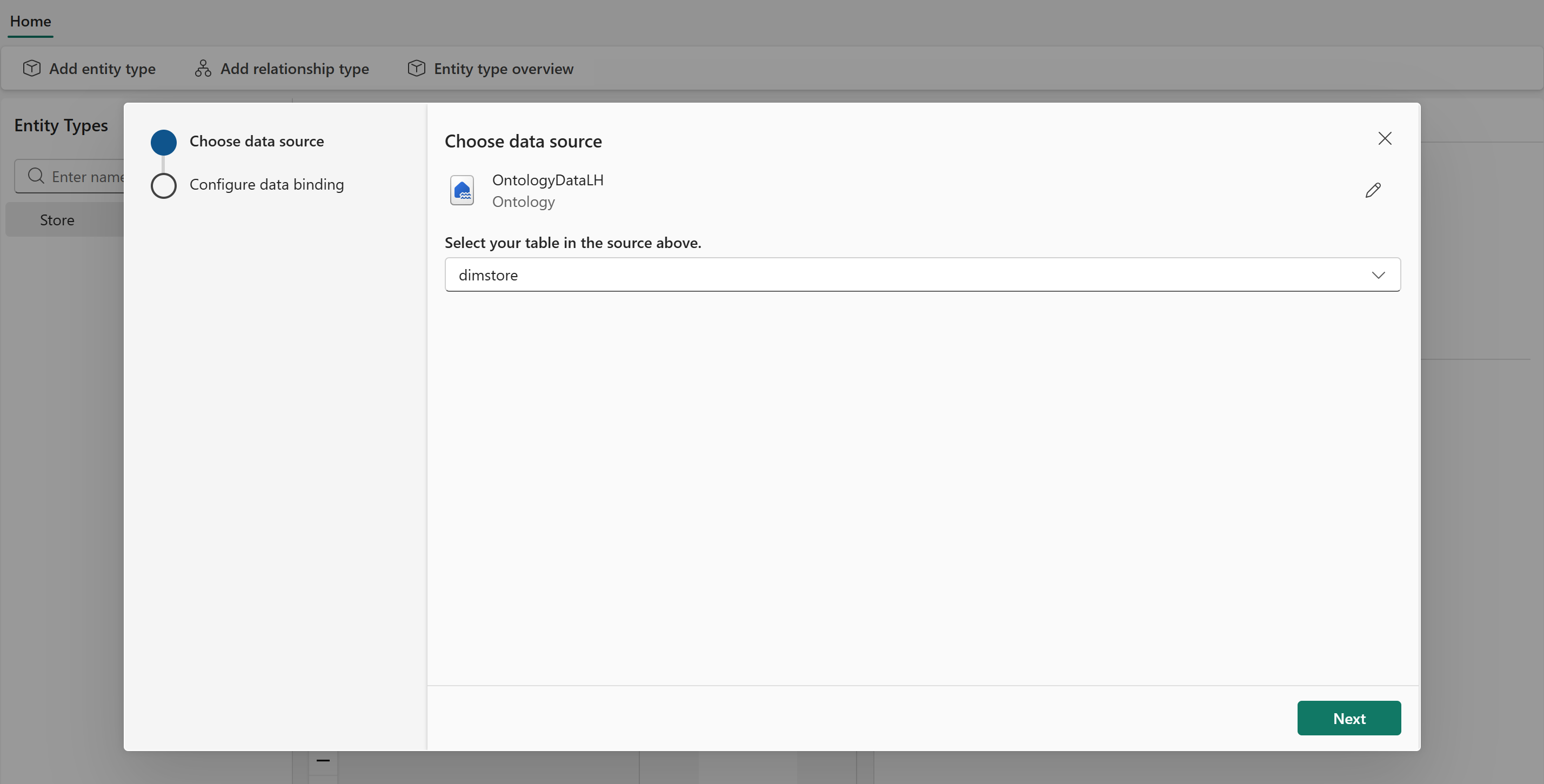
The data source selection appears. Select a OneLake data source that contains the data to be bound to the entity. Select Connect.
When the data source is loaded, choose a specific table from the data source to be used as the data binding source table. Select Next.
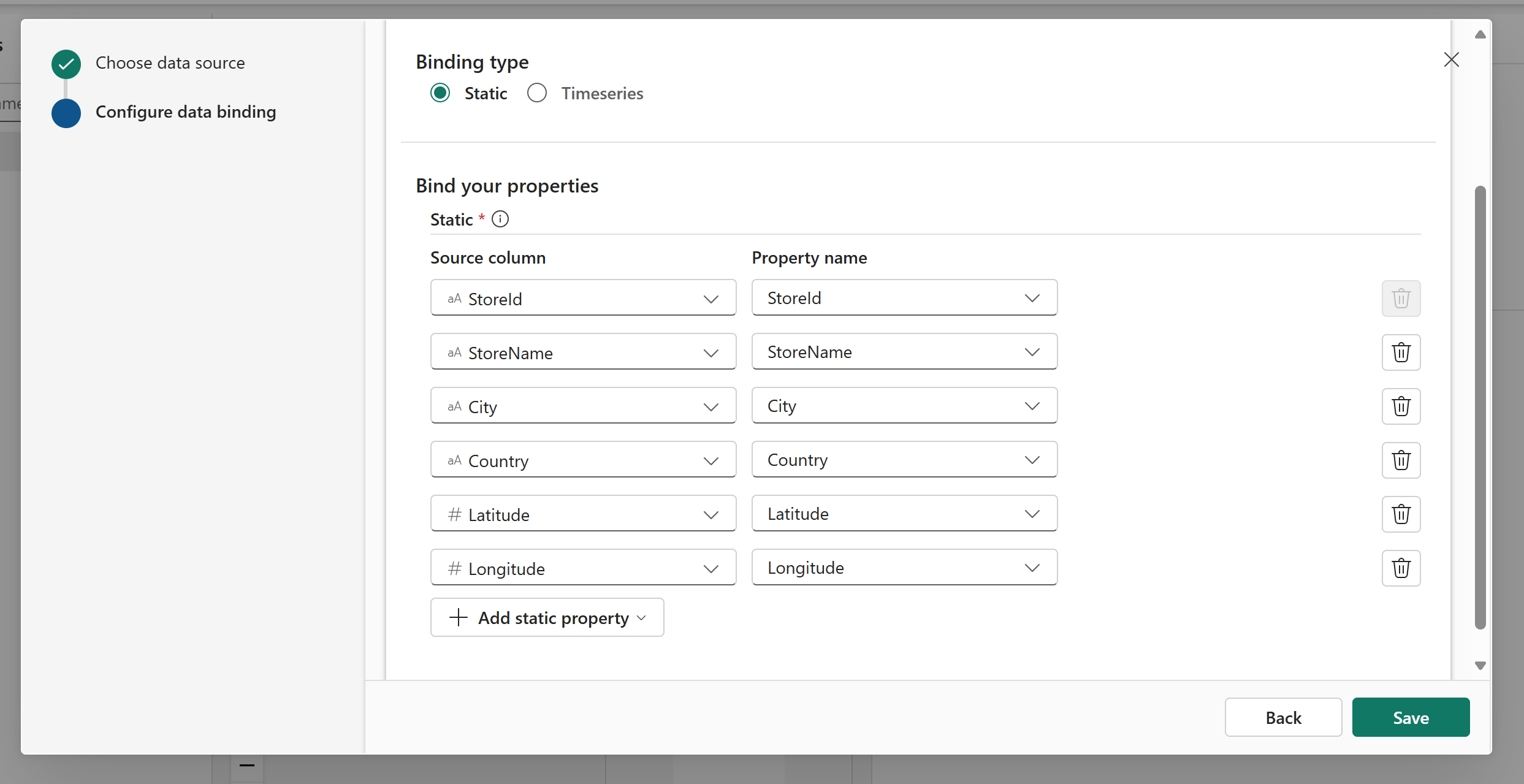
For the Binding type, select Static. Only one type can be selected per data binding. An example of static data is a table with descriptive attributes about stores, like the store ID value, square footage, and location.
Under Bind your properties, select the source columns from the source table that you want to model on your entity type. Then, enter a name for each property that shows on the entity type (it can be the same as the source column name, or something different).
Note
Custom column names must be 1–26 characters, contain only alphanumeric characters, hyphens, and underscores, and start and end with an alphanumeric character.
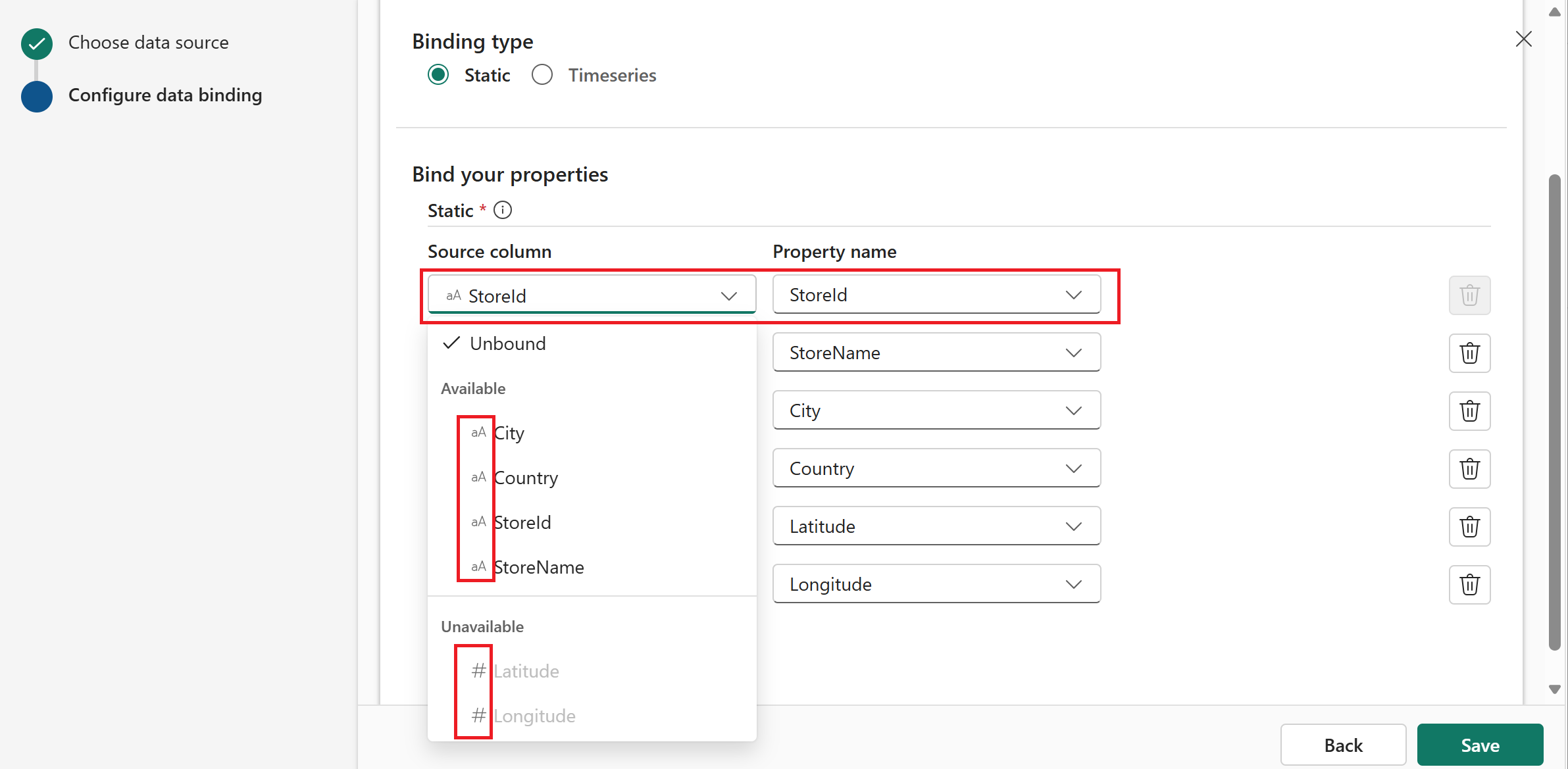
If you've already created properties on your entity type, you can select their names in the Property name column to map data to them. When you select an existing property name, the Source column options are grouped into two sections: Available and Unavailable. Available columns are columns in your source table that match the declared data type of the property you're trying to match. Unavailable columns are ones that don't match the type, so they can't be bound to that property.
Select Save to save your static data binding.
You see a summary of your data binding(s) in the Bindings tab, and a summary of properties (including properties added during data binding) in the Properties tab.


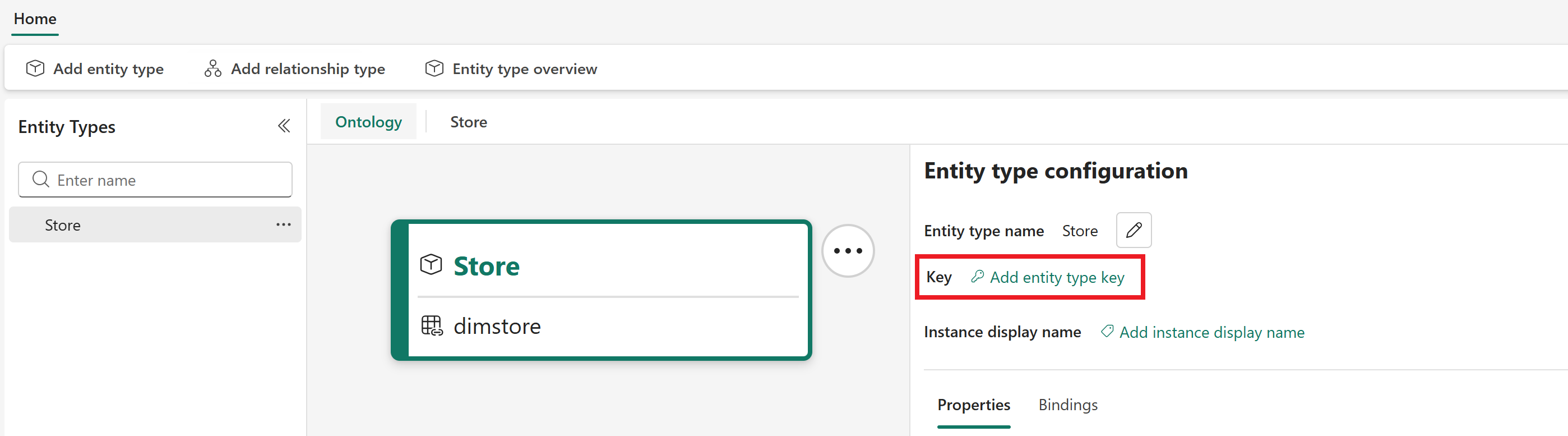
Next, set the Key. The entity type key value represents a unique identifier for each record of ingested data. Select one or more columns from the source data that can be used to uniquely identify a record. This process must be done once for each entity type.
Important
Due to a known issue, only strings or integers should be currently used as entity type keys.
Optionally, select a property modeled on your entity type to use as the Instance display name. This step provides a friendly name for entity instances in downstream experiences.
Add time series data
Important
Before you bind time series data to an entity type, make sure your static data binding is complete. There must be at least one property on the entity type with static data bound to it that can be used as the key to contextualize your time series data. This static data must exactly match a column in your time series data.
Follow the steps described earlier for static data to start adding data to the entity type and select your data source. You can select a source from OneLake or Eventhouse.
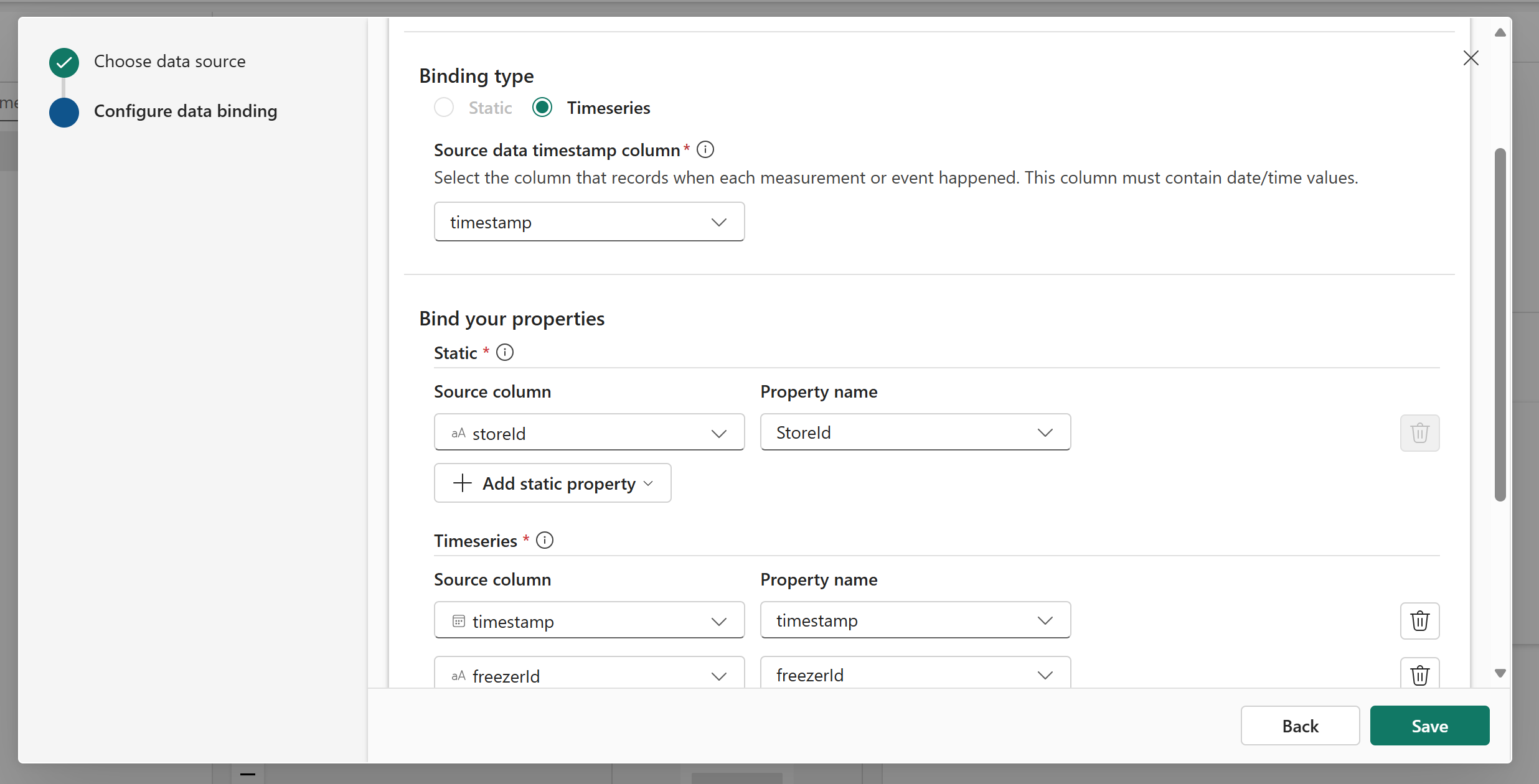
For the Binding type, select Timeseries. Select the Source data timestamp column that contains the timestamp values.
Under Bind your properties, you see a Static section and a Timeseries section.
In the Static section, bind source columns to the properties that are defined as the entity type key. If you need to update the key, you can add more static data now by selecting + Add static property.
In the Timeseries section, continue defining properties by selecting source columns and entering names for each one.
Edit or delete data binding
You can edit or delete data bindings in the Entity type configuration pane, in the Bindings tab.
Next to the data binding name, select ... to open its options. From there, you can edit properties or delete the data binding.

Limitations
Limitations of data binding:
- Lakehouses with OneLake security enabled are not supported as data sources for bindings. If a lakehouse has OneLake security enabled, you won't be able to use it as a data source in ontology.
- Each entity type supports one static data binding. This means you can't combine static data from multiple sources for a single entity type.
- Static data sources must be OneLake-backed sources.
- Entity types do support bindings from multiple time series sources. Time series data can be bound from both eventhouse and lakehouse sources.