Build your own agents
Building your own agents in Microsoft Security Copilot empowers organizations to create specialized AI-driven automation that addresses unique security challenges and operational requirements.
Custom agents use AI-driven automation to streamline tasks by combining the following components:
- Tools (Skills) - Functions or actions the agent can perform.
- Triggers - Conditions or events that initiate the agent.
- Orchestrators - Logic that determines how tasks are executed.
- Instructions - System-level directives that an agent must follow.
- Feedback - Store response in memory to guide subsequent runs.
Whether you prefer conversational interfaces, form-based builders, or code-first approaches, Security Copilot offers flexible development experiences to create custom agents that integrate seamlessly with your security workflows.
Developers can choose from these different experiences to get started to build agents.
| Feature | Types |
|---|---|
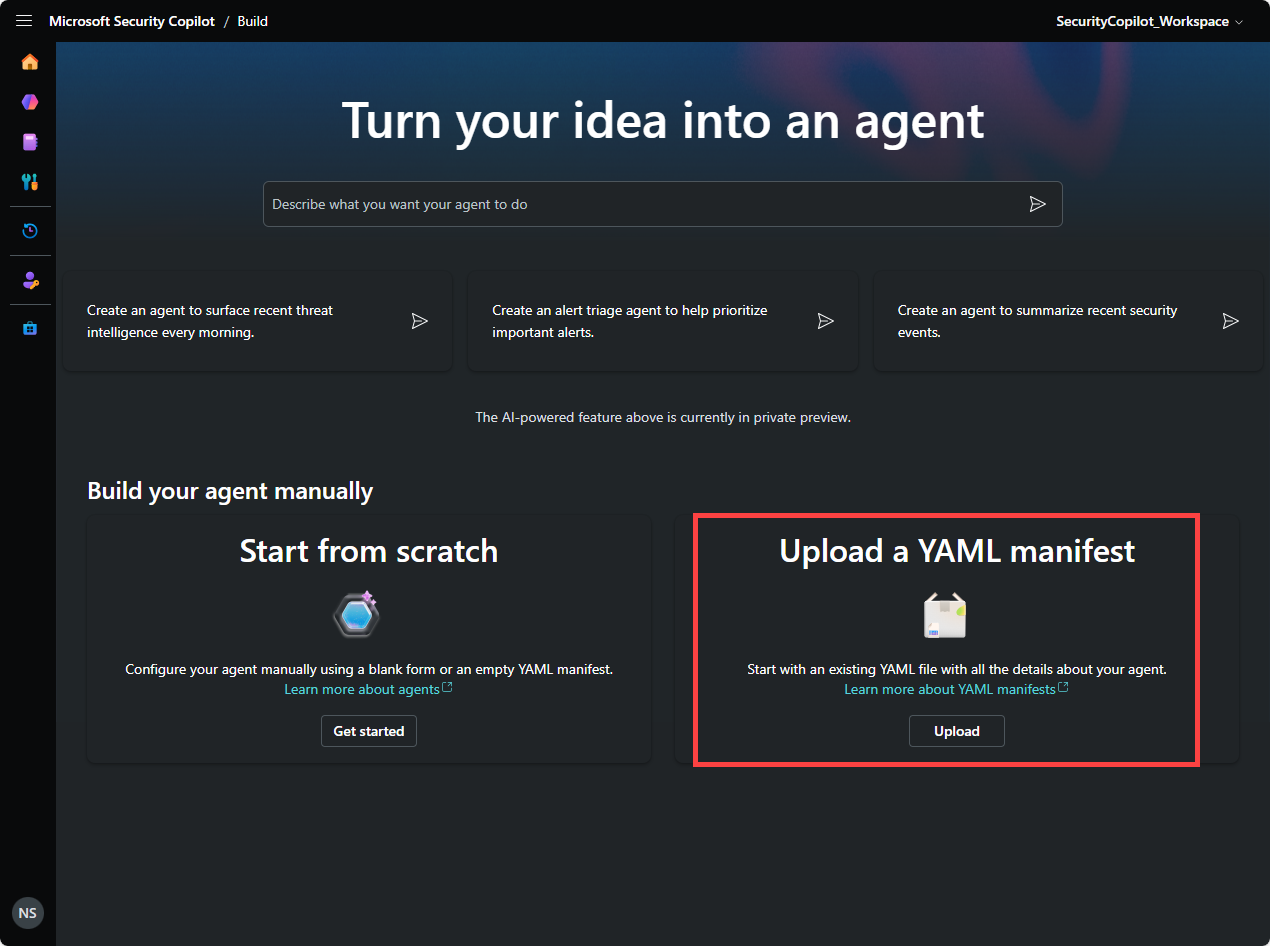
| Standalone experience | The standalone experience supports three different ways of creating an agent: 1. NL2Agent: Build agents simply by describing what you want in natural language. 2. Create an agent from scratch using the lite experience: Configure agents using the lite experience interface in the Security Copilot platform. 3. Upload YAML: Build a YAML in your Integrated Development Environment (IDE) of choice and upload it to Security Copilot. |
| Model Context Protocol (MCP) | MCP tools: Create agents using natural language in an MCP compatible IDE using MCP tools. |
The agent development process follows a structured workflow: Build, Test, and Publish. Regardless of which development method you choose, all approaches converge into a YAML manifest file that defines your agent's capabilities, tools, and behavior.
Natural Language Agent Creation (NL2Agent)
The Natural Language Agent Creation method allows you to build agents simply by describing what you want in conversational language. This approach is ideal for users who prefer an intuitive, chat-based experience.
Key benefits:
- No technical expertise required
- Quick and intuitive agent creation
- Guided experience with suggested prompts
- Seamless transition to the lite experience for further customization
This method is perfect for security professionals who want to quickly prototype agents or those who prefer describing requirements in plain language rather than technical specifications.
What you do:
- Describe your agent's purpose and functionality in natural language prompts
- Engage in a conversational workflow where Security Copilot asks clarifying questions
- Iterate and refine your agent through ongoing dialogue
- Review and approve the automatically generated agent configuration


Lite experience interface
The lite experience provides a comprehensive form-based experience for creating agents from scratch using the Security Copilot platform's graphical interface.
Key capabilities:
- Visual tool selection and configuration
- Real-time YAML generation and editing
- Integrated testing environment
- Comprehensive permission management
- Support for multiple tool types (GPT, KQL, API, MCP, and AGENT tools)
The lite experience is ideal for users who want granular control over their agent configuration while maintaining the convenience of a guided interface.
What you do:
- Configure agent details including name, description, and publisher information
- Select and configure tools from the extensive Security Copilot tools catalog
- Set up triggers for automated agent execution on schedules
- Define permissions and access controls
- Test your agent using the integrated chat interface
- Switch between form view and code view to see the generated YAML


YAML Upload method
If you prefer not to use natural language prompts or the form-based lite experience, you can define your agent by uploading a YAML manifest. This approach gives developers the flexibility to build the agent YAML in their development environment of choice. The YAML Upload method caters to developers who prefer working with code and want to define their agents programmatically using YAML manifest files.
Key advantages:
- Full programmatic control over agent definition
- Version control and iteration management capabilities
- Reusable configurations across multiple agents
- Integration with existing development workflows
- Ability to work offline and collaborate with development teams
This approach is best suited for developers familiar with YAML syntax and those who want to integrate agent development into their existing code management processes.
What you do:
- Create agent manifest files in your preferred Integrated Development Environment (IDE)
- Define agent instructions, tools, triggers, and permissions in YAML format
- Upload the completed YAML file to Security Copilot
- Review and modify the agent configuration through the lite experience interface
- Test and deploy your agent

Model Context Protocol (MCP) tools
The Model Context Protocol (MCP) enables building Security Copilot agents directly within development environments like Visual Studio Code with GitHub Copilot. MCP is an open protocol that standardizes integrations between AI applications and external tools, allowing developers to create sophisticated security agents using familiar IDE environments.
MCP tools offer a developer-centric experience that combines conversational AI with professional development workflows. The Security Copilot MCP tools are part of the Microsoft Sentinel server collection, which provides the necessary knowledge, data, and actions for building Security Copilot agents. You describe your agent requirements using natural language prompts, such as "Build me an agent that can triage and respond to compromised accounts." The MCP tools automatically discover relevant Security Copilot capabilities and generate comprehensive agent YAML files based on your descriptions.
The iterative development process allows continuous refinement through conversational AI assistance, eliminating manual configuration work while maintaining full control over the agent specification. Once complete, you can deploy agents directly to Security Copilot at user or workspace scope without leaving your development environment.
Key features:
- Seamless integration with popular development environments
- AI-assisted agent development workflow
- Automatic tool discovery and recommendation
- Direct deployment capabilities
- Support for iterative development through conversational input
MCP tools are perfect for developers who want to build agents within their familiar development environment while leveraging AI assistance throughout the creation process.
What you do:
- Use natural language prompts within your IDE to describe agent intent
- Leverage MCP tools to automatically discover relevant Security Copilot capabilities
- Generate and iterate on agent YAML files through conversational AI assistance
- Deploy agents directly to Security Copilot from your development environment
- Test and refine agents through continuous feedback loops