Remarque
L’accès à cette page nécessite une autorisation. Vous pouvez essayer de vous connecter ou de modifier des répertoires.
L’accès à cette page nécessite une autorisation. Vous pouvez essayer de modifier des répertoires.
Importante
Les plug-ins d’API sont uniquement pris en charge en tant qu’actions au sein d’agents déclaratifs. Ils ne sont pas activés dans Microsoft 365 Copilot.
Les plug-ins d’API sont des actions personnalisées pour les agents déclaratifs qui connectent une API REST avec une spécification OpenAPI à Microsoft 365 Copilot. Ce guide montre comment ajouter un plug-in d’API à un agent déclaratif à l’aide de TypeSpec et du Kit de ressources Microsoft 365 Agents.
Configuration requise
- Conditions requises spécifiées dans Conditions requises pour les options d’extensibilité Copilot
- Une API REST existante (cette procédure pas à pas utilise l’API d’espace réservé JSON)
- Visual Studio Code
- Microsoft 365 Agents Toolkit
- Un agent créé avec microsoft 365 Agents Toolkit et TypeSpec pour Microsoft 365 Copilot
Conseil
Pour obtenir de meilleurs résultats, assurez-vous que l’API que vous générez suit les instructions détaillées dans Comment rendre un document OpenAPI efficace dans l’extension de Copilot.
Ajout d’une GET opération
Pour commencer, ajoutez une GET opération pour répertorier tous les éléments de publication. Ouvrez le main.tsp fichier et ajoutez un nouvel espace de noms PostsAPI dans l’espace MyAgent de noms avec le contenu suivant.
// Omitted for brevity
namespace MyAgent {
  // Omitted for brevity
  @service
  @server("https://jsonplaceholder.typicode.com")
  @actions(#{
    nameForHuman: "Posts APIs",
    descriptionForHuman: "Manage blog post items with the JSON Placeholder API.",
    descriptionForModel: "Read, create, update and delete blog post items with the JSON Placeholder API."
  })
  namespace PostsAPI {

    /**
     * List all blog post items.
     */
    @route("/posts")
    @get op listPosts(): PostItem[];

    /**
     * Structure of a blog post item.
     */
    model PostItem {
      /**
       * The ID of the user who created the post.
       */
      userId: integer;

      /**
       * The ID of the post.
       */
      @visibility(Lifecycle.Read)
      id: integer;

      /**
       * The title of the post.
       */
      title: string;

      /**
       * The body of the post.
       */
      body: string;
    }
  }
  // Omitted for brevity
}
Ce code définit le PostItem modèle et l’API GET /postsREST .
Ajout d’une GET opération avec un paramètre de requête
L’opération GET de l’exemple précédent ne prend aucun paramètre. Pour activer le filtrage par ID d’utilisateur, mettez à jour l’opération GET avec un paramètre de requête facultatif pour filtrer les résultats par ID utilisateur.
Ouvrez le main.tsp fichier et remplacez l’opération existante listPosts par le contenu suivant.
/**
 * List all blog post items.
  * @param userId The ID of the user who created the post. If not provided, all posts will be returned.
  */
@route("/posts")
@get op listPosts(@query userId?: integer): PostItem[];
Le @query userId? paramètre ajouté à met à listPosts jour l’API REST sur GET /posts?userId={userId}.
Ajouter un carte adaptatif à une GET opération
L’ajout d’une carte adaptative à l’opération listPosts modifie le rendu des citations dans la réponse générée.
Créez un fichier nommé post-carte.json dans le répertoire appPackage et ajoutez le contenu suivant.
{
  "type": "AdaptiveCard",
  "$schema": "http://adaptivecards.io/schemas/adaptive-card.json",
  "version": "1.5",
  "body": [
    {
      "type": "Container",
      "$data": "${$root}",
      "items": [
        {
          "type": "TextBlock",
          "text": "**${if(title, title, 'N/A')}**",
          "wrap": true
        },
        {
          "type": "TextBlock",
          "text": "${if(body, body, 'N/A')}",
          "wrap": true
        }
      ]
    }
  ],
  "actions": [
    {
      "type": "Action.OpenUrl",
      "title": "Read More",
      "url": "https://www.bing.com/search?q=https://jsonplaceholder.typicode.com/posts/${id}"
    }
  ]
}
Ouvrez le main.tsp fichier et ajoutez l’élément @card décoratif à l’opération listPosts , comme indiqué dans l’extrait de code suivant.
/**
 * List all blog post items.
  * @param userId The ID of the user who created the post. If not provided, all posts will be returned.
  */
@route("/posts")
@card(#{ dataPath: "$", file: "post-card.json", properties: #{ title: "$.title" } })
@get op listPosts(@query userId?: integer): PostItem[];
Ajout d’une POST opération
Ouvrez le main.tsp fichier et, dans l’espace PostsAPI de noms, ajoutez le contenu suivant.
/**
 * Create a new blog post item.
 * @param post The post item to create.
 */
@route("/posts")
@post op createPost(@body post: PostItem): PostItem;
Ce code définit l’API POST /postsREST , qui crée un billet de blog.
Ajout d’une PATCH opération
Ouvrez le main.tsp fichier et, dans l’espace PostsAPI de noms, ajoutez le contenu suivant.
/**
 * Updates a blog post item.
 * @param id The ID of the post to update.
 * @param post The updated post item.
 */
@route("/posts/{id}")
@patch op updatePost(@path id: integer, @body post: PostItem): PostItem;
Ce code définit l’API PATCH /posts/{id}REST , qui met à jour un billet de blog existant.
Ajout d’une DELETE opération
Ouvrez le main.tsp fichier et, dans l’espace PostsAPI de noms, ajoutez le contenu suivant.
/**
 * Deletes a blog post item.
 * @param id The ID of the post to delete.
 */
@route("/posts/{id}")
@delete op deletePost(@path id: integer): void;
Ce code définit l’API DELETE /posts/{id}REST , qui supprime un billet de blog existant.
Tester les actions personnalisées
- Sélectionnez l’icône Microsoft 365 Agents Toolkit dans la barre d’activités de gauche.
- Dans le volet Cycle de vie , sélectionnez Provisionner.
- Attendez la fin de l’approvisionnement, puis ouvrez https://m365.cloud.microsoft/ dans votre navigateur.
- Sélectionnez votre agent dans la liste des agents.
- Testez l’agent avec les invites suivantes, ou essayez la vôtre.
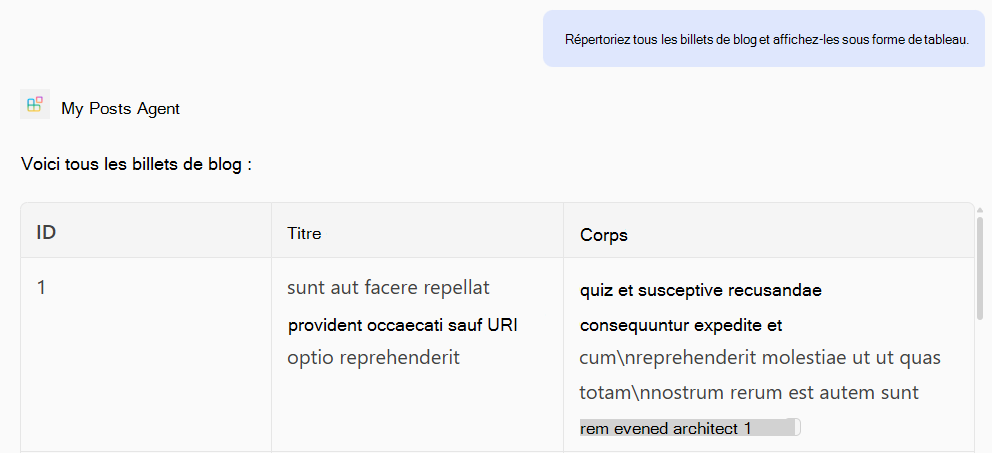
Tester l’opération GET
Prompt: « Répertorier tous les billets de blog et les afficher sous forme de tableau. »
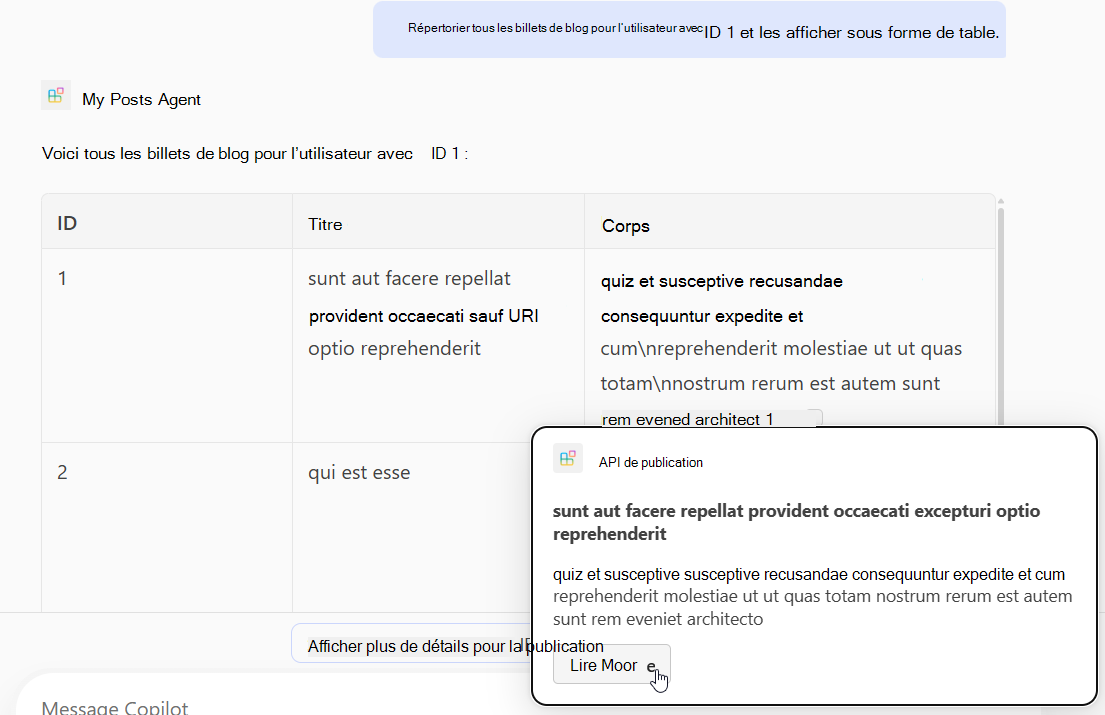
Prompt: « Répertorier tous les billets de blog pour l’utilisateur avec l’ID 1 et les afficher sous forme de table. »
Tester l’opération POST
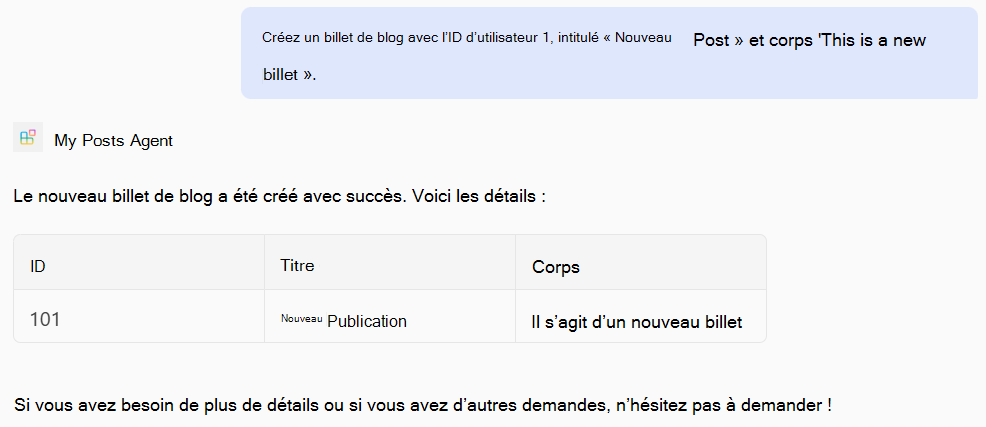
Prompt: « Créez un billet de blog avec l’ID d’utilisateur 1, le titre « Nouveau billet » et le corps « This is a new post » (C’est un nouveau billet). »
Tester l’opération PATCH
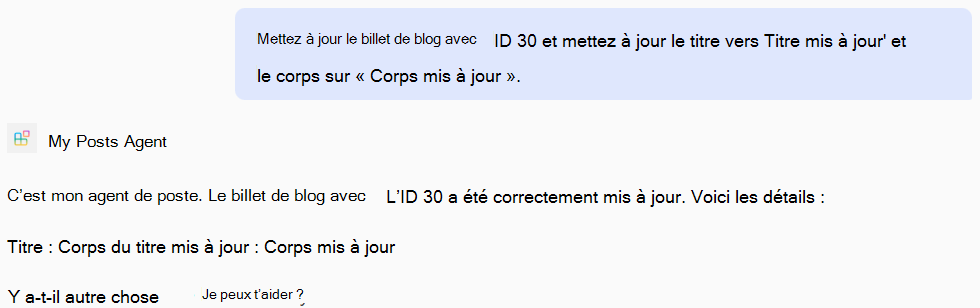
Prompt: « Mettez à jour le billet de blog avec l’ID 30 et mettez à jour le titre en « Titre mis à jour » et le corps en « Corps mis à jour ».
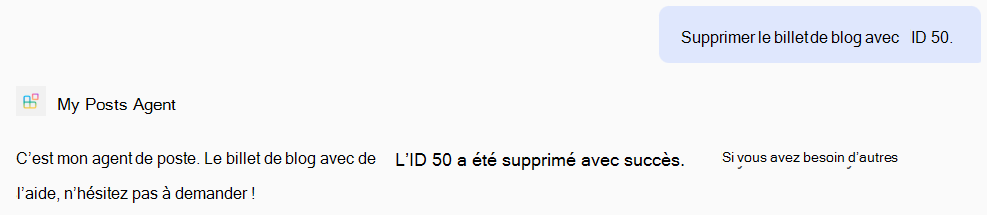
Tester l’opération DELETE
Prompt: « Supprimer le billet de blog avec l’ID 50. »
Exemple de fichier complet main.tsp
Voici un exemple de fichier complet main.tsp avec les GETopérations , POST, PATCHet DELETE ajoutées.
import "@typespec/http";
import "@typespec/openapi3";
import "@microsoft/typespec-m365-copilot";

using TypeSpec.Http;
using TypeSpec.M365.Copilot.Actions;
using TypeSpec.M365.Copilot.Agents;

@agent(
  "My Posts Agent",
  "Declarative agent focusing on blog posts management."
)

@instructions("""
  You should help users with blog posts management.
  You can read, create, update and delete blog post items.
  You can also search for blog posts by user ID.
""")

@conversationStarter(#{
  title: "List Blog Posts",
  text: "List all blog posts and render them as a table."
})

@conversationStarter(#{
  title: "Lists a user's blog posts",
  text: "List all blog posts for the user with ID 1 and render them as a table."
})

@conversationStarter(#{
  title: "Delete a blog post",
  text: "Delete the blog post with ID 50."
})

@conversationStarter(#{
  title: "Update a blog post",
  text: "Update the blog post with ID 30 and update the title to 'Updated Title' and body to 'Updated Body'."
})

@conversationStarter(#{
  title: "Create a blog post",
  text: "Create a new blog post with user ID 1, title 'New Post' and body 'This is a new post'."
})

@conversationStarter(#{
  title: "Get a blog post",
  text: "Get all the details about the blog post with ID 10."
})

namespace MyAgent {
  @service
  @server("https://jsonplaceholder.typicode.com")
  @actions(#{
    nameForHuman: "Posts APIs",
    descriptionForHuman: "Manage blog post items on JSON Placeholder APIs.",
    descriptionForModel: "Read, create, update and delete blog post items on the JSON Placeholder APIs."
  })
  namespace PostsAPI {
    /**
     * List all blog post items.
     * @param userId The ID of the user who created the post. If not provided, all posts will be returned.
     */
    @route("/posts")
    @card(#{ dataPath: "$", file: "post-card.json", properties: #{ title: "$.title" } })
    @get op listPosts(@query userId?: integer): PostItem[];

    /**
     * Get a blog post item by ID.
     */
    @route("/posts/{id}")
    @card(#{ dataPath: "$", file: "post-card.json", properties: #{ title: "$.title" } })
    @get op getPost(@path id: integer): PostItem;

    /**
     * Create a new blog post item.
     * @param post The post item to create.
     */
    @route("/posts")
    @post op createPost(@body post: PostItem): PostItem;

    /**
     * Updates a blog post item.
     * @param id The ID of the post to update.
     * @param post The updated post item.
     */
    @route("/posts/{id}")
    @patch op updatePost(@path id: integer, @body post: PostItem): PostItem;

    /**
     * Deletes a blog post item.
     * @param id The ID of the post to delete.
     */
    @route("/posts/{id}")
    @delete op deletePost(@path id: integer): void;

    model PostItem {
      /**
       * The ID of the user who created the post.
       */
      userId: integer;

      /**
       * The ID of the post.
       */
      @visibility(Lifecycle.Read)
      id: integer;

      /**
       * The title of the post.
       */
      title: string;

      /**
       * The body of the post.
       */
      body: string;
    }
  }
}