선택한 Visual Studio 구독에 포함된 Windows 개발자 계정을 사용하여 Windows 스토어에 무료 및 유료 Windows 앱을 제출할 수 있습니다.
Activation steps
Windows 개발자 계정을 사용하려면 계정을 설정하거나 기존 계정을 사용하여 로그인해야 합니다.
Important
Windows 개발자 계정을 만들려면 MSA(Microsoft 계정)를 사용해야 합니다. Microsoft Entra 계정의 사용은 지원되지 않습니다.
이 프로세스에 대한 "프라이빗" 브라우저 창을 만드는 것이 좋습니다. 예를 들어 Google Chrome에서 새 "incognito" 창을 만듭니다. Internet Explorer에서 새 "InPrivate" 창을 만듭니다.
- https://my.visualstudio.com/benefits에 로그인하세요.
- Locate the Windows Developer Account tile in the Tools section and select on the Get Code link at the bottom of the benefit tile. Copy the code to your clipboard, then select Activate.
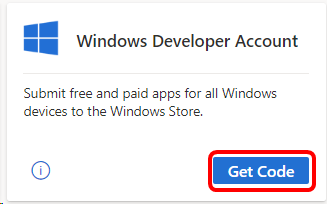
-
https://developer.microsoft.com/microsoft-store/register/ 사이트에서 등록 프로세스를 시작할 수 있습니다. Select Sign up to continue.
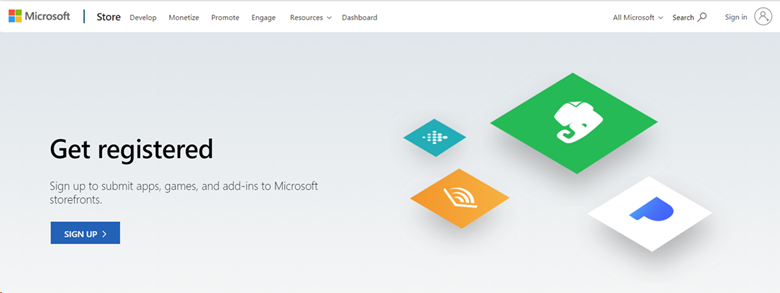
- 구독에 로그인합니다. 계정이 여러 개 있는 경우 Enterprise 구독과 연결된 계정을 선택합니다.
- Enter your email address, select your preferred language, and select Save.
- On the next page, select the country/region where you live or where your business is located, and then select Next.
- Select Individual as your account type.
- 게시자 표시 이름을 만듭니다. 이 이름은 고객이 앱, 추가 기능 및 서비스와 연결된 고유한 이름입니다.
- Provide your contact information and preferred email language, then select Next.
- 암호를 확인하라는 메시지가 표시될 수 있습니다. Enter it and select Sign in.
- 등록 – 결제 페이지에서 이전에 복사한 코드를 프로모션 코드 필드에 붙여넣습니다. 페이지가 업데이트되어 결제가 필요하지 않음을 표시합니다. Select Next.
- 계정 정보를 검토하고, 앱 개발자 계약을 검토하고, 확인란을 선택하여 사용 약관에 동의했음을 나타냅니다. Then select Finish.
- 대시보드로 이동하여 Windows 개발자 계정 사용을 시작합니다.
Eligibility
| Subscription Level | Channels | Benefit | Renewable? |
|---|---|---|---|
| Visual Studio Enterprise(표준) | VL, Azure, Retail, 선택한 NFR* | Included | Yes |
| GitHub Enterprise를 사용하여 Visual Studio Enterprise 구독 | VL | Included | Yes |
| Visual Studio Professional(표준) | VL, Azure, Retail | Included | Yes |
| GitHub Enterprise를 사용하여 Visual Studio Professional 구독 | VL | Included | Yes |
| Visual Studio Test Professional(표준) | VL, Retail | Not available | NA |
| MSDN 플랫폼(표준) | VL, Retail | Not available | NA |
| Visual Studio Enterprise, Visual Studio Professional(월간 클라우드) | Azure | Not available | NA |
* 포함: NFR(전매금지), FTE, VSIP(Visual Studio Industry Partner), MCT Software &services Developer, MVP(Most Valuable Professional), RD(Regional Director). 제외: Microsoft Cloud 파트너 프로그램, Imagine, NFR Basic.
Note
Microsoft는 더 이상 클라우드 구독에서 Visual Studio Professional 연간 구독 및 Visual Studio Enterprise 연간 구독을 제공하지 않습니다. 기존 고객의 환경과 구독 갱신, 증가, 감소 또는 취소 기능은 변경되지 않습니다. 새 고객은 https://visualstudio.microsoft.com/vs/pricing/ 이동하여 Visual Studio를 구입하는 다양한 옵션을 탐색하는 것이 좋습니다.
어떤 구독을 사용하고 있는지 잘 모르시나요? https://my.visualstudio.com/subscriptions 연결하여 전자 메일 주소에 할당된 모든 구독을 확인합니다. 구독이 모두 표시되지 않으면 하나 이상의 구독이 다른 전자 메일 주소에 할당되었을 수 있습니다. 해당 구독을 보려면 해당 이메일 주소로 로그인해야 합니다.
Support resources
- Windows 개발자 계정을 사용하는 데 도움이 필요하세요? Check out the support resources on the Windows Dev Center.
- Windows Development
- Visual Studio 구독에 대한 판매, 구독, 계정 및 청구에 대한 지원은 Visual Studio Visual Studio 구독 지원에 문의하세요.
- Visual Studio IDE, Azure DevOps Services 또는 기타 Visual Studio 제품 또는 서비스에 대한 질문이 있나요? Visual Studio 지원을 방문합니다.
See also
Next steps
Visual Studio 구독을 최대한 활용하려면 다음과 같은 유용한 이점을 활성화합니다.
- Visual Studio
- Azure DevOps
- Azure DevTest 제품/크레딧