Nuta
Dostęp do tej strony wymaga autoryzacji. Możesz spróbować się zalogować lub zmienić katalog.
Dostęp do tej strony wymaga autoryzacji. Możesz spróbować zmienić katalogi.
Uwaga
Ten artykuł dotyczy Azure SQL Database, Azure SQL Managed Instance i Azure Synapse Analytics (dedykowanych pul SQL, dawniej SQL DW). Aby uzyskać dokumentację dotyczącą funkcji Transparent Data Encryption dla dedykowanych pul SQL w obszarach roboczych usługi Synapse, zobacz Szyfrowanie usługi Azure Synapse Analytics.
Wymagane uprawnienia
Aby włączyć funkcję Transparent Data Encryption (TDE), musisz być administratorem lub członkiem roli dbmanager.
Włączanie szyfrowania
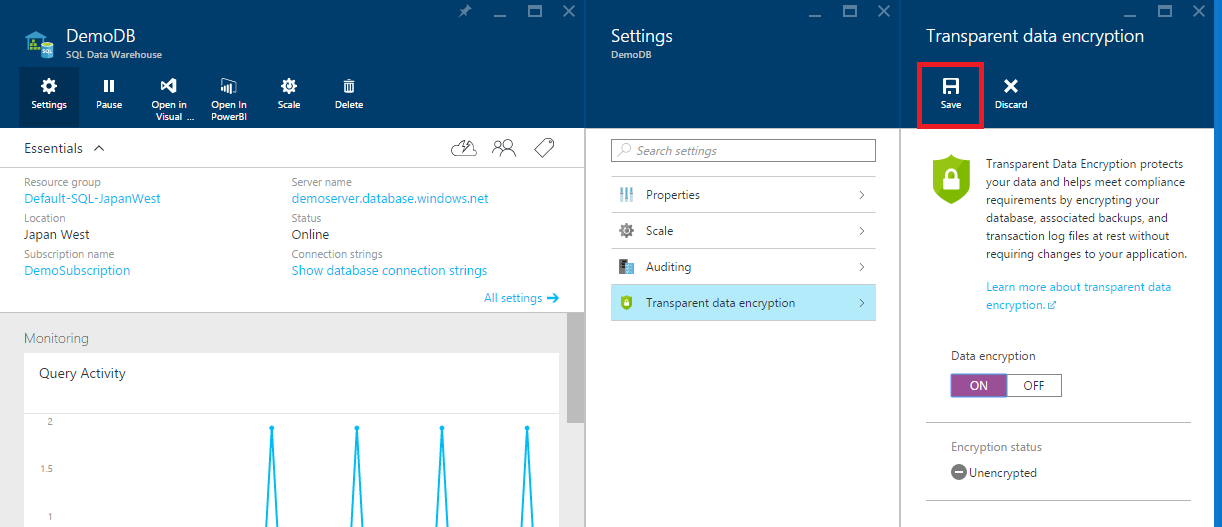
To enable TDE, follow the steps below:
- Open the database in the Azure portal
- In the database blade, click the Settings button
- Select the Transparent data encryption option

- Select the On setting

- Select Save
Wyłączanie szyfrowania
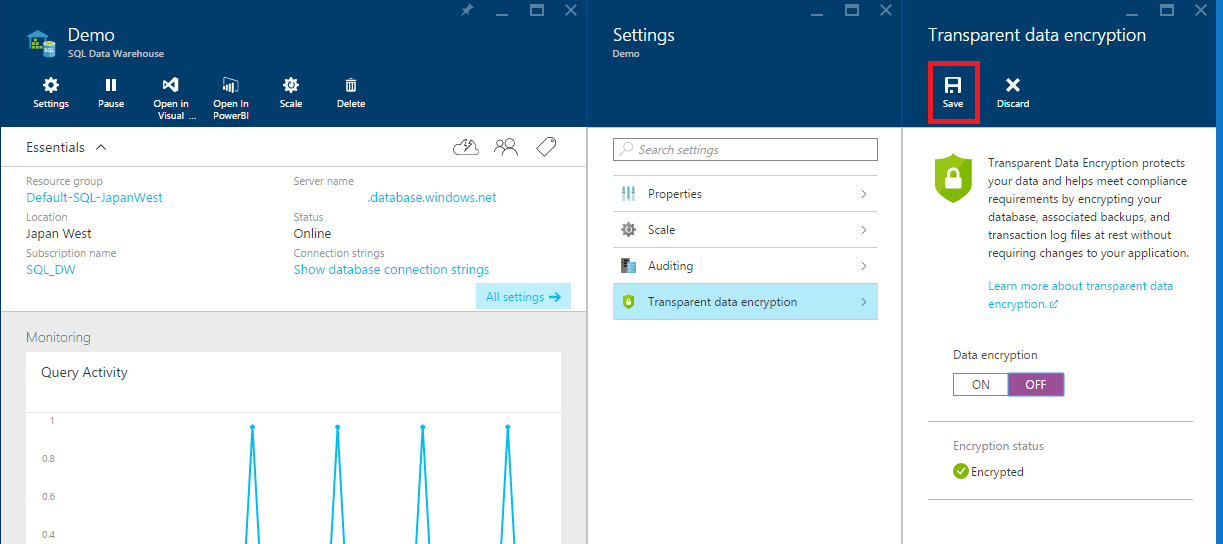
To disable TDE, follow the steps below:
- Open the database in the Azure portal
- In the database blade, click the Settings button
- Select the Transparent data encryption option
- Select the Off setting
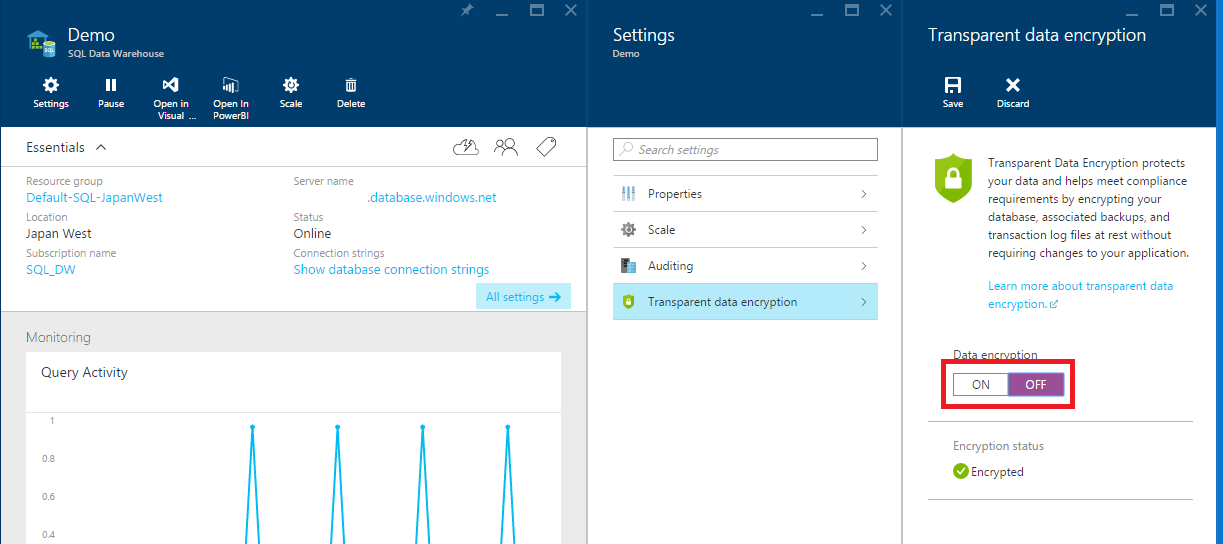
- Select Save
Encryption DMVs
Encryption can be confirmed with the following DMVs: